

$449.00

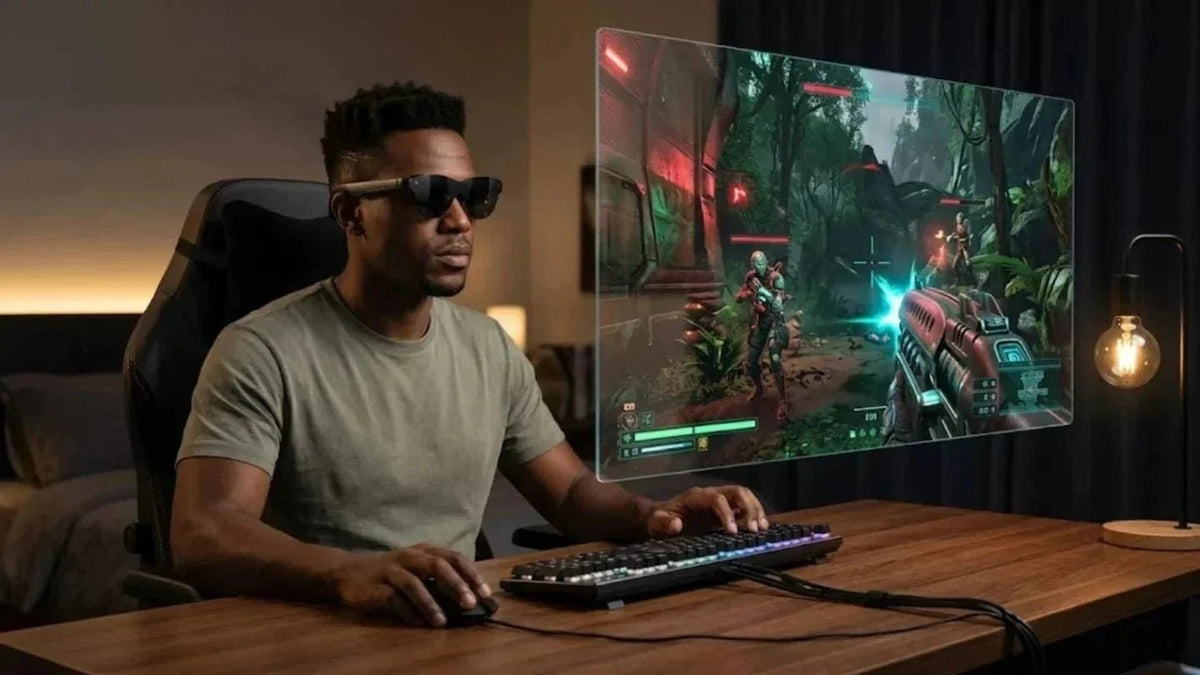
In 2026, VR headsets handle deep immersion, while smart glasses and AI glasses have taken on the roles of lightweight gaming and all-day digital assistants. Both categories complement each other within the same lifestyle.
Therefore, the core question is no longer whether to get VR. Instead, it is how to choose between VR headsets, smart glasses, AI glasses, and AR glasses. This article will systematically break down the current VR and smart glasses ecosystem. We will examine device types and key technologies to help you quickly find the best immersive gaming entry point for your budget and time.
By 2026, it is difficult to completely separate VR from AR. We more commonly use the term XR, which refers to a continuous spectrum experience that implements pure VR, passthrough MR, and partial information overlays on a single device. Taking the Meta Quest 3 and 3S as examples, players can experience traditional VR games in a closed field of view or turn on color passthrough to overlay shooting, puzzle, or fitness MR content in their real living room. Combined with high-brightness cameras and depth sensing, the system can accurately identify tables, sofas, and walls to reduce collision risks. This is the key threshold for moving from being able to play to feeling safe enough for long sessions.
The evolution of XR is moving from entertainment devices toward everyday computing terminals. Gaming is simply the touchstone with the highest weight and most direct feedback. In our field research, we found that more players want to do more things while wearing just one device. This includes remote work, multi-screen projection, fitness, and console-grade gaming.

Latency and image quality have always been the real barriers preventing high-end players from switching fully to wireless VR. The adoption of Wi-Fi 7 has forced a re-examination of this conflict. According to specifications released by the Wi-Fi Alliance, Wi-Fi 7 provides higher effective bandwidth in the 6GHz band. Combined with Multi-Link Operation (MLO) and Simultaneous Transmit and Receive (STR), wireless VR can receive high-bitrate video streams on one link while transmitting tracking data and input info on another. This theoretically creates a more predictable low-latency link.
The bottleneck is shifting from pure wireless latency to encoding/decoding performance and PC-side rendering. Technical analysis from UploadVR shows that on headsets like the Quest 3, wireless link latency on Wi-Fi 6E is already near zero. What actually affects the experience are the delays in video compression and decoding, along with the rendering overhead of high-resolution images on the host PC. The value of Wi-Fi 7 is most apparent in stability and bandwidth redundancy during high-resolution streaming. For instance, on headsets like the Pimax Crystal Super with 3840×3840 resolution per eye, we can maintain fewer compression artifacts at higher bitrates, reducing the issue of dark areas becoming a blurry mess.
As headsets shed their cables, ecosystem integration becomes rapidly more important. Players are no longer satisfied with an isolated VR device. Instead, they expect XR to trigger chain reactions with PCs, phones, smart TVs, routers, smart lighting, and even treadmills. Rumors regarding SteamVR and the Valve Deckard emphasize low-latency streaming via Wi-Fi 7 with high-performance PCs. This allows users to move between the living room, study, and bedroom while maintaining a consistent PC VR experience.
On the other hand, XR systems are starting to link with smart homes. For example, in MR mode, users can directly check home camera feeds, control AC and lights, or see package delivery info. Feedback from home users suggests these experiences feel like a more natural home HUD than a phone. When you can see device status, teammate voice pop-ups, and navigation prompts in your real field of vision, you are more willing to wear lightweight display devices for long periods. Heavy VR headsets are then reserved for focused gaming moments.
After understanding the industry trends, we need to categorize the core types of VR gaming systems in 2026 more specifically. These include Standalone All-in-One VR, PC VR with high-end enthusiast systems, and Console VR. Each form factor corresponds to a very different budget, usage scenario, and set of pain points. Once these comparisons are clear, the buying advice in the following sections will be more direct.
Standalone VR headsets remain the primary volume drivers of the market in 2026. They rely on built-in SoCs and batteries to achieve a wireless experience completely free from PCs or consoles. This category of device solves the problem of entry cost and complexity. Many Reddit users choose a Meta Quest series as their first VR device because its logic is close to a gaming console. You buy it, log in to your account, download a game, and start playing.
The typical pain points of standalone devices focus on three areas. First, there is a clear gap in visual quality compared to high-end PC VR. This is especially obvious in racing or flight simulators that require high-detail distant views. Second, long-term wearing comfort is an issue. The front-heavy design containing the battery often causes facial pressure marks and neck fatigue, especially during sessions over two hours. Third, storage and closed ecosystems are concerns. Many users find it frustrating to frequently delete and reinstall AAA titles on 128GB or 256GB models, and moving content across platforms is not smooth.
In the 2026 mainstream lineup, the Meta Quest 3 and Quest 3S are still the most discussed standalone VR headsets. The Quest 3 offers 2064x2208 resolution per eye, pancake lenses, and color passthrough. it creates a balanced solution between price and image quality while reserving bandwidth for PC connections via Wi-Fi 6E or Wi-Fi 7. The Quest 3S is reported by multiple sources to have a thicker body, lower resolution, and cheaper lens set in exchange for a more accessible price point, lowering the barrier to entry for a first VR headset even further.
Regarding the Quest Pro 2 and Quest 4, several reports from 2025 and 2026 mention that Meta internal roadmaps plan to launch a new generation of high-end headsets around 2027. These may feature higher resolution displays, Codec Avatars technology, and rear-mounted batteries, but specifications remain rumors for now. From a player decision-making perspective, we recommend making judgments based on the confirmed configurations of the Quest 3 and 3S. You only need to keep an eye on unannounced models to see if they give you a reason to wait another year.
The benefits of standalone VR are crystal clear. Based on multiple rounds of user interviews, we have identified three key areas of consensus. First, the setup and usage process is very similar to a gaming console. This makes it ideal for home environments where sharing accounts or devices among family members is more cost-effective. Second, the wireless freedom significantly boosts immersion. In rhythm-based fitness games, you do not have to worry about tripping over cables or setting up base stations around the room. Third, the content ecosystem has created a powerful flywheel effect. Platforms like Quest offer a massive library of exclusive or early-access titles. For users who primarily play mainstream VR games, the price-to-performance ratio is exceptionally high.
The downside is that processing power and upgrade paths are locked into the headset itself. Once the SoC performance falls behind, your only option is PC streaming for better graphics. In homes with poor network conditions, this introduces a new set of problems. Additionally, heat dissipation and weight limits restrict battery size. Most standalone VR headsets still offer only about 2 to 3 hours of continuous high-load gaming. During long campaigns or multi-round multiplayer sessions, users often find themselves needing to charge mid-way or swap headsets entirely.
PC-VR and high-end enthusiast systems remain the ceiling for image quality and customization in 2026. Through DisplayPort cables or high-bitrate Wi-Fi 6E/7 streaming, the headset acts as a low-latency display terminal for a powerful PC, while the GPU handles all rendering tasks. This model is especially popular among sim racing, flight sim, and high-end VR mod enthusiasts. Players are willing to pay a premium for features like ultra-wide fields of view, high resolution, and precise color accuracy.
Valve Deckard is widely seen as a leading representative of the next generation of hybrid high-end PC-VR and standalone systems. Reports indicate it uses a 4nm Snapdragon ARM processor, 16GB of unified memory, and a custom SteamOS VR system. It supports Wi-Fi 7 dual-path concurrency, aiming to run medium-complexity games in standalone mode while unlocking high-fidelity potential through PC streaming. Multiple leaks suggest the Deckard screen may feature 1440p to 2160p resolution per eye and a 120Hz refresh rate. Combined with eye tracking and dynamic foveated rendering, the perceived quality should approach high-end PC-VR levels.
The Pimax Crystal Super focuses entirely on extreme visual quality. Official specs list a 3840x3840 resolution per eye using a QLED MiniLED panel with local dimming. At 50 PPD, it presents roughly 29 million pixels with a horizontal field of view selectable between 127 and 140 degrees, and refresh rates of 72 or 90Hz. When testing this level of headset in racing and flight sims, we found that the readability of distant braking points and cockpit gauges is significantly better than on traditional 2160x2160 devices. Players no longer need to lean into the virtual dashboard to see details. Additionally, built-in 120Hz eye tracking and dynamic foveated rendering can improve image quality or stabilize frame rates at the same GPU performance level. This is a key optimization for the high-resolution era.
Ideal scenarios for high-end PC-VR systems fall into several categories. First are sim racing players who pay for high FOV and PPD to accurately judge braking points and overtaking gaps on the track. Second are flight sim and space-themed games, where distant terrain details and cockpit instrument readings directly affect immersion and playability. Third are heavy users of the modding community and VR creation tools. They require the massive compute power of a PC and an open development environment to load custom content or create VR media.
Of course, these systems have built-in barriers. Users must own a mid-to-high-end graphics card, such as an RTX 3070 or better, to maintain stable frame rates at high resolutions. Furthermore, the complexity of setup and cable management is higher than with standalone VR. For casual players who only want to play occasionally, the investment is clearly too high.
If most of your gaming time is spent on racing, flying, and hardcore simulations, a PC-VR headset paired with a high-end PC remains the highest-performance combo in 2026.
Console VR, represented by the PlayStation VR2, offers a highly integrated path for living room gamers who want a plug-and-play experience. The PS VR2 connects directly to a PS5 or PS5 Pro via a single USB-C cable. It requires no extra base stations and uses inside-out tracking via built-in cameras, making the setup only slightly more complex than a standalone headset. A large library of console-exclusive content, including VR versions of classic AAA titles, is the biggest draw for this platform, especially for players already in the PS5 ecosystem.
With the release of the PS5 Pro, console rendering performance has improved. The PS VR2 can now run at higher internal resolutions and more stable 90Hz or 120Hz refresh rates in more games. This reduces the stutter and motion sickness players feel during intense scenes. For families, the advantage of console VR lies in permission and content management. Parents can control purchases and playtime through a single console account, reducing the risk of minors accessing inappropriate content—a common point mentioned in family discussions.
Naturally, console VR also has higher requirements for space configuration. Players need to keep a certain amount of front and side space clear for camera tracking. It is also important to ensure there are no highly reflective glass surfaces or mirrors in front of the user, as these can cause the tracking algorithms to jitter.
Understanding key technical metrics helps you quickly distinguish between marketing hype and configurations that actually impact your experience. We will break this down into three dimensions: display, rendering optimization, and environmental awareness.
In mid-to-high-end VR and XR headsets in 2026, Micro-OLED and high PPD screens have become the core differentiators for image quality. Compared to traditional LCDs, Micro-OLED provides higher pixel density, deeper blacks, and higher contrast. For example, the RayNeo Air 4 Pro uses a Micro-OLED display with HueView 2.0 technology. It supports HDR10 and offers up to 1200 nits of perceived brightness. Combined with 1080p resolution and a 120Hz refresh rate, it provides players with a smooth, color-rich gaming visual experience and effectively eliminates motion blur.

As resolution increases, rendering pressure grows exponentially. Eye tracking and foveated rendering have become essential supporting technologies for 2026 VR systems. The basic principle is to track the direction of the user's gaze at high speeds. The system renders the center of the field of view at high resolution while reducing detail in the periphery. This utilizes the natural lack of peripheral sharpness in human vision to save performance.
In PC VR mode, the Pimax Crystal Super offers 120Hz eye tracking and dynamic foveated rendering. This can improve image quality or stabilize frame rates on the same GPU, a core advantage repeatedly highlighted in many reviews. Leaks regarding the Valve Deckard also mention that eye tracking and foveated rendering are key features. Combined with Wi-Fi 7 high-bandwidth streaming, these allow for higher rendering resolutions at a 120Hz refresh rate.
After moving from pure VR to Mixed Reality, the quality of passthrough video directly determines the ceiling of the MR experience. Early black-and-white low-resolution passthrough was only useful for guardian boundary alerts. By 2026, mainstream MR headsets provide full-color high-resolution passthrough and build 3D room models using depth sensors or multi-camera arrays. Players can see digital obstacles in their real living room or anchor game UIs to a real desk. These experiences have received massive praise on YouTube and Reddit, with many users noting that it finally feels like virtual content is actually in the room.
In the smart glasses sector, the RayNeo X3 Pro uses a dual-camera setup, including a 12MP Sony IMX681 RGB camera and an OV spatial camera. Combined with 6DoF spatial positioning and the RayNeo Image Plus algorithm, it achieves accurate perception of environmental geometry and image alignment. This lays the foundation for overlaying lightweight game interactions on the real world. In the VR headset camp, similar technology is used to build stable Guardian boundaries and room-scale MR experiences, such as generating virtual cover around furniture or overlaying game tracks on a real floor.
By 2026, VR headsets and smart glasses have formed a very clear division of labor. Together, they constitute a dual-track system for immersive computing. VR headsets handle fully enclosed high-immersion scenarios, while smart glasses and AI glasses take on information overlays and lightweight interaction.
|
Device Type |
Immersion Level |
Typical Weight |
Main Use Case |
|
VR Headset |
Full immersion VR/MR |
Medium to Heavy |
Deep Gaming & Training |
|
Smart Glasses |
Partial overlay AR HUD |
Light |
Navigation, Info, Light Gaming |
|
AI Glasses |
Overlay with assistant |
Light |
Voice Assistant, Productivity |
The core value of a VR headset lies in blocking out reality. It uses a wide field of view and spatial audio to completely wrap the player in a virtual world. This provides a huge boost for horror, shooter, and simulation games. Players use controllers, steering wheels, or HOTAS peripherals to build a dedicated gaming space. The entertainment density is very high, but the user generally cannot track their real surroundings during immersion.
If you seek the ultimate gaming visuals, the RayNeo Air 4 Pro and its equivalent 201-inch virtual screen is an ideal choice. it focuses on projecting PC or console game footage with low latency and high color standards. In contrast, the RayNeo X3 Pro weighs about 76 grams and uses nano-lithography waveguides with MicroLED displays. It projects high-brightness content within a 30-degree field of view while maintaining a full view of reality. This makes it perfect for use while commuting, walking, or moving indoors. Its safety and social acceptance are far higher than VR headsets. In gaming, this information overlay format is suited for lightweight play, such as overlaying HUDs, quest prompts, or mini-maps, or acting as a second screen for PC and mobile info rather than high-intensity VR action.
Additionally, we see an interesting trend among users of these devices. More players are viewing high-quality gaming-glasses as peripheral plugins for the gaming ecosystem. For example, when playing MMORPGs or card games on a PC, they place external build calculators, drop tables, or voice channel HUDs in the glasses. The main screen only shows the game. This is very attractive for users with limited budgets for multiple monitors.
In this section, we will look at three typical user groups: budget-conscious players, social and fitness users, and sim racing enthusiasts.
Budget players usually focus on three issues: initial hardware cost, ongoing content spending, and setup complexity. At this level, standalone headsets like the Quest 3S have a clear advantage. The hardware is all-inclusive and does not require an extra PC or console. As long as you have stable Wi-Fi at home, you can start the experience. This is the most popular choice.
For players who already own a decent gaming PC, their view is that a mid-priced standalone headset plus PC streaming balances cost and experience. They use the built-in SoC to run casual games and fitness content, then turn on PC streaming when they need high-end graphics.
Social and fitness users often do not prioritize extreme graphics. Instead, they value wearing comfort, hygiene when sweating, and the multiplayer experience. Common complaints include tenderness on the forehead and cheeks after long sessions, foam gaskets that are hard to clean after sweating, and unstable pairing or voice systems when playing with friends.
To address these, first, try to choose a headset with balanced weight distribution. Designs with rear batteries or top headstraps help shift pressure from the face to the top of the head. This reduces discomfort during long sessions. Second, check if there are removable and easy-to-clean facial interfaces in the original or third-party accessories. This is vital for fitness users. Third, prioritize systems with mature social platforms and fitness ecosystems. For example, the Quest platform has established fitness apps and multiplayer rhythm games. This avoids the awkward situation of buying a device only to play two games.
AR glasses and AI glasses also have a place here. Many users wear lightweight smart glasses while running outdoors or walking indoors. They use the HUD to check step counts, heart rate, or coach tips rather than wearing a heavy VR headset. For instance, the RayNeo X3 Pro weighs only about 76 grams with a 245mAh battery. It meets the battery life needs for general commuting and short workouts. This is an experience that VR headsets find hard to replace in daily life.
After moving from traditional triple monitors to high-resolution VR, players either fall in love with the 360-degree immersion or return to flat screens due to blurriness and motion sickness. The key difference lies in the headset tier and calibration. High-end headsets like the Pimax Crystal Super offer 50 PPD and 3840x3840 resolution per eye. Combined with a horizontal field of view of about 127 to 140 degrees, they provide a field of vision that matches or exceeds triple screens while keeping the HUD and distant markers highly readable. However, this requires at least an RTX 3070 as a recommended configuration and puts higher demands on PC cooling and power supply. Headsets like the rumored Valve Deckard, which hybridize standalone and PC VR, strike a different balance between convenience and performance. Players can use standalone mode for casual sessions and plug into a high-end PC for official races.
Many first-time VR players fall into similar traps when making a purchase. We have distilled several of the most common misconceptions from extensive real-world experience to help you perform a reverse check before making a decision.
Many players only focus on resolution, refresh rate, and CPU or GPU models when making a purchase, ignoring weight distribution, headband structure, and facial padding materials. As a result, even with a high-spec headset, actual usage time is limited to less than thirty minutes per session due to discomfort. This leads to a sharp decline in the long-term desire to use the device.
We suggest paying extra attention to a few specific metrics when reviewing specs: total weight and front-to-back balance, the presence of an adjustable headband structure, and whether the facial contact areas support swappable pads of different materials. For smart glasses users, whether the headset is compatible with prescription glasses or supports official optical inserts is also a key factor. Similar issues exist in the smart glasses field. The RayNeo X3 Pro, through its roughly 76 gram weight and a structure that mimics regular sunglasses, minimizes nose bridge marks. In our long-term commuting tests, this factor influenced the desire to wear the device more than any single brightness or resolution spec.
Another common mistake is looking only at hardware while ignoring exclusive content and where your social circle is located. After buying a VR headset, you will spend the vast majority of your time on a few core games and apps. If these are missing or perform poorly on your chosen platform, even the strongest hardware will end up gathering dust on a shelf.
Some players choose headsets from non-mainstream platforms to chase higher resolutions, only to find that their favorite social or fitness apps are either not ported or have delayed updates. They often end up buying a mainstream device later anyway. Therefore, a very effective screening method is to list your top 3 to 5 must-have VR apps first. Confirm their availability and update frequency on your target platform before comparing hardware differences.
By 2026, VR headsets and Smart Glasses, including AI and AR glasses, serve as dual entry points to the immersive internet. The former offers deep immersion and high-intensity interaction, while the latter provides all-day information overlays and light gaming companionship. At this stage, the right strategy is not about chasing the most expensive or newest tech. Instead, it involves building a coordinated device matrix across Standalone, PC VR, Console VR, and Smart Glasses based on your own usage scenarios.







Share:
Eyeglass Frame Size Chart for Perfect Fitting
What is the Refresh Rate? How It Affects HUD Clarity and AI Text Overlays