

$449.00

If you are searching for "smart glasses for navigation," you are likely looking for a specific futuristic experience: keeping your head up and eyes on the road while digital arrows guide you to your destination. You want to replace the dangerous habit of looking down at a phone or a handlebar mount.
In 2026, the answer is clear, but it comes with a critical safety distinction. Here is the verdict:
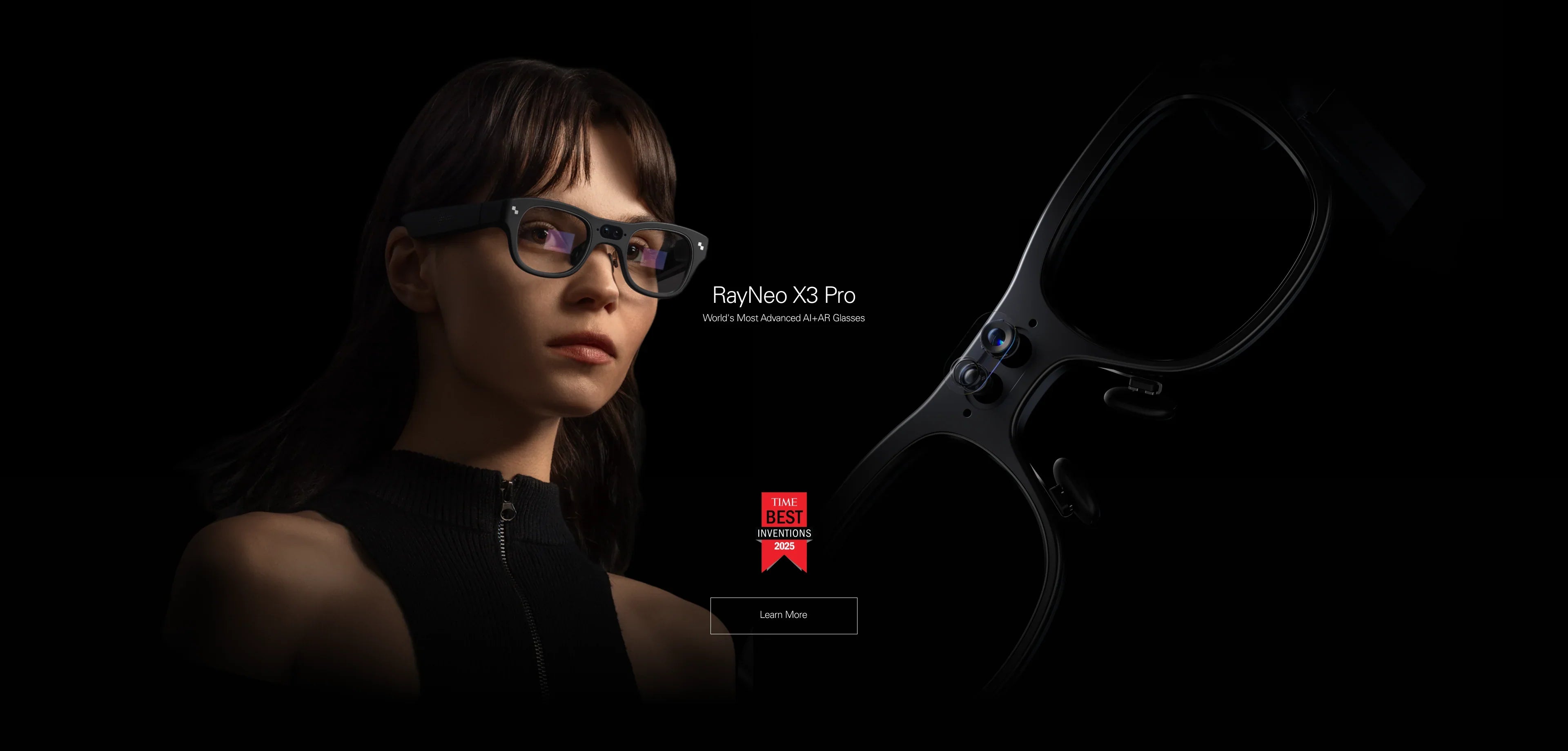
The Best for Active Navigation (Cycling/Walking): RayNeo X3 Pro. This is the only consumer device capable of true AR navigation. It uses a transparent Waveguide display to overlay 3D arrows directly onto the street. It is bright enough for daylight and ensures your peripheral vision remains unblocked.
The Best for Passive Navigation (Passengers/Planning): RayNeo Air 3s Pro. Because this device creates a massive immersive screen that can block your view of the real world, it is NOT recommended for driving or cycling. However, it is excellent for passengers navigating for a driver, or for studying complex 3D topographic maps while stationary.
This comprehensive guide (approx. 20-minute read) will explain the technology behind AR navigation, help you check if your use case is safe and legal, and walk you through setting up a heads-up display (HUD) that actually works.

To understand why one glass is safe for biking and the other isn't, we need to look at the optical physics. Navigation requires context, not just content.
Technology: Binocular Waveguide + MicroLED.
The Experience: Imagine a transparent layer of glass. The navigation software identifies the road geometry. It paints a bright green arrow that appears to be "sticking" to the asphalt 10 meters in front of you.
Why it works for Navigation:
Transparency (85%+): You can see potholes, pedestrians, and traffic lights through the display.
High Brightness (1500 nits): Essential for outdoor use. Traditional phone screens wash out in the sun; MicroLED cuts through glare.
SLAM Tech: Simultaneous Localization and Mapping ensures the arrow turns when you turn. It is "world-locked," not "head-locked."
Technology: Birdbath Optics + Micro-OLED.
The Experience: Imagine taping a 50-inch TV to your forehead. You see a giant interface floating in a black void.
Why it is risky for Navigation:
Occlusion: The screen is opaque or semi-transparent but dark. It creates a blind spot in your central vision.
Focus Conflict: Your eyes focus on the virtual screen (4 meters away virtual distance), making it hard to instantly refocus on objects in front of you.
Use Case: Perfect for a co-pilot navigator in a vehicle, or hiking route planning during a break, but dangerous for the operator.
Navigation isn't one-size-fits-all. Let's validate your specific scenario.
Verdict: RayNeo X3 Pro is a Safety Upgrade.
The Danger: Looking down at a phone mount takes your eyes off the road for 2-3 seconds. At 20km/h, that's 15 meters of blind riding.
The AR Advantage: The X3 Pro keeps your head up. You see speed, distance, and turn indicators in your peripheral vision. The "Arrow" overlay means you never miss a turn, reducing erratic braking.
Verdict: RayNeo X3 Pro is Essential.
The Danger: Walking around a new city while staring at mobile maps makes you a target for pickpockets and leads to bumping into people.
The AR Advantage: You walk confidently. The glasses highlight the point of interest visually. You look like a local, not a tourist.
Verdict: Proceed with Caution (Check Local Laws).
Legal Gray Area: Many jurisdictions ban "video screens" in the driver's view. However, "Heads-Up Displays" (HUDs) are standard in luxury cars.
The RayNeo X3 Pro Recommendation: Use the "Minimalist Mode" which shows only a simple arrow or speed limit. Do NOT use it to read texts or watch videos while driving. The transparency helps, but cognitive distraction is real.
Verdict: RayNeo Air 3s Pro (Stationary).
The Need: You need to study a detailed topographic map to plan a route up a mountain.
The Solution: Stop walking. Put on the Air 3s Pro. Connect it to your device. View the map on a 201-inch screen to see every contour line and elevation drop. Plan the route, then take them off to walk.
AR navigation relies on sensors (Compass, GPS, Gyroscope). If these aren't calibrated, your "arrow" might point into a wall. Here is the setup guide for the RayNeo X3 Pro.
The glasses use your phone's GPS for rough location and their own internal IMU (Inertial Measurement Unit) for precise head tracking.
Pairing: Connect the X3 Pro to the RayNeo App on your phone. Keep Bluetooth enabled.
GPS Permission: Ensure the RayNeo App has "Always Allow" location permission. The glasses need this data stream constantly.
Compass Calibration: Before starting a trip, perform a "Figure-8" motion with the glasses (or your head) to calibrate the magnetometer. This aligns "North" correctly.
The RayNeo X3 Pro supports different navigation modes:
Integrated AR Nav: Use the built-in navigation widget. Enter a destination via voice ("Hey RayNeo, navigate to Starbucks") or type it in the phone app. This mode activates the 3D arrows.
Mirroring Mode (Not Recommended): You can mirror your phone screen, but this just puts a rectangular 2D map in your eye. It lacks the "world-locked" AR magic and blocks your view. Stick to the native AR app.
Safety first. Declutter your view.
Brightness: Set to "Auto." The ambient light sensor will boost brightness to 1500 nits in sunlight and dim it in tunnels.
Widget Layout: We recommend a "Top-Right" configuration. Keep the center of your vision clear for traffic. Place the Turn Indicator and Distance Counter in the peripheral zone.
Compared to traditional navigation aids like handheld devices or standard audio-only wearables, RayNeo offers a visual integration that keeps your focus where it belongs: on your surroundings.
We specifically engineered the X3 Pro for this use case. Three technologies make it the leader.
While many mainstream AR products struggle with visibility in outdoor settings due to dim display technology, the X3 Pro uses MicroLED. This technology is essentially tiny, super-bright light bulbs. It achieves peak brightness levels that allow green navigation graphics to remain visible even against a bright blue sky or white concrete. High visibility is the foundation of safe AR navigation.
Without SLAM, a navigation arrow just floats in the center of your screen like a sticker on your glasses. If you turn your head left, the arrow moves left. That's confusing. With RayNeo SLAM, the glasses understand the environment. The arrow is "pinned" to the intersection. If you turn your head left, the arrow moves out of view to the right, staying anchored to the real-world location. This reduces cognitive load significantly.
The X3 Pro caches map data from your phone. If you lose cell signal in a tunnel or a rural area, the basic directional arrows continue to function based on GPS and compass data, ensuring you don't miss that crucial exit.
Navigating with AR is the future, but the future has bugs. Here is what you need to know.
The Reality: In dense urban canyons with tall skyscrapers, GPS signals can bounce. The "pinned" arrow might drift by a few meters or jump to a parallel street. The Fix: Always verify with street signs. AR is an assist, not an autopilot. Use common sense.
The Reality: Navigation requires GPS, Bluetooth, Display, and Processor to all run simultaneously. This generates heat. The Limit: On a hot summer day (30°C+), the X3 Pro may dim the display brightness after 45 minutes to protect the electronics. For long road trips, we recommend using it for "Last Mile" navigation rather than the whole 4-hour drive.
The Reality: While the display dims, having a glowing light source near your eye at night can affect your natural night vision adaptation. The Advice: We recommend turning off visual navigation on unlit rural roads at night. Use audio cues only in pitch-black environments.
A: Through the RayNeo App, the navigation engine is often powered by major map providers, but the UI is customized for AR. Standard mobile apps are typically not designed for transparent HUDs, so you should use the RayNeo navigation interface which optimizes the data for your field of view.
A: Yes. If you are nearsighted, the map (which is optically focused at ~4 meters) will be blurry. Do not wear the X3 Pro over your regular glasses. Use the magnetic prescription inserts to ensure the arrows are razor sharp. Order Inserts Here.
A: Yes, but check your helmet fit. The X3 Pro stems are designed for stability but may be thicker than wireframes. They fit inside most full-face helmets, but it can be tight. Always test fitment before a long ride.
Ready to stop looking down and start looking ahead? Choose your navigator.
If you want hands-free, heads-up guidance with 3D arrows:
→ Shop RayNeo X3 Pro (Best AR Navigation)
If you want to study large maps in detail before you leave:
→ Shop RayNeo Air 3s Pro (Best Map Viewer)
Ensure you have the right accessories for the journey.





Share:
What Are the Best Smart Glasses? The Comprehensive 2026 Guide
What Smart Glasses Are Good for Everyday Use? The 2026 Daily Driver Guide