

$449.00

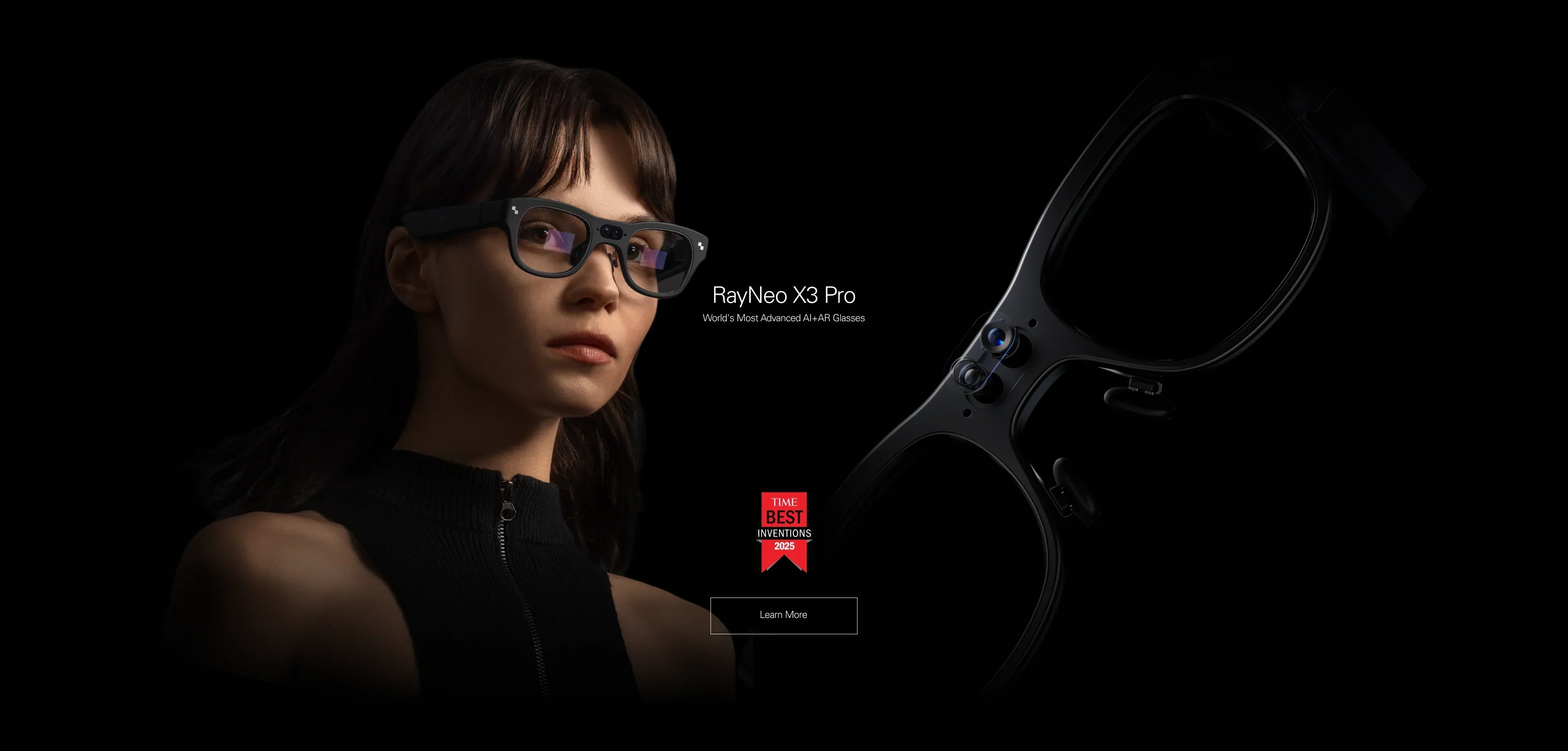
In 2026, the question "what are the best smart glasses" no longer has a single answer. The market has matured and split into two distinct evolutionary paths: glasses that think for you, and glasses that entertain you.
If you are looking for the absolute cutting edge technology available right now, here is the verdict:
The Best AI Smart Glasses (Overall Winner): RayNeo X3 Pro.
This is the definitive choice for 2026. It is a standalone computer with a full-color 3D display and built-in Gemini AI. It replaces your translator, your navigation mount, and your voice assistant—all without wires.
The Best Display Glasses (Best for Media): RayNeo Air 3s Pro.
The definitive choice for gamers and movie buffs. It connects to your devices to project a massive 201-inch OLED screen. It offers the best visual fidelity but requires a cable connection.
This comprehensive guide (approx. 20-minute read) will help you cut through the marketing hype, check your device compatibility, and choose the right wearable for your lifestyle in 2026.
Before you buy, it is critical to understand that "Smart Glasses" is an umbrella term covering three completely different hardware architectures. Buying the wrong type is the most common cause of buyer's remorse.
Representative: RayNeo X3 Pro
What they do: These are standalone devices with their own processors (like Snapdragon AR1/XR2), batteries, and operating systems. They function independently of your phone.
The Experience: They use Waveguide Optics to overlay digital information (text, arrows, images) onto the real world. You can walk down the street and see navigation arrows on the pavement or see translation subtitles floating next to a person's face.
Who they are for: Travelers, Tech Enthusiasts, Executives who need hands-free assistance.
Representative: RayNeo Air 3s Pro
What they do: These are high-fidelity wearable monitors. They do not have a CPU or battery. They rely on a host device (phone, console, laptop) to send video signals via USB-C.
The Experience: They use Micro-OLED panels to create a pitch-black private theater. The image is opaque and immersive, blocking out the real world to let you focus on a movie or game.
Who they are for: Steam Deck Gamers, Frequent Flyers, Privacy-focused Workers.
Representative: Mainstream Audio Smart Glasses
What they do: These are essentially Bluetooth headphones with cameras. They have NO display.
The Experience: You interact via voice ("Hey AI") and hear responses via speakers. You cannot see maps, read emails, or watch videos.
Who they are for: Social Media Creators, Drivers, Minimalists.

In 2026, hardware compatibility is still the biggest hurdle. The "best" glasses are useless if they don't work with your phone or console.
If you hate cables or have an older phone, the RayNeo X3 Pro is the safest bet.
Universal Compatibility: Because it is a standalone computer, it doesn't care about your phone's USB port capabilities. It connects via Bluetooth and Wi-Fi to any modern iOS or Android device.
The "Phone-Free" Life: You can leave your phone in your bag (or even at home for offline features) and still take photos, listen to music, and view cached maps.
If you choose the Air Series, you must pass the "DP Alt Mode" test. Your device must be able to output video over USB-C.
Getting started with 2026's tech is easier than before, but still requires specific steps.
Wake Up: Long-press the temple button. The Waveguide display will illuminate with a 3D boot sequence.
App Pairing: Install the "RayNeo App" on your phone. Enable Bluetooth and select the X3 Pro from the list.
Wi-Fi Link: Crucial Step. Enter your Wi-Fi password in the app. Advanced AI features like Gemini Translation and complex queries require a cloud connection.
Eye Calibration: The glasses will guide you to look at a series of dots. This calibrates the display to your specific inter-pupillary distance (IPD), ensuring the AR overlays look "grounded" in reality.
Cable Direction: The USB-C cable is directional. Plug the Angled (L-shaped) end into the glasses (Right Temple) to route the cable behind your ear.
Connection: Plug the straight end into your host device. The screen should mirror immediately.
Audio Output: If sound comes from your phone, switch the output.
iOS: Control Center > AirPlay > "RayNeo Air".
Steam Deck: Settings > Audio > External Device.
Nose Pad Swap: If the top of the screen is cut off, the glasses are too high (swap to Small pad). If the bottom is blurry, they are too low (swap to Large pad).

How does RayNeo stack up against the other major players in 2026? Here is a neutral breakdown based on utility.
We rank the X3 Pro as the overall "Best Smart Glass of 2026" because it pushes the boundaries of what a wearable can do. It solves real-world problems that audio glasses cannot.
Imagine being in a noisy train station in Tokyo. Audio translation (via earbuds) is useless if you can't hear clearly. The X3 Pro listens and projects subtitles directly into your vision. You read what people are saying in real-time. It is inclusive, discreet, and works in high-noise environments.
Audio directions ("Turn left in 100 feet") can be confusing at complex intersections. The X3 Pro uses SLAM technology to understand the 3D world. It paints green arrows on the actual road. You simply follow the path. It also displays your speed, distance, and ETA in a non-intrusive HUD.
Privacy is a major theme in 2026. The X3 Pro features directional audio that beams sound straight into your ear canals, minimizing leakage. You can have a conversation with your AI assistant without the person next to you hearing a thing.
Even the best tech has trade-offs. Here is what you need to accept before buying.
X3 Pro: It is a computer. If you run AI translation and video recording continuously, the battery will drain in 3-4 hours. For all-day longevity, you need to use it intermittently (check info, then standby).
Air 3s Pro: It is a vampire. It draws power from your phone. Watching a 2-hour movie on an iPhone 15 might consume 20-30% of the phone's battery.
The Reality: Both glasses generate heat. The X3 Pro processes data on your face; the Air 3s Pro drives high-brightness OLEDs.
The Advice: You may feel warmth on the temples after 30 minutes of intense use. This is normal. We recommend taking short breaks every hour for comfort.
The Trade-off: The X3 Pro's waveguide display covers about 30 degrees of your vision (optimized for info). The Air 3s Pro covers 46+ degrees (optimized for immersion). Do not buy the X3 Pro expecting an IMAX movie experience; buy it for the AI utility.
A: Yes. Do not wear these over your daily glasses. Both the X3 Pro and Air 3s Pro support magnetic prescription inserts. You can order custom lenses that snap onto the inside of the frame. This ensures the display is perfectly focused. Order Prescription Inserts Here.
A: Basic features function out of the box. However, advanced cloud-based AI features (like unlimited real-time translation or advanced Gemini queries) may be subject to future service tiers depending on regional availability. Check the product page for current offers.
A: RayNeo glasses are TÜV Rheinland certified for Low Blue Light and Flicker-Free performance. Focusing on a virtual image at 4 meters is often less straining than staring at a phone screen 30cm away. However, follow the 20-20-20 rule: Every 20 minutes, look at something 20 feet away for 20 seconds.
Don't overanalyze. Choose the device that solves your biggest daily friction.
If you want to break language barriers and navigate hands-free:
→ Shop RayNeo X3 Pro (Best AI Glass)
If you want to upgrade your Steam Deck or iPhone viewing experience:
→ Shop RayNeo Air 3s Pro (Best Display Glass)
Not sure if your Android phone works with the Air Series?







Share:
Prescription Smart Glasses: How to Get Clear AR Viewing With Your Prescription
What Are the Best Smart Glasses Right Now? The Ultimate 2026 Guide