

$429.00

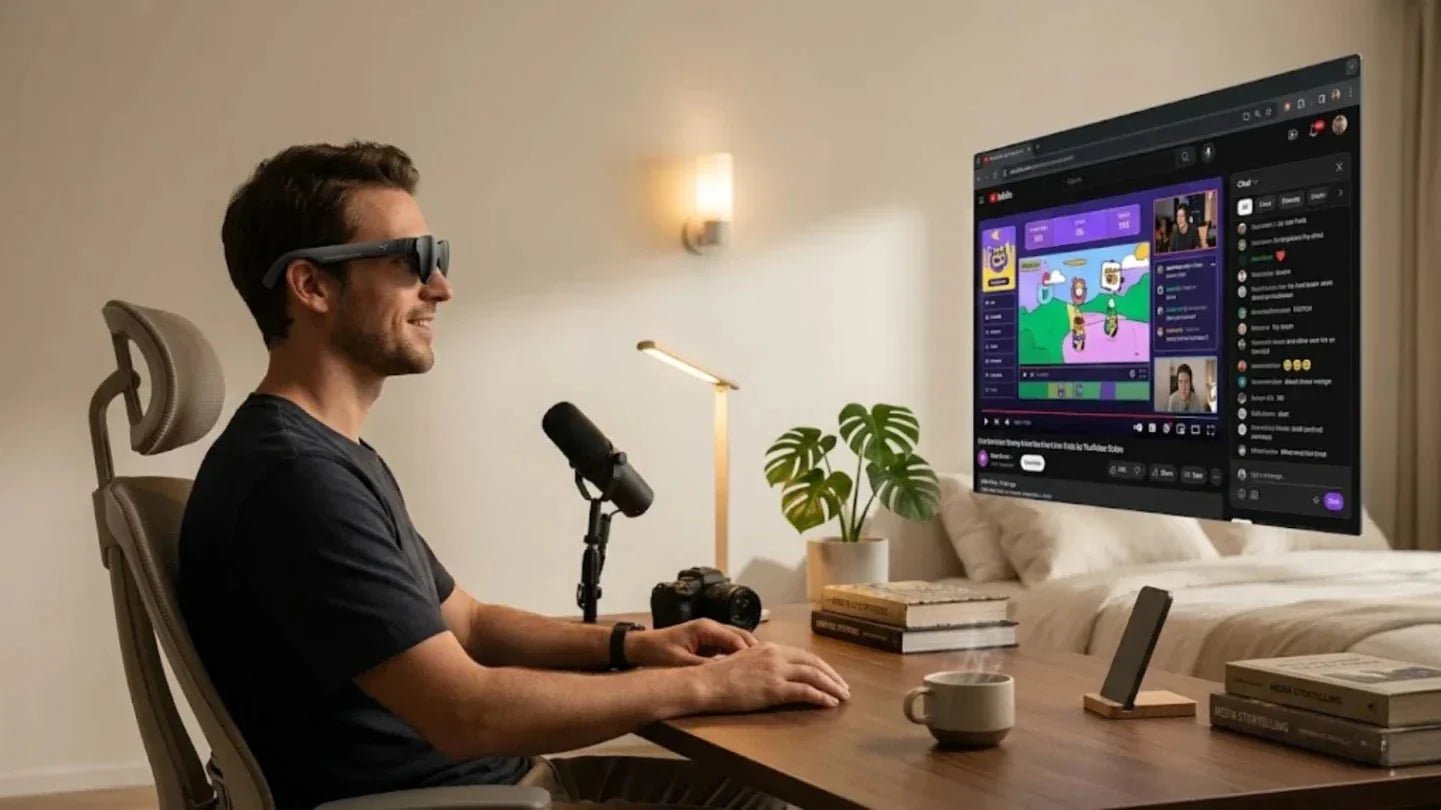
Human-Computer Interaction (HCI) is an interdisciplinary field that studies how people interact with computer systems. It emphasizes the design, evaluation, and optimization of interfaces to make technology more usable, efficient, and aligned with human cognitive and sensory habits.
Today, computers are no longer limited to desktops or phones. Any device with a processor and an interface, including smart glasses, smart car consoles, and VR headsets, relies on HCI theory. In this article, we will break down the meaning, core principles, and real-world applications of HCI in a simple yet information-dense way. We will also combine this with the pain points of smart glasses users, specifically for AR glasses and AI glasses, to help translate abstract concepts into tangible daily experiences.

In the tech world, HCI refers to every way humans communicate with computers. Everything from touching a phone screen to using voice and gestures on AI smart glasses falls under the umbrella of Human Computer Interaction.
At its simplest, HCI is the science and engineering practice of studying how people use computers and how computers provide feedback to people. It focuses on the appearance of software interfaces while also addressing mental workload, learning curves, and error rates. This field blends computer science, cognitive psychology, design, and human factors engineering. A true HCI engineer must understand technical bottlenecks like system response times and the subjective experience of a novice user facing a 500-millisecond delay.
In modern technology, HCI has evolved from simple decoration into a foundational element that determines product success. Retention rates, conversion rates, and word-of-mouth for most digital products are highly tied to interaction details. Take smart glasses as an example. Even when engineering the best ar glasses for augmented reality experiences with advanced hardware like 6000-nit peak brightness and 6DoF spatial tracking, users will abandon a device within days if the menus are too deep or gesture recognition is unforgiving. Therefore, in every iteration of our wearable lineups, we spend significant time optimizing startup paths, notification pacing, and visual density., notification pacing, and visual density. We want to ensure users keep the device on their faces rather than in a drawer.
The most intuitive way to understand HCI is to look at daily life. Scanning items at a self-checkout, unlocking a phone with a fingerprint or face scan, or asking a voice assistant to play music are all typical HCI scenarios. When users wear smart glasses to see real-time translation subtitles, tap the frame to take a photo, or move their head to select a menu, they are using advanced AR interaction. These actions rely on precise control over sensory channels and feedback frequency.
In professional settings, HCI, UX, and UI are often used interchangeably, but they focus on different levels. Understanding these differences helps identify where a product issue actually lies:
HCI (Human-Computer Interaction): Focuses on the overarching academic discipline and methodology, covering the entire interactive process and theoretical models.
UX (User Experience): Centers on the complete journey from cognition to emotion during use.
UI (User Interface): Focuses specifically on visual language, layout, and the form of individual controls.
These three elements act like a chain, moving from the foundation of a building to its interior design.
|
Concept |
Focus |
Typical Outputs |
|
HCI |
Interaction between people and computing devices, usability, and cognitive load |
Interaction models, task flows, usability test reports |
|
UX |
Overall feelings and emotions from first contact to post-use |
User journeys, information architecture, experience strategies |
|
UI |
Interface visuals, component styles, and graphic language |
Interface designs, icon systems, design systems |
Understanding the core principles of HCI helps us evaluate why a product is actually effective.
User-centered design is the most important foundation of HCI. It means that before designing any interaction, you must understand who the users are, their context, and their true goals. You then use an iterative process to test these assumptions. For smart glasses, this means we do not just design cool 3D interfaces. Instead, we break down scenarios like commuting, working, and exercising. We study eye levels, hand availability, and attention spans while users are walking, riding, or sitting.
Usability focuses on how efficiently and accurately users can complete tasks. Accessibility ensures the device meets the needs of users with different abilities. This includes high-contrast modes for color-blind users, captions or haptic feedback for the hearing impaired, and adjustable text sizes for those with low vision. On smart glasses, we prioritize brightness and contrast presets. For optical engines reaching 3500 nits average and 6000 nits peak brightness, we include auto-brightness algorithms. This prevents eye strain at night while keeping captions clear in bright outdoor settings.
Contextual Design Factors:
Physical Constraints: Designing for when a user's hands are busy.
Environmental Noise: Providing visual cues in loud areas.
Extreme Lighting: Maintaining visibility from pitch black to direct sunlight.
Good interaction requires immediate and clear feedback. Without it, users cannot build trust in the system or decide on their next move. On traditional screens, feedback includes button color changes, animations, or sounds. For AR glasses, we use multi-modal feedback. When a gesture is recognized, the system might trigger a subtle sound effect, enlarge an icon in the field of view, or provide a haptic vibration.
Efficiency and learnability are key metrics for mature products. They determine if a user will stick with a device or just try it once. In the era of desktop software, we improved efficiency with keyboard shortcuts and macros. For smart glasses, we focus on gesture combos, voice command shortcuts, and situational automation to reduce the number of steps required for any action.
When HCI principles are applied to the real world, they support every touchpoint we have with digital systems. This spans from smartphones and smart homes to VR headsets and in-car systems. It also covers sensitive areas like healthcare and assistive technology.
Mobile apps are the primary way most people experience HCI. Whether it is social media, mobile payments, or online education, these platforms rely on deep research into touch input, visual flow, and fragmented attention spans. Great mobile interaction usually features clear information hierarchy, logical touch targets, and consistent gesture logic. For example, bottom navigation bars often fix three to five core entries, placing common functions where the thumb naturally rests.
In the smart home sector, HCI challenges come from managing multiple devices, modes, and users. A single system must be easy for children and the elderly to understand while supporting voice control for different languages and accents. An ideal interaction model allows users to take control via phone, voice, or wearables at any time, while the system provides feedback based on context. When using smart glasses as a home control hub, visual feedback is more reliable than voice alone. For instance, displaying the AC temperature or lighting status in the upper right corner of the lens allows for quick adjustments with simple gestures. This significantly reduces errors common with voice recognition.
VR and AR devices represent a new generation of immersive interaction. Users no longer stare at a rectangular screen but interact with virtual objects, menus, and info panels in 3D space. This demands more from HCI, including spatial tracking accuracy, headset weight distribution, field of view, and motion sickness control. Even small errors can lead to intense discomfort. In designing RayNeo AI+AR glasses, we use 6DoF spatial tracking and lightweight optical modules. This allows users to control the interface with subtle head movements. We also optimize refresh rates and latency to reduce fatigue during long-term use.
Voice assistants and car systems are natural fits for HCI. Users often operate these while their hands are busy or their attention is focused elsewhere, such as during navigation or handling notifications. This requires high fault tolerance in voice recognition, simple dialogue structures, and minimal visual distraction. Any design requiring a user to stare at a screen for too long creates a safety risk.
In healthcare and assistive technology, HCI directly affects patient safety and treatment results. Systems ranging from electronic health records to surgical navigation and remote consultation platforms must balance efficiency with precision. For users with visual, hearing, or cognitive impairments, tools must be inclusive. This includes using text-to-speech, haptic feedback, and simplified steps to lower barriers to entry. While exploring real-time subtitles, environmental alerts, and gaze guidance on smart glasses, we consistently invite users with diverse needs to participate in trials. We use their real-world feedback to ensure every interaction adjustment truly lightens their daily burden.
In the new form factor of smart glasses, HCI has evolved from screen interaction to spatial interaction. Users no longer just tap an interface. Instead, they interact with information layers overlaid on the physical world.
The core of AR visual interaction lies in overlaying digital content onto real-world views in a stable, clear, and comfortable way. This requires a balance between field of view, brightness, and focal length. In our AR glasses, we use a combination of binocular waveguides and micro-optical engines. These provide a 30-degree field of view, 640×480 resolution, and an average brightness of 3500 nits with a 6000-nit peak. This ensures that navigation arrows or subtitles remain clearly readable even in bright outdoor sunlight.
On smart glasses, voice and gestures are the most critical input channels because a user's hands are often occupied during commuting, filming, or note-taking. We use microphone arrays to improve voice recognition stability in noisy outdoor environments. We also utilize head poses and gesture tracking combined with 6DoF technology, allowing users to complete tasks with a simple nod or a slight swipe. In practice, we prioritize interaction modes that do not require precise finger movements. For example, long-pressing the temple to bring up a shortcut menu prevents fatigue or misidentification caused by complex gestures while walking.
Real-time information overlays are among the most valuable AR scenarios. They project navigation, translations, and call alerts directly into the line of sight. This reduces the time spent pulling out a phone or looking down. To make this information truly real-time, we use high-brightness optical engines paired with local processing chips. This minimizes cloud dependency and ensures latency stays below the threshold of human perception.
In real life, smart glasses are rarely used in isolation. They must work with phones, computers, tablets, and cloud services. This places ecosystem-level demands on HCI design. For example, if you select a route on your phone, the glasses should automatically continue the navigation once you put them on. If you open a document on your computer, the glasses should display an outline view. Users will only integrate smart glasses into their daily workflow when they feel tasks flow naturally between different terminals.
From the office to entertainment, smart glasses are reshaping how we interact with digital content. However, success still depends on refined HCI. In work scenarios, users often want to discreetly check talking points during meetings or quickly pull up client data during visits. This requires the interface to be low-profile with minimal operation paths. In entertainment, users care more about immersion. Creating a 100-inch virtual screen on a plane or train to watch HDR10 high-frame-rate video requires TV-grade brightness, contrast, and audio. In these cases, we intentionally reduce system notification frequency to avoid interrupting the experience.

For us, successful smart glasses interaction should help users focus more on work and stay more engaged in entertainment, rather than being another device they need to look after.
In these scenarios, we optimize primarily for the RayNeo Air 4 Pro. It features a HueView 2.0 Micro OLED display with 1080p resolution, a 120Hz refresh rate, and HDR10 support. It provides up to 1200 nits of perceived brightness. Combined with a four-unit audio system developed through collaborative tuning, it can simulate a virtual screen of up to 135 inches for movies during long trips. Weighing only about 2.7 ounces, it is designed for extended wear.
Looking at the future of HCI, we see a trend where interaction blends into the environment. The focus is shifting from explicit operations to implicit understanding. People want devices that understand context rather than requiring frequent commands.
AI is deeply changing the form of human-computer interaction. It is moving from static interfaces to dynamic generation, and from a unified experience to a highly personalized one. On smart glasses, AI can automatically adjust information density and notification priority based on the user's location, time, and habits. For instance, it can highlight navigation and schedules during commutes while focusing on message alerts and document summaries during work.
Eye tracking and gesture interaction are key components of the next generation of natural interaction. They capture the user's gaze and physical intent directly. This reduces reliance on traditional cursors or touch. On smart glasses, eye-tracking data can also dynamically adjust focus areas and content layout. For example, it can place key prompts in the user's natural line of sight to improve reading efficiency.

Spatial computing describes a three-dimensional space where multiple devices and coordinate systems work together. Users can interact seamlessly with virtual objects and information layers through AR glasses, sensors, and cloud services at home, in the office, or on the street. This shifts the focus of HCI from single-device interfaces to spatial experience design. This includes the placement of virtual interfaces in real environments and how tasks flow through physical space.
As processors and sensors become embedded in daily environments, HCI is becoming ambient and invisible. Users no longer always face a clear screen. Instead, they receive subtle, timely prompts within their space. In the context of smart glasses, this means using light changes, color edges, or slight vibrations to convey status rather than taking up a large portion of the field of view.
In a technical context, HCI stands for Human Computer Interaction. It refers to the entire process of how humans interact with computer systems. This covers interface design, input and output methods, and user psychological processes. It is both a cross-disciplinary research field and a set of engineering methodologies used to guide product design and evaluation. Today, almost all digital product designs are influenced by HCI theory to some degree.
HCI is more academic and methodological. It focuses on the principles, models, and experiments of human-machine interaction. UX design is a product-oriented practice for designing the entire experience. It involves turning HCI theories into specific interface and service decisions.
The value of HCI in software development lies in its systematic approach to reducing user errors and learning costs while improving task efficiency. This eventually translates into product retention and business value. Take smart glasses software as an example. Without an HCI perspective, a development team might only focus on whether a feature works. They might ignore fragmented attention in mobile scenarios, one-handed operation limits, and lighting changes. This leads to features that are technically complete but practically unusable.
Common examples of human-computer interaction include keyboard input, mouse clicks, touchscreen gestures, voice commands, and facial recognition unlocking. Other examples include operating self-checkout machines and using VR controllers. All of these involve an exchange of information between a person and a computing system. On smart glasses, typical interactions include looking up to trigger navigation, using voice to record inspiration, using gestures to flip through pages of data, or reading real-time translation subtitles in your field of view. Together, these form the experience foundation for the next generation of AR and AI glasses.
From an industry perspective, HCI is a strong long-term career path. As devices expand from phones to wearables, in-car systems, and spatial computing environments, the demand for HCI experts with cross-disciplinary backgrounds continues to grow. According to growth forecasts for human-machine collaboration and intelligent applications from the global tech research firm Gartner, roles related to human-centered design will maintain high growth over the coming years. This is especially true in the AR, VR, and smart terminal sectors. It also means that engineers and designers with HCI skills will have a larger say in product decisions.
We have always believed that the end goal of technology is not to be more complex, but to be more accessible. HCI is the hand that brings technology closer to people.







Share:
How to Create Best Gaming System
3D Film Glasses Types and Where to Use Them