

$429.00

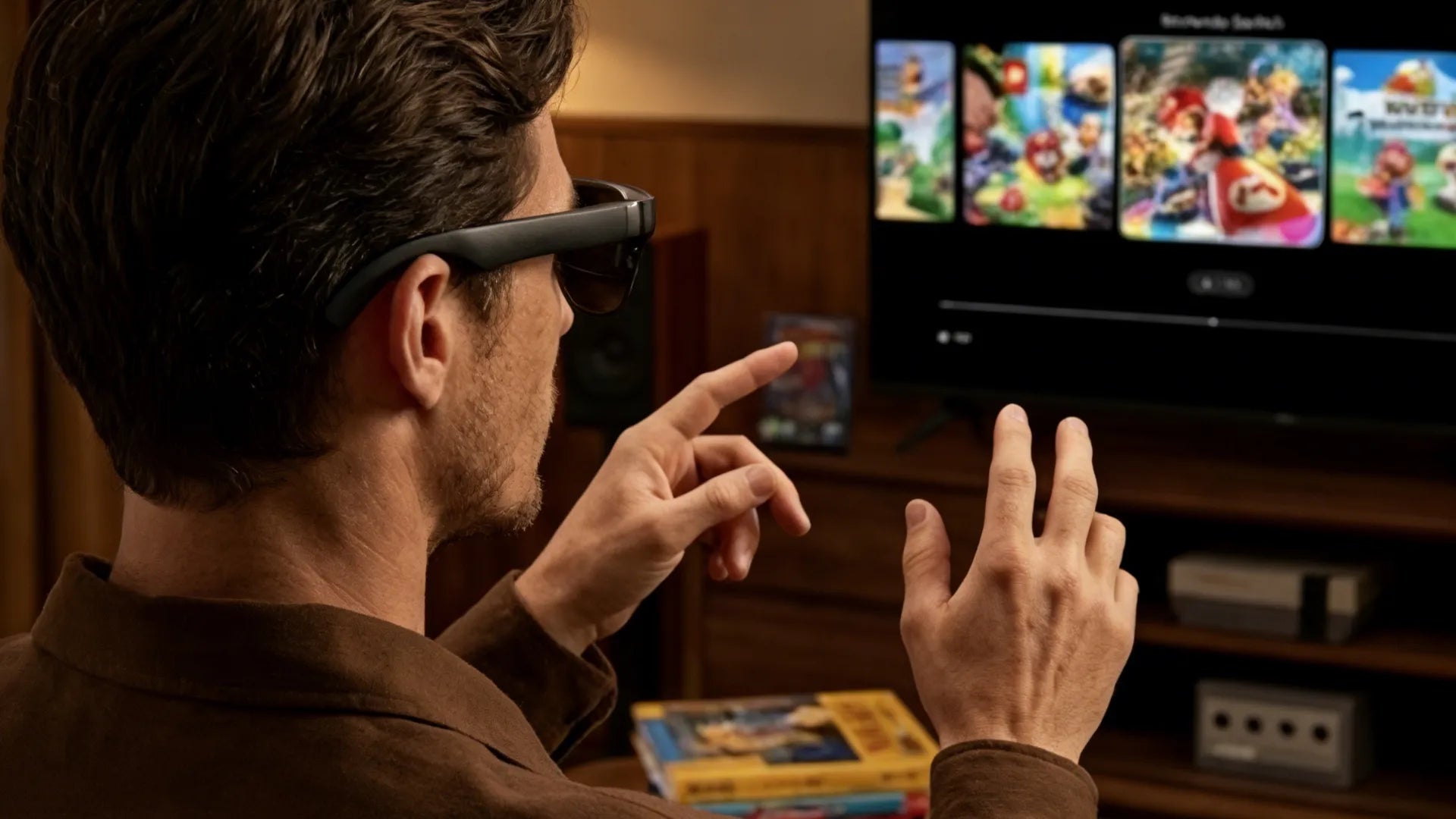
The best gaming systems are facing higher demands for high frame rates, low latency, comfortable wear, and multi-scenario adaptability. Therefore, to define the true best gaming system, we must recognize a reality: while high frame rates and low latency remain the core, device formats are expanding. They are moving from traditional consoles and PCs to VR headsets and lightweight smart glasses or AI glasses. In this article, we will focus on the definition of a high-quality experience, hardware selection, and home space layout. We will also look at how to expand your gaming system with ourRayNeo smart glasses. Our goal is to help you achieve an immersive and durable gaming experience within your budget.
Before discussing specific hardware, we need a unified evaluation framework. This framework helps determine which combination truly deserves the title of best gaming system. We will look at experience, key specs, and form factor differences to build a lasting set of standards.
We define a high-quality gaming experience using two dimensions: instant sensation and long-term stability. Instant sensation includes image clarity, frame rate, and input latency. It also involves the consistency of sound and spatial awareness. For example, VR typically requires at least 90 frames per second (fps) and a total system latency under 20 milliseconds to significantly reduce motion sickness.
Faced with many specs, only a few deserve priority in 2026: GPU performance and VRAM, CPU cores and clock speed, RAM and storage, and display refresh rate and peak brightness. For PC and VR setups, we recommend at least a mainstream mid-to-high-end graphics card with 6 to 8GB of VRAM. This ensures a stable 90 fps VR output. 16GB of RAM is the entry point, while 32GB provides room for multitasking and future games. For headsets and displays, aim for a refresh rate above 90Hz and enough brightness for indoor light. Smart glasses and AR glasses place more emphasis on peak brightness and color accuracy. Features like HDR10 support and peak brightness over 1000 nits determine if you can see details in bright environments like subways.

Essential 2026 Gaming Specs:
GPU: Mid-to-high-end with 6-8GB+ VRAM.
RAM: 16GB minimum, 32GB recommended.
Refresh Rate: 90Hz+ for VR and smooth display.
AR/Smart Glasses: 1000+ nits peak brightness and HDR10.
Players in 2026 often wonder if a standalone VR device is enough or if they need a PC-powered system. Standalone headsets offer instant play without cables or expensive GPUs. However, they still require streaming or a PC connection for major AAA VR titles and top-tier graphics. This streaming is very sensitive to network quality and latency. PC-powered systems require a stronger GPU and higher budget, but they lead in graphics, frame rates, and physical simulation. They are ideal for flight sims, racing sims, and competitive VR gaming. In the realm of smart glasses and AI glasses, these usually act as an extended display for PCs or consoles. Through USB-C or adapters, they project a 1080p, 60 to 120Hz image. This gives you a private big screen in bedrooms, planes, or offices, with performance requirements identical to an external monitor.
The best system for you is built around your actual weekly gaming time and scenarios. Before buying, think about your favorite game types.
AAA & Open World: Focus on GPU, storage, and display size. Consider a sofa and large TV setup paired with lightweight glasses for living room immersion.
Competitive FPS & MOBA: Prioritize high refresh rate displays and low input latency. Spend your budget on the graphics card, power supply, and cooling.
Mobile & Travel: If you want portable entertainment and cloud gaming, high-performance gaming glasses like the RayNeo Air 4 Pro offer the perfect solution. These are lightweight, comfortable, and support HDR10, allowing you to connect your phone, handheld, and cloud services to create a private pocket game room anywhere.
After setting your experience goals, the next step is to break down each subsystem and make strategic choices. We provide practical advice for 2026 across headsets, PCs, tracking, controllers, and display specs.
Many players struggle with heavy headsets, fogging lenses, and facial pressure. Traditional VR headsets weigh between 400 and 600 grams, with a front-heavy center of gravity. Newer video glasses and AR glasses move the computing to a phone or PC, dropping the weight to the 70 to 90-gram range. This significantly reduces long-term neck strain. If your gaming is VR-focused, prioritize headsets with inside-out tracking, adjustable IPD, and at least a 90Hz refresh rate. For flat games, handhelds, and movies, consider smart glasses with 1080p or higher resolution, HDR10 support, and high-quality audio as a replacement for traditional monitors or tablets.
For 2026, a qualified PC gaming system needs to meet several baselines. For the CPU, use at least a modern 4-core, 8-thread processor, though 6 to 8 cores are better to handle the game, background apps, and VR tracking threads simultaneously. For graphics, the industry standard for stable 90 fps VR output is a mid-to-high-end GPU with at least 6GB of VRAM. This also ensures a smooth experience in 2K or 4K flat gaming. Aim for 32GB of DDR5 RAM for better bandwidth and multitasking. For storage, a 1TB NVMe SSD is now the standard for VR and AAA players to shorten load times and reduce texture pop-in.
Tracking precision directly impacts immersion and motion sickness. If the image feels disconnected when you turn your head quickly, it usually stems from sensor quality or algorithms. Modern headsets use accelerometers, gyroscopes, and magnetometers combined with SLAM algorithms for 6DoF tracking. The key is whether the sampling rate remains stable without draining the battery. Maintaining sync between your head and hand movements during fast aiming is more important than raw resolution numbers.
In 2026, gamepads, mice, keyboards, and spatial controllers will continue to coexist. VR players find spatial controllers best for immersion, but traditional mice and low-latency gamepads remain more reliable for high-intensity competitive gaming. For power users, consider steering wheels or flight sticks, but confirm the game ecosystem supports them long-term. In smart glasses scenarios, some devices offer touchpads or gesture controls, using the phone or a controller as the input source. This setup is better for light gaming and cloud streaming than for pro-level competition.
The display is the sensory core of the system. Judge it by three metrics: resolution (PPD), refresh rate, and brightness/contrast. Traditional monitors easily reach 4K and 240Hz, while many video glasses choose 1080p at 60 to 120Hz to balance clarity and battery life. For AR and AI glasses, brightness and HDR are vital. HDR10 and 1,000+ nits of peak brightness allow you to see details in bright light while maintaining contrast in dark scenes, avoiding a washed-out look.
|
Item |
Entry-Level |
Recommended |
High-End / Enthusiast |
|
GPU VRAM |
4 GB |
6–8 GB |
12 GB and above |
|
RAM |
16 GB DDR4 |
32 GB DDR5 |
64 GB DDR5 |
|
Storage |
512 GB SATA SSD |
1 TB NVMe SSD |
2 TB NVMe SSD |
|
Refresh Rate |
60–75 Hz |
90–120 Hz |
144 Hz and above |
|
AR Brightness |
~600 nits |
1000–1200 nits, HDR10 |
Higher peak, Delta E < 2 |
Beyond the hardware, a great system needs a well-planned space. We cover everything from room layout to lighting and comfort for hours of immersion without bothering the neighbors.
Traditional screen gaming only needs enough desk depth for a monitor and keyboard. VR and motion gaming require a clear area of at least 2 by 2 meters for natural movement. Safety boundaries are critical to avoid hitting walls or furniture. Use soft floor mats as physical markers or stick to seated VR if space is tight. Plan your outlets and cables so connections between the PC, console, and router do not cross your walking path.
Light control affects both visual comfort and tracking stability. Rooms that are too dark make it hard for cameras to identify floor and wall features. Extreme glare can overexpose the sensors. We recommend soft overhead lighting combined with localized lamps. Avoid pointing lights directly at the headset lenses. For AR glasses, lowering ambient light helps improve contrast and reduces eye strain.
Fatigue is the enemy of long gaming sessions. Budget for an ergonomic chair, an adjustable desk, and a monitor stand at the correct height. Choose lightweight glasses under 100 grams when possible. For VR headsets, adjust the straps so the weight rests on the top of your head rather than your forehead or the bridge of your nose.
Sound is half the experience. High-quality spatial audio helps you forget the real world. You can switch between desktop speakers, over-ear headphones, and built-in glasses audio depending on your environment. Some HDR AR glasses use a four-speaker array tuned by professional audio brands. This provides a focused soundstage while keeping you aware of your surroundings. Consistency between visuals and audio is the key to true presence.
Beyond traditional VR headsets and monitors, smart glasses and AI glasses are becoming the third screen of the best gaming systems in 2026. If you already own a PC or console, you can use lightweight RayNeo devices to extend your gaming from the living room and office to the bedroom, business trips, and daily commutes.
Many users hesitate to buy VR or MR gear because of size and weight. Wearing a headset over 500 grams for long periods puts pressure on the neck and skin. Video glasses and AR display glasses move the processing to a phone, handheld, or PC. This reduces the device weight to about 70 to 80 grams. Since they look like regular glasses, they are better for daily wear and long gaming sessions.
The RayNeo Air 4 Pro AR Glasses uses 1080p Micro OLED displays with HDR10 and 1,200 nits of perceived brightness. It also features a four-driver audio system co-tuned by Bang & Olufsen. At only 76 grams, it provides a giant-screen experience and a private soundstage. This is ideal for players who do not want a massive TV or multiple monitors crowding their home.

Gamers today want to continue their progress during commutes, trips, or while in bed. Carrying a 27-inch monitor is impossible. Smart glasses solve this by acting as a portable big screen. You can connect to phones, handhelds, laptops, or consoles via USB-C or adapters. This provides a stable, familiar interface in trains, planes, or hotel rooms. These glasses are perfect for cloud gaming and remote desktops. You can leave your high-performance PC at home and play via the network using a controller or folding keyboard.
For many, gaming is like an interactive movie. In RPGs and action-adventures, cinematic visuals and surround sound matter more than extreme frame rates. Smart glasses are often designed as personal wearable theaters. They support HDR10, 1.07 billion colors, and high contrast. This makes shadow details and highlights look like those on a high-end TV. You can lie in bed and stream from a handheld or phone, enjoying a virtual screen that feels like dozens of inches or more without taking up any wall or desk space.
Unlike closed VR headsets, smart glasses allow you to see digital info without cutting off the real world. You can view walkthroughs, maps, or chats while playing racing or strategy games. This removes the need to switch monitors or pick up a phone. You can set the virtual screen as your main game and float a chat or monitoring panel next to it. This creates a multi-screen workflow similar to a pro streamer but at a much lower cost.
Smart glasses connect VR, AR, and traditional 2D displays. In the RayNeo ecosystem, the device acts as an HDR display for PCs or consoles. It also uses built-in sensors and AI for spatial positioning and voice control. According to market data, global AR and VR users are expected to reach 3.7 billion by 2029. The demand for cross-platform systems is growing. The best gaming system is evolving from a single device into a network of PCs, consoles, VR headsets, and smart glasses.
To get the most value from your hardware, you must tune and maintain it. While 2026 games are complex, you can improve the experience by managing settings, temperatures, and latency.
Latency control is critical for VR and competitive gaming. For a natural feel, total system latency should stay around 20 milliseconds or less. You should also keep your frame rate at 90% of your refresh rate. On a PC, you can reduce delay by:
Enabling low-latency modes.
Closing unnecessary background software.
Using wired internet or high-quality Wi-Fi 6.
Choosing low-latency wireless or wired peripherals.
Many players try to max out all settings. In VR or high-refresh gaming, it is better to prioritize a stable frame rate. Lowering shadow quality, volumetric lighting, and anti-aliasing can boost performance by dozens of frames without ruining the look. These extra frames reduce motion sickness and input lag. Use in-game frame caps to keep the GPU load steady. This prevents temperature spikes and loud fan noise.
Motion sickness often involves dizziness and nausea, especially during fast turns. To fix this, maintain a stable frame rate and low latency. Use teleportation movement in games and lower motion blur intensity. Start with 20 to 30-minute sessions and gradually increase the time as your body adapts. For smart glasses, avoid high-action content while moving physically. Ensure the fit is correct to reduce pressure on the nose and eyes.
High-performance systems generate significant heat. This can lead to frame drops and shortened hardware life. We recommend:
Cleaning dust regularly.
Optimizing case airflow and fan curves.
Upgrading coolers for high-power GPUs and CPUs.
For headsets and smart glasses, monitor surface temperatures. Avoid long sessions in poorly ventilated or hot environments. Keeping your performance in a stable comfort zone is better than chasing short-term benchmark peaks.
In this final section, we summarize the main points in a Q&A format. We cover everything from entry-level gear to budget, space, and non-gaming use cases to help you build your own setup.
For players entering the 2026 ecosystem, a high-value system usually includes a mainstream PC or console, comfortable display gear, and basic audio. For the PC, consider a 6-core CPU, a mid-range GPU with at least 6GB of VRAM, 16GB of RAM, and a 1TB NVMe SSD. This setup runs most AAA titles smoothly and allows for future upgrades. If you are not ready for VR, start with a traditional monitor or video glasses that support 1080p and HDR10. This improves immersion on a budget before you invest in more expensive headsets and spatial peripherals.
This depends on your goals. If you want to play the latest AAA titles at 4K with ultra settings or maintain stable frame rates in high-refresh VR, you need a high-end GPU and CPU. However, for 1080p or cloud gaming, a mid-range build still offers a smooth experience. With the growth of streaming, you can keep a powerful PC in one spot and access it remotely via smart glasses or a handheld. This keeps the high power consumption in one place while you enjoy a lightweight setup in the bedroom or while traveling.
Total costs vary widely, from a few hundred dollars for entry-level combos to thousands for enthusiast rigs. In 2026, a PC and monitor setup that runs mainstream games smoothly costs roughly the price of a mid-range GPU plus necessary parts. Smart glasses and AR displays range from approximately $269 to $649, offering a flexible alternative to high-end TVs. Adding premium VR headsets, haptic peripherals, and high-power audio will increase the price quickly. We suggest prioritizing core performance and comfort first.
Standard desktop gaming only needs a desk and a chair. Motion gaming and full-body VR typically require a clear 2-meter by 2-meter area. Ensure there are no sharp furniture edges or fragile items nearby. Many players in small spaces accidentally hit walls or lamps, damaging their gear. If space is limited, look into seated or standing-only VR. You can also use smart glasses instead of large TVs or multi-monitor setups to save floor and wall space while staying immersed.
Modern gaming systems are high-performance platforms for multimedia and creation. High-end PCs excel at video editing, 3D modeling, and AI tasks. Quality monitors and smart glasses are equally useful for remote work, meetings, and movies. Many users treat video glasses as a portable cinema or a work tool first, using them for gaming second. For example, the RayNeo X3 Pro features full-color MicroLED waveguide displays and spatial cameras. It handles navigation, translation, and collaboration during the workday, then connects to a PC or mobile device for gaming and movies in the evening. This versatility significantly improves the overall value of the system.








Share:
What Is AR Navigation and How Does It Work in Smart Glasses?
What Does HCI Mean in Technology? A Beginner’s Guide to Human-Computer Interaction