

$429.00

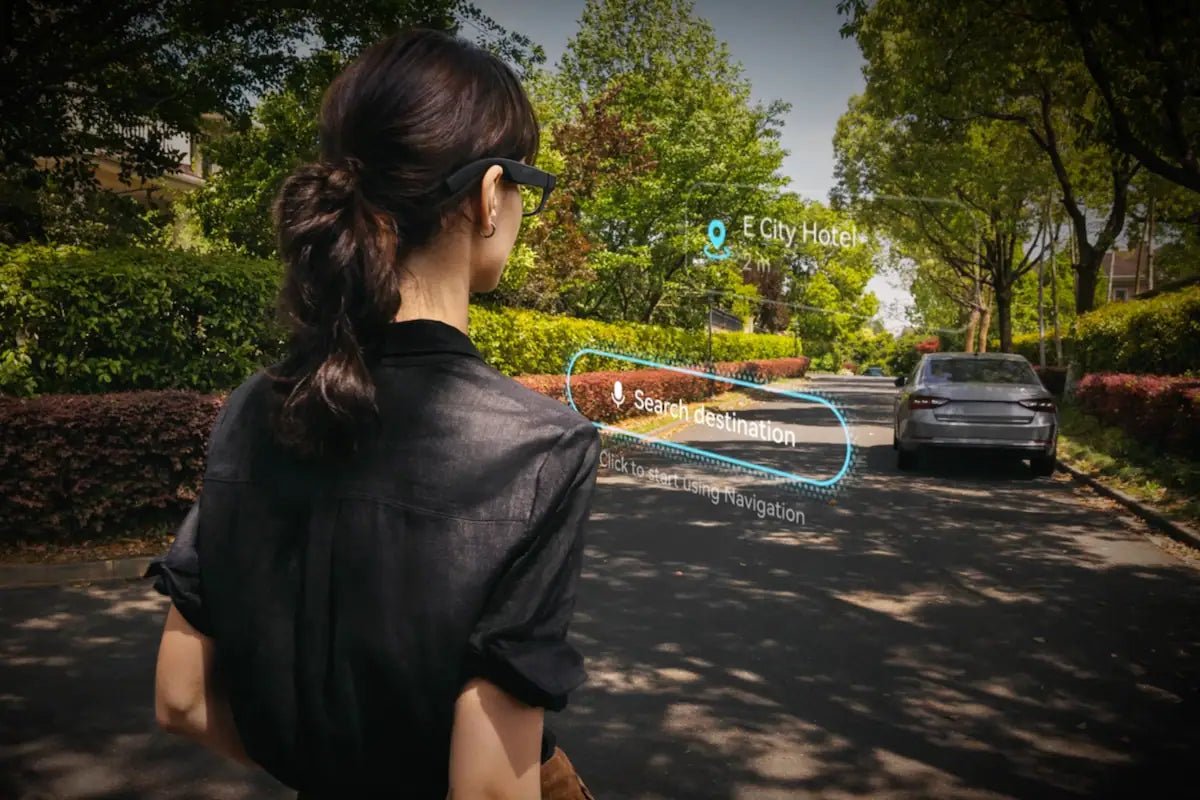
Think about how often you pull out your phone just to check directions, save a quick idea, translate a phrase, or look something up. AI glasses are designed to make some of those small interactions hands-free and easier to access in the moment.
So, what do AI glasses do in practice? Depending on the design, they can answer questions, translate conversations, capture first-person content, show useful information, or help you manage everyday tasks. This guide explains how AI glasses work, the features you can realistically expect, where they are most useful, and how different RayNeo models approach everyday AI assistance.

AI glasses are eyewear that combines artificial intelligence with wearable hardware to provide digital assistance without requiring you to constantly hold or look at a phone. Depending on the model, that hardware may include microphones, cameras, speakers, sensors, or a near-eye display.
So, what can AI glasses do? Their capabilities vary considerably. Some respond to voice requests and provide audio assistance, camera-equipped models can give AI visual context, and display-equipped glasses can put captions, navigation, notifications, or other information directly in your field of view.
What AI glasses can do depends on the hardware and software built into each model. Different features support different needs, from hands-free AI assistance to seamless connectivity. To understand how these capabilities work in everyday use, let’s take a closer look at all the features:
A built-in AI assistant lets you ask questions, request information, create reminders, or discuss what you see using voice commands. AI software understands what you want and gives you the answers through speakers or a display. This makes quick tasks possible without needing your phone.
This small camera in the AI glasses captures photos and videos from your natural point of view, which is useful when your hands are busy. You can record a demonstration, family moment, walk, or social post without holding a phone. Depending on the model, it can also help AI understand signs, objects, scenes, and text.
Open-ear audio makes communication and listening to music more seamless by delivering calls, notifications, music, and AI responses while keeping your ears uncovered. This is one example of what does AI glasses do during everyday use, allowing you to stay aware of nearby traffic, people, and other sounds while listening. Built-in microphones also support voice commands and calls, making the glasses practical for hands-free communication.
This feature is very useful when traveling. It simplifies conversations by translating foreign speech or text into a language you understand. The translation can be heard through open-ear speakers, displayed as text, or generated from a photo of a sign or menu.
What are AI smart glasses designed to do when it comes to navigation? Depending on the model, they can provide turn-by-turn guidance via audio or a heads-up display. AI can also answer questions about nearby places, recognize visual information, and provide useful context about what you see, helping you stay focused on your surroundings while walking.
AI glasses can use display technologies such as an ultra-transparent waveguide display or a HUD (heads-up display) to place digital information within your field of view. Depending on the model, the display can show directions, translations, notifications, or AI responses without requiring you to look down at your phone.
AI glasses commonly connect to a smartphone via Bluetooth, Wi-Fi, or a phone connection for cloud-based AI features. Depending on the model, you can control them using voice commands, physical capture buttons, capacitive touchpads, or gesture bands. These connectivity options make it easier to transfer photos, adjust settings, access services, and stay connected to your devices.
If you have searched AI glasses what do they do with your voice, images, or other inputs, the basic process can be understood in four stages.
1. Capture input. A microphone can pick up a voice request, while camera-equipped glasses can also capture visual information. Sensors may provide movement, orientation, or other contextual data.
2. Process the request. Depending on the product and task, AI processing may happen on the glasses, through a paired smartphone, or in the cloud. Many systems combine these approaches rather than relying entirely on one device.
3. Add useful context. The assistant may connect the request with supported services such as navigation, messages, reminders, translation, or other apps.
4. Return the result. The response can arrive through audio, captions, an in-lens display, a visual prompt, or another supported interface.
AI glasses can simplify everyday tasks. From productivity and entertainment to parenting, their hands-free features can make daily activities more convenient.
At work, AI glasses can record voice notes, set reminders, check information, and support communication without repeated phone handling. POV video can also help with remote troubleshooting or demonstrations because another person can see what you see.
Travelers can use AI glasses to translate signs, menus, and conversations, capture memories, and receive navigation guidance. Additionally, audio guidance is useful in unfamiliar areas because you can follow directions while watching streets, crossings, and surroundings.
During workouts, hands-free audio allows you to listen to music, take calls, receive reminders, and access selected training information without holding a phone. Depending on the model and connected apps, AI glasses can provide selected workout information from compatible fitness devices.
Creators can use AI glasses to capture spontaneous point-of-view (POV) footage while keeping both hands free. They can use voice controls to start recording, take photos, manage media playback, or prompt the AI for scene-related ideas.
AI glasses can help parents capture meaningful family moments. The built-in camera lets you record photos and POV videos while keeping your hands free to interact with your children. Whether it’s a family outing, a birthday, or an everyday moment, AI glasses make it easier to stay present while preserving memories.
AI glasses are most useful for people who repeatedly reach for their phone for short, context-sensitive tasks. Travelers may value translation and navigation, professionals may benefit from reminders and note capture, while creators may prioritize hands-free cameras. The right user depends on the hardware, so start with the task you want to make easier rather than the longest feature list.
Different AI glasses solve different problems. If you mainly want lightweight assistance throughout the day, comfort and glanceable information matter most. If you want richer visual AI, navigation, cameras, and spatial AR, you need considerably more hardware. RayNeo iO and X3 Pro are designed around those two different experiences.
RayNeo iO AI Glasses are designed around a simple idea: AI should fit into glasses you actually want to keep wearing.
At 34g with 50:50 weight distribution, the frame is built for everyday use rather than short sessions, while the transparent display keeps useful information available without turning the glasses into a bulky headset.
A Personal Dashboard gives you glanceable access to daily information, and features such as Life Log are designed to preserve useful context across your day.
Best for: Professionals, frequent travelers, and meeting-heavy users who want discreet AI support, captions, reminders, and note capture in glasses designed to stay wearable throughout the day.
Key features:
For users who want AI to become visual rather than mainly conversational, the RayNeo X3 Pro AI+AR Smart Glasses combine Gemini with a dual-eye Full-Color MicroLED display and RayNeo AI OS.
The result is a more advanced AI+AR experience built around heads-up navigation, translation, visual interfaces, apps, and contextual assistance rather than simple audio prompts. Its Snapdragon AR1 platform also gives the glasses dedicated processing hardware for these richer wearable experiences.
Best for: Travelers, tech enthusiasts, developers, and users who want visual AI, navigation, translation, apps, and more advanced AR interaction directly in their field of view.
Key features:

Understanding “What do AI glasses do?” starts with looking beyond their appearance. From AI assistance, cameras, open-ear audio, and live translation to navigation and digital displays, these glasses can support work, travel, fitness, creativity, and family moments. Models like RayNeo iO and RayNeo X3 Pro also show how different features can match different needs, making AI glasses a practical option for hands-free digital assistance.
Yes, you can wear AI glasses while driving, but using certain features may cause distraction. Audio functions can be useful for hands-free information, while looking at a display, adjusting settings, or recording video can take your attention away from the road. Always follow local traffic laws and keep your focus on safe driving.
Some AI glasses offer navigation features, but GPS support varies between models. Glasses may use built-in positioning hardware or rely on a connected smartphone for location data and directions. If navigation matters to you, check the specifications to see whether GPS is built in, requires a phone connection, or depends on an internet service.
A monthly fee is not automatically required for every AI glasses model. Some basic functions may be available without a subscription, while certain AI services, cloud features, or premium functions may involve additional costs. Before buying, review the manufacturer’s current pricing, included features, and subscription requirements to avoid unexpected charges.







Share:
Smart Glasses Guide 2026: How They Work and What They Can Do
Android XR Smart Glasses: Everything You Need to Know