

$429.00

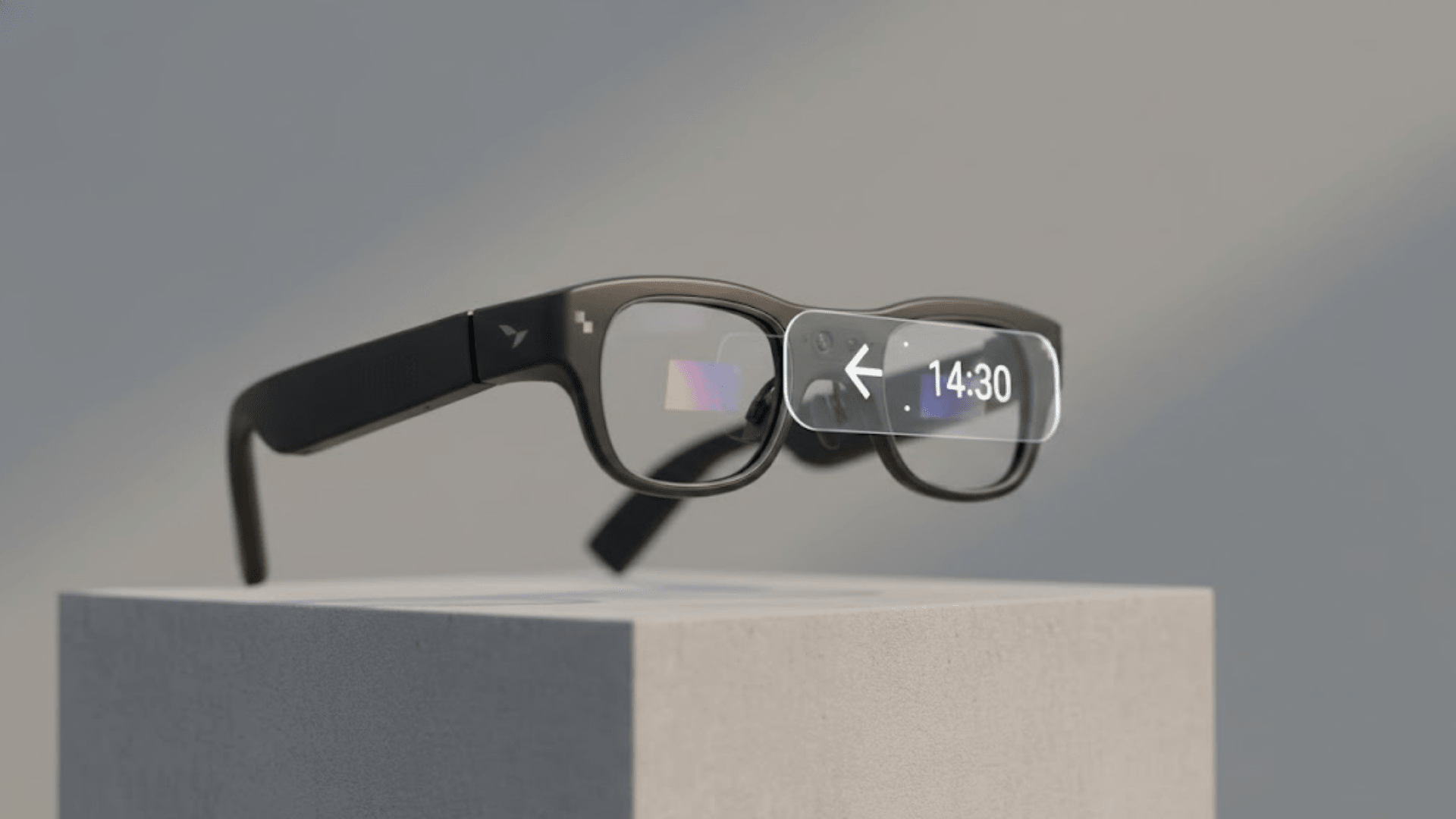
Transition lenses, more precisely called photochromic lenses, darken automatically in sunlight and fade back to clear indoors, so you get UV protection outside without swapping to a separate pair of sunglasses. Transitions® is the best-known brand name for this technology, and it's a real, well-established feature in regular prescription eyewear. Whether the same thing exists for smart glasses is a fair question, and the answer is narrower than most buyers expect.
RayNeo's answer to indoor-to-outdoor visibility comes down to display brightness and, on one model, a manual accessory, rather than a self-tinting lens. The Air 3s Pro pushes its display to 1,200 nits, the X3 Pro's MicroLED display peaks at 6,000 nits, and the Air 3s Pro alone offers a $15 clip-on Lens Shade for bright outdoor conditions. None of that is the same as an automatic photochromic lens, though. As of this writing, official Transitions® lens support for smart glasses is limited to a small number of camera-and-audio models that don't have a built-in display, and RayNeo's current lineup, including the Air series and the X3 Pro, doesn't offer that specific feature. That's a real gap worth knowing upfront, not something worth glossing over, and it comes down to what kind of smart glasses RayNeo makes.
Two different features get lumped together under "good for indoor and outdoor use," and they're not the same thing.
Automatic photochromic lenses are a single lens that changes tint on its own, based on UV exposure. You never touch the glasses; the lens does the work. This is what "transition lenses" specifically refers to.
Swappable or clip-on lens sets are a manual alternative: you physically change lenses, or add a cover, to switch between a clear indoor lens and a tinted or blackout outdoor lens. This works for the same underlying problem (comfort and visibility across different light levels) but requires you to do something each time the lighting changes.
RayNeo's Air 3s Pro falls into the second category through a separate accessory, not the first. That distinction matters if you're specifically shopping for the "set it and forget it" convenience of true photochromic lenses, since a clip-on cover doesn't deliver quite the same experience.
Right now, exactly one pairing of product lines has an official Transitions® lens program: a camera-and-audio smart glasses line without a display, sold through a major eyewear group, and its sport-styled sibling line from the same group. Lensology, the optical lab that manufactures the Transitions inserts for both, states on its own site that these are the two smart glasses brands it currently supports for Transitions lenses. The lenses work the way they do on regular prescription glasses: clear with a slight protective tint indoors, darkening within seconds outdoors, with full UVA/UVB blocking.
Separately, at least one audio-first smart glasses model, with no display, offers photochromic and polarized lenses as part of a broader set of interchangeable lens and frame styles, letting you pick between clear, photochromic, and sunglass-style options depending on the model you choose at checkout.
Outside of those, photochromic support for smart glasses is not currently widespread. That includes RayNeo, and it's the reason this article exists: if you searched for this because you assumed most smart glasses brands offered it by now, they don't.
We're describing these by category rather than by brand name here, since this article's focus is RayNeo's own product line rather than a brand-by-brand market survey. If you want the current, named list of exactly which frames qualify, Lensology's own Transitions lens page publishes it directly and updates it as its partnerships change, so it's a more reliable real-time source than any single blog post, including this one.
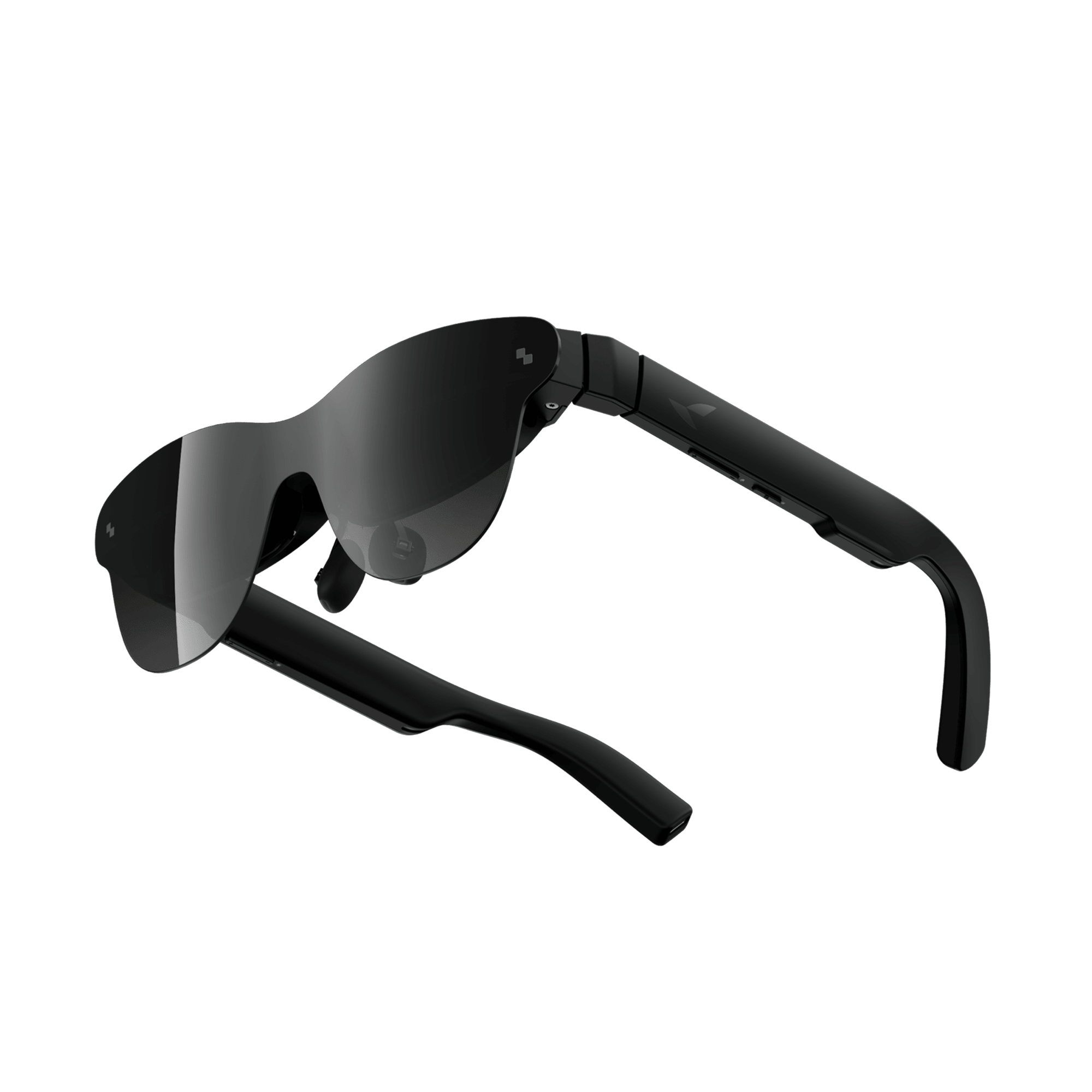
RayNeo's current products, the Air 2s, Air 3s, Air 3s Pro, Air 4 Pro, and X3 Pro, are all AR display glasses. The lens you look through isn't just a lens; it's also the optical path for a projected image, whether that's a micro-OLED panel feeding a waveguide (Air series) or a MicroLED display (X3 Pro).
RayNeo's official store also still lists two older models, the Air 2 and the X2, both currently marked "Sold Out" rather than confirmed discontinued. We're leaving them out of the comparisons in this article since they aren't purchasable right now, and we found nothing on RayNeo's site suggesting either one offers photochromic lenses. If you're specifically evaluating a used or existing Air 2 or X2, confirm current lens options directly with RayNeo support rather than assuming this article's conclusions apply.
That's a meaningfully different design problem than a camera-only pair of smart glasses, where the lens has no display duties and can be swapped for a real photochromic or prescription lens the same way an optical shop would replace a lens in regular eyeglasses. On AR display glasses, adding a lens that changes its own tint would sit directly in the path of the projected image, and RayNeo hasn't published anything suggesting it has solved that specific engineering problem for its current lineup. RayNeo itself hasn't addressed this question publicly, so the reasoning above is our own technical analysis, not a company statement; it's the general reason display-equipped smart glasses tend to lag behind display-free ones on this specific feature.
Since photochromic lenses aren't part of the current lineup, RayNeo's actual answer to "will this work well both indoors and outside" comes down to display brightness, plus one accessory on one model.
Display brightness. This is RayNeo's primary tool for outdoor visibility, and it works differently across the three models:
In practical terms, higher nits means the virtual screen or AI overlay stays visible against a bright background, like a sunlit window or an outdoor sidewalk, instead of washing out into a faint, hard-to-read ghost image.
That said, this is a display-brightness fix, not a lens-tint fix. It doesn't reduce glare hitting your eyes or block UV light the way a photochromic or sunglass lens would.
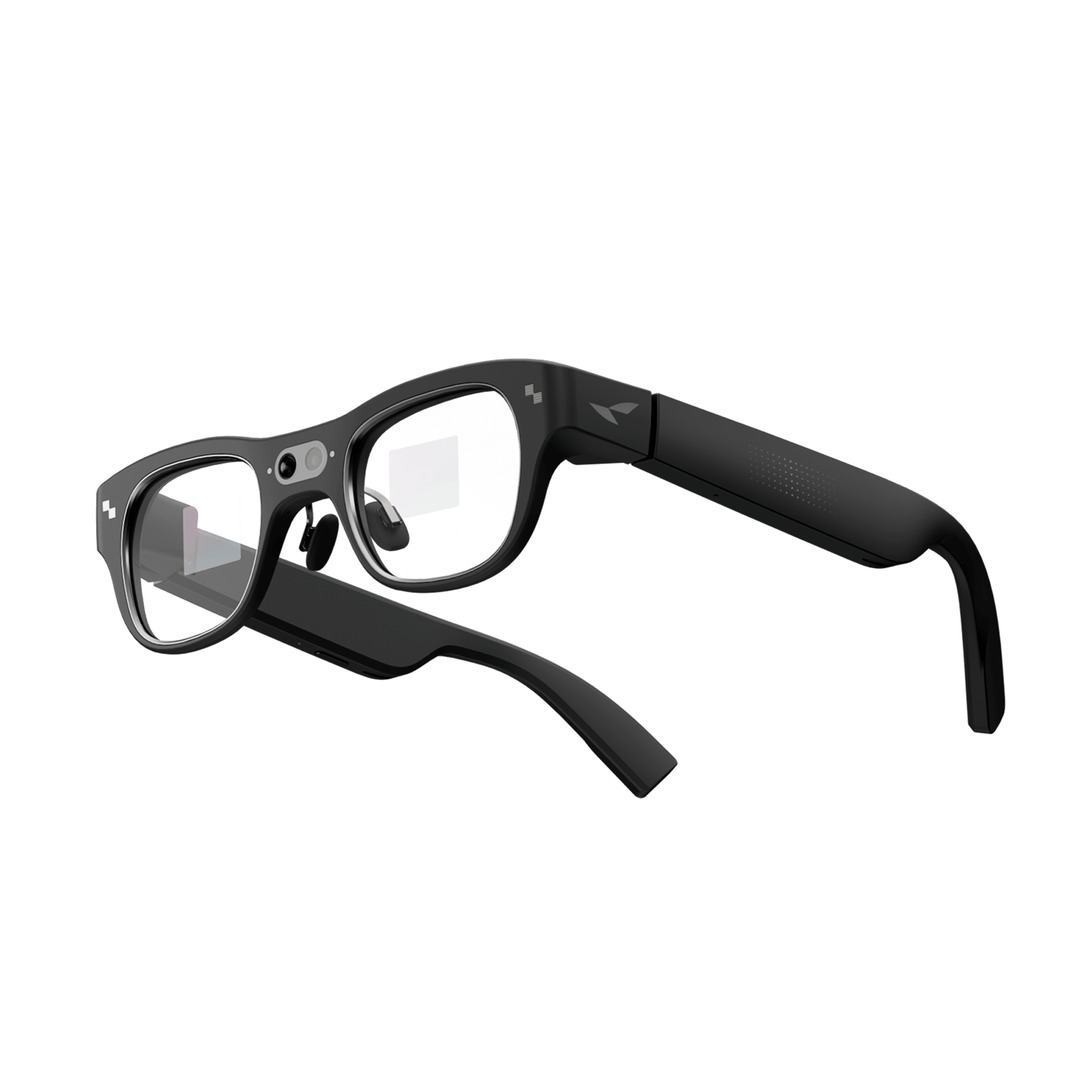
The RayNeo Lens Shade, exclusive to the Air 3s Pro. RayNeo sells this as a $15 accessory: a clip-on cover, described on its own product page as blocking out ambient light entirely for a clearer view of the display in bright daytime conditions. It's a manual accessory, not an automatic tint. You attach it when you're outdoors and remove it when you go back inside, and, based on retailer listings rather than RayNeo's own page, it appears to be a soft, lightweight cover rather than a rigid lens. It solves a real problem (glare washing out the display outdoors) but works nothing like a Transitions lens, which changes on its own without you touching the glasses.

No confirmed sunglass or shade option for X3 Pro. Notebookcheck's review of the X3 Pro specifically flagged this as a limitation, noting that, unlike at least one competing AR glasses model that ships with a sunglass cover included, the X3 Pro doesn't come with one. RayNeo hasn't published a statement confirming or denying plans for a shade accessory on the X3 Pro, so we're not asserting one exists or is coming; based on what's publicly available, it currently doesn't.
Prescription lenses are a separate feature from tinting. If you also need vision correction, RayNeo's Air 2s, Air 3s, Air 3s Pro, and Air 4 Pro each offer some form of prescription support through its optical partner Lensology, ranging from clip-on inserts to a magnetic frame system on the Air 4 Pro that covers myopia, hyperopia, and astigmatism within published ranges.
The X3 Pro's prescription situation is less settled. RayNeo's product page and several of its own blog posts reference a Lensology insert for the X3 Pro, but RayNeo's official prescription-lenses purchase page currently covers only the Air 2s and doesn't mention the X3 Pro at all. Until RayNeo's own pages agree with each other, we'd treat X3 Pro prescription support as unconfirmed rather than a firm yes.
None of these prescription options, confirmed or not, include a photochromic tint; they correct your vision, they don't manage light. Our companion guide, Prescription Glasses With a Built-In Camera: What's Actually Available in 2026, covers the model-by-model prescription details, including where RayNeo's own documentation is inconsistent, in more depth than this article does.
| Display-free glasses (Transitions-supported) | Audio-first glasses (swappable lenses) | RayNeo AR display glasses | |
|---|---|---|---|
| Has a built-in display | No | No | Yes |
| Automatic photochromic (Transitions®) lens option | Yes, official program via Lensology | Yes, offered as one of several lens/frame style choices | Not currently offered |
| Manual outdoor-light accessory | Not applicable (lens itself adapts) | Not applicable (swap lens style instead) | Air 3s Pro only: $15 clip-on Lens Shade (manual, not automatic) |
| How outdoor display visibility is handled | Not applicable, no display | Not applicable, no display | Higher peak display brightness (1,200 to 6,000 nits depending on model) |
| Prescription lens support | Varies by brand | Varies by brand | Air series: yes, via Lensology inserts (clip-on or magnetic, model-dependent). X3 Pro: unconfirmed, RayNeo's own pages disagree |
Figures for non-RayNeo product lines are described by category, not by brand name, and reflect publicly available information as of August 2026. Confirm current lens programs directly with the manufacturer or Lensology before buying, since supported models can change.
If a self-adjusting lens that darkens outdoors and clears up indoors, with no accessory to attach or remove, is a must-have, look specifically at display-free camera or audio smart glasses with a confirmed Transitions® or photochromic program at checkout. That feature isn't available on any current RayNeo model, and there's no indication it's coming to the Air series or X3 Pro in the near term.
If what you actually want is a large virtual display for video, gaming, navigation, or AI features, and you're willing to manage bright light with display brightness and, on one model, a manual shade rather than a self-tinting lens, RayNeo's lineup is a reasonable starting point, and which model fits best depends on where and how you'll use it:
Can I order Transitions lenses for my RayNeo glasses through Lensology? Lensology does make prescription lens inserts for several RayNeo models, covering standard prescription needs. That's a separate product line from Lensology's Transitions program specifically, and Lensology's own Transitions lens page currently lists two other smart glasses brands as supported, not RayNeo, so automatic photochromic tinting isn't available through that particular partnership yet.
Is the RayNeo Lens Shade the same thing as a photochromic lens? No. The Lens Shade is a $15 clip-on cover for the Air 3s Pro that blocks ambient light manually; you attach and remove it yourself. A photochromic lens changes tint on its own in response to UV light, with no action needed from you. They solve a similar problem in different ways, and the Lens Shade is also model-specific: it doesn't fit the Air 2s, Air 3s, Air 4 Pro, or X3 Pro.
Does a brighter AR display make transition lenses unnecessary? Not entirely. Higher nits (like the X3 Pro's 6,000-nit peak rating) help the projected image stay visible in bright conditions, but that's a display-side fix. It doesn't reduce glare reaching your eyes from the sun itself or block UV, which is what a photochromic or sunglass-tinted lens does on the outside of the frame.
Will RayNeo add photochromic lens support in the future? We haven't found anything on RayNeo's official product pages, blog, or Lensology's site indicating a photochromic option is planned for the Air series or X3 Pro. If this feature is a priority for you, we'd treat it as unavailable today rather than assume it's coming.
Can I wear contact lenses with RayNeo's AR glasses instead of using a prescription insert? Yes. Contact lenses correct your vision on the eye itself, separately from anything built into the glasses' frame, so if you already wear contacts, you don't need RayNeo's Lensology-based prescription system at all; the Air series and X3 Pro fit over your own vision correction like any other pair of glasses. This is unrelated to photochromic tinting either way: neither contacts nor RayNeo's prescription inserts change how the lens responds to light.
If an automatically adjusting lens is the specific feature you're after, RayNeo isn't where to look yet; that capability currently sits with a small number of display-free camera and audio smart glasses instead. If what matters more is a bright, usable AR display across different lighting conditions, RayNeo's Air 3s Pro, with its 1,200-nit panel and optional clip-on Lens Shade, comes closest to an indoor/outdoor-ready setup in the current lineup, followed by the Air 4 Pro for its HDR10 display and the X3 Pro for raw peak brightness, though the X3 Pro is the one model here with no confirmed accessory for bright midday conditions.







Share:
Smart Glasses for Blind and Low-Vision Users: What Actually Helps
Camera Glasses That Look Like Normal Glasses: What's Actually Out There in 2026