Contents
If you're weighing RayNeo's current AI glasses against its previous
generation, the real question isn't which model is newer. It's whether
the jump from $499 to $1,299 buys you something you'd actually notice
using the glasses every day.
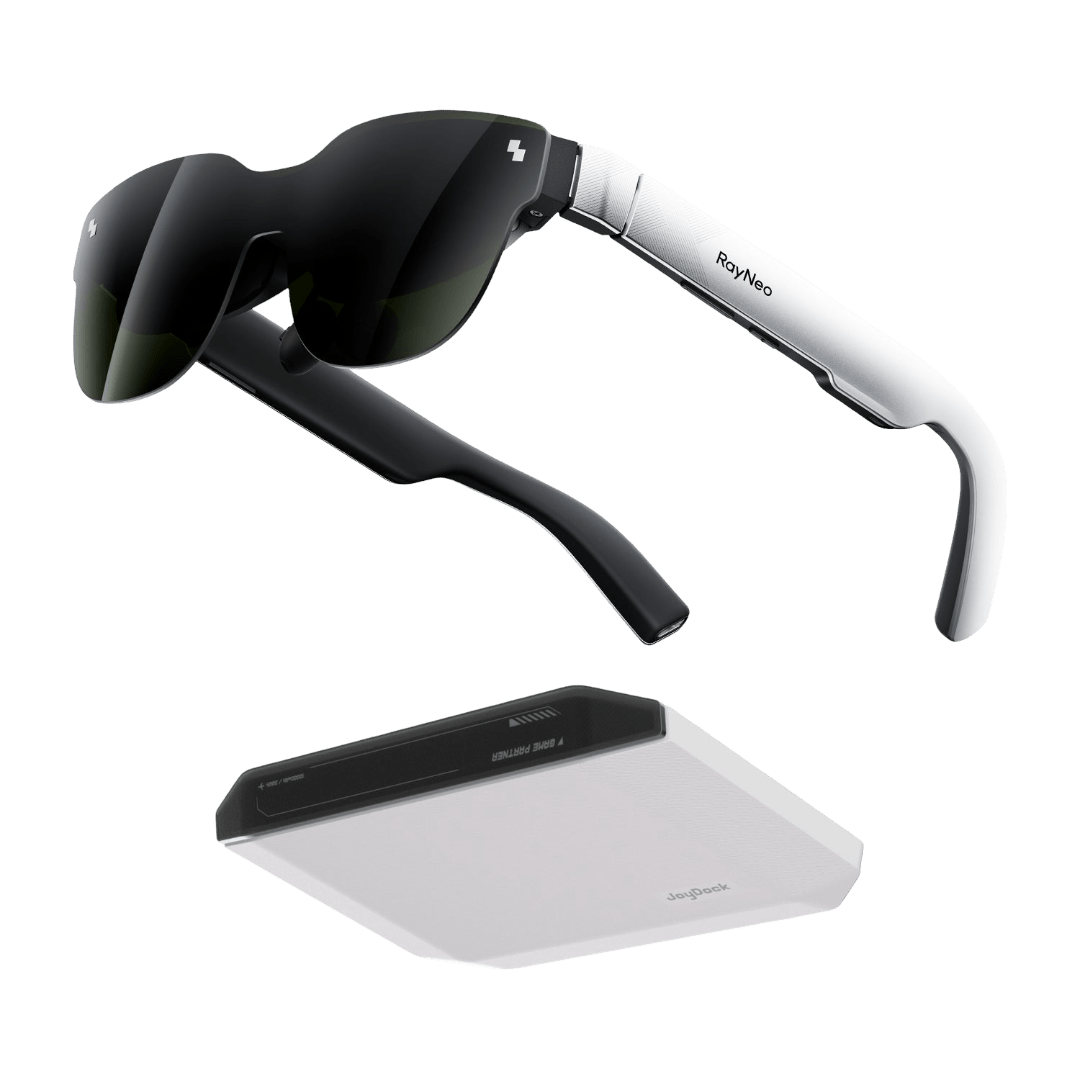
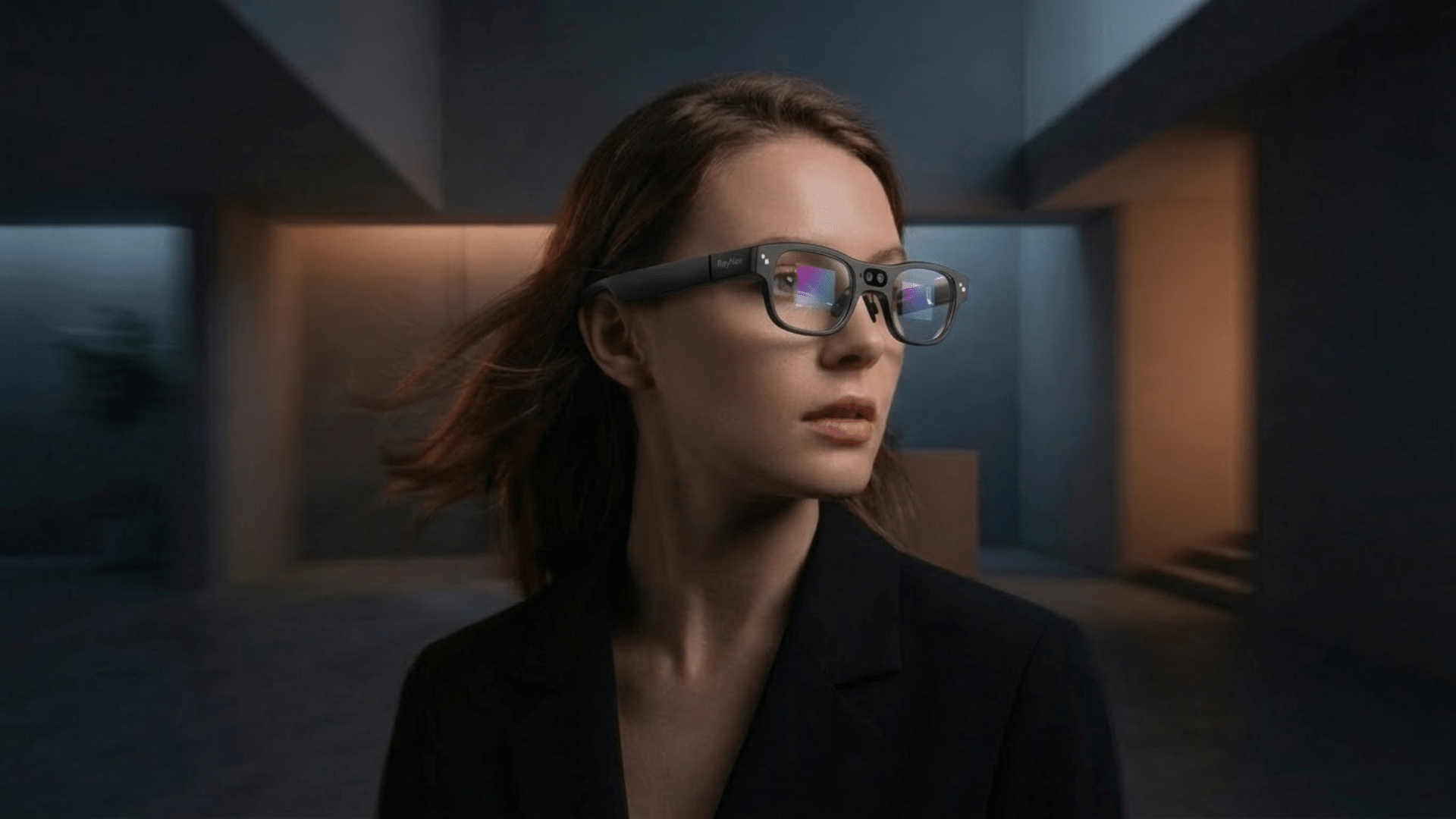
Within RayNeo’s X3 Pro-versus-X2 comparison, X3 Pro is the current camera-and-AIOS option to evaluate. It combines Gemini, a 12MP main camera and a separate spatial camera in a 76 ± 1g frame. The device weight does not establish all-day comfort or a measured overall performance advantage.
Its predecessor, the RayNeo X2, used GPT-4 with
Vision and a 16MP camera, and introduced multiple interaction methods
including the RayNeo Ring. It's officially listed as sold out on
RayNeo's website, though, so it isn't something you can weigh this
against as a live purchase option.
The comparison below is built around three things that decide whether
AI glasses actually get worn every day rather than tried once and
shelved: how the assistant performs in real use (translation, hands-free
tasks), whether the camera captures usable moments without you pulling
out your phone, and whether the hardware itself (weight, controls,
battery) holds up through a full day.
If you're buying today, X3 Pro is the current, purchasable option. X2
is relevant mainly as a reference point for how much RayNeo's AI and
camera experience has evolved, and for judging whether that evolution is
worth the price difference.
A note on scope: This article compares RayNeo's own
current and previous-generation AI glasses. It is not a cross-brand test
against other AI display glasses on the market, including other
camera-equipped AI glasses and AR display glasses from different
manufacturers. If you're weighing RayNeo against other brands, use the
specs, strengths, and limitations below to evaluate what RayNeo
specifically offers, then compare that against the manufacturer specs
for whichever other brand you're considering.
RayNeo X3 Pro and X2 at a
Glance
RayNeo X3 Pro: The Current
Flagship

The RayNeo
X3 Pro runs an always-on Google Gemini assistant, a dual-camera
setup built for both photography and spatial tracking, and a 76-gram
frame that RayNeo positions as one of the lighter builds among AR
glasses with an onboard camera and processor. It's RayNeo's current
AI+AR glasses model, actively sold on RayNeo's site as of this writing
at $1,299.
RayNeo X2: The Previous
Generation

Even though the X2 is no longer sold, it's worth looking at closely
here because it's the baseline the X3 Pro replaced: comparing the two
shows exactly what changed between generations and whether those changes
justify paying nearly $800 more for the X3 Pro. The RayNeo X2 was
an earlier entry in RayNeo's AI glasses line, built around GPT-4 with
Vision for multimodal AI queries and a 16MP camera, and it stood out for
offering three separate ways to interact with the display: temple touch
controls, voice commands, and the RayNeo Ring, a wearable spatial
controller. It originally sold for $499. As of this writing, RayNeo's
official product page lists the X2 as sold out, and RayNeo hasn't said
whether it plans to restock it or offer another channel for buyers who
specifically want its multi-input controls, so it's included here mainly
for comparison and historical context rather than as an active purchase
recommendation.
AI
Assistant: Gemini (X3 Pro) vs. GPT-4 with Vision (X2)
X3 Pro integrates Gemini through RayNeo AIOS, with voice questions activated by “Hey RayNeo” and answers shown in view. Its tools include 14-language translation, notes and navigation. “Always-on” marketing does not mean the full Gemini model runs locally, continuously analyzes the camera or controls every app automatically.
The X2's assistant was built on GPT-4 with Vision
(GPT-4V), an earlier generation of multimodal AI that could
still handle voice-activated queries, dialogue translation across
roughly 8 languages, real-time information lookups, and general voice
chat. It worked on demand rather than staying continuously active in the
background. Compared to the X3 Pro's Gemini integration, the X2's setup
covered fewer languages and represented an earlier stage of on-device
multimodal AI, though it was still a notably early example of putting a
multimodal assistant directly into a pair of glasses.
Basic local camera and display functions differ from online AI. Network-dependent Gemini and translation tasks need internet through the glasses’ Wi-Fi or a phone hotspot; a phone is used for setup and supported companion features.
Camera:
Dual 12MP + Depth Sensor (X3 Pro) vs. Single 16MP Sensor (X2)
The X3 Pro uses a dual-camera setup: a 12MP main camera (reported as
a Sony IMX681 sensor) for photo and video capture, paired with a
secondary monochrome camera used for spatial positioning and depth
sensing (supporting 6DoF and SLAM tracking rather than photography). The
second camera is what enables features like spatial mapping and more
stable AR overlays; it's not meant for taking pictures itself. In
practice, that pairing is meant for capturing what's in front of you as
you move through it, a quick photo of a whiteboard mid-meeting or a few
seconds of video on a walk, without stopping to pull out a phone.
The X2 featured a single 16MP camera capable of 1080p video with
anti-shake stabilization, oriented for first-person-view recording, the
kind of setup suited to things like recording a bike ride or a hands-on
repair without holding a camera. On paper, 16MP is a higher megapixel
count than the X3 Pro's 12MP main sensor, though megapixel count alone
doesn't determine real-world photo or video quality; sensor size,
processing, and stabilization all factor in, and RayNeo hasn't published
a direct side-by-side image quality comparison between the two
models.
Display, Field of View, and
Comfort
The X3 Pro pairs a full-color MicroLED display (640 x 480 resolution)
with a field of view of approximately 30 degrees diagonal, per RayNeo's
own explainer on field of view, a figure sized for information overlay
and navigation rather than for filling your entire visual field with
content. At 76 grams, it sits closer to standard eyewear than to bulkier
AR headsets, which matters for anyone planning to wear it through a
workday or a full day of travel rather than for short demo sessions.
It's built for glanceable overlays (a translated subtitle, a navigation
arrow, a notification) rather than for watching wide-frame video, and it
runs on a Qualcomm Snapdragon AR1 chipset.
The X2 used a binocular full-color Micro-LED optical waveguide
display with 16.7 million colors and up to 1,000 nits of brightness
(some earlier RayNeo marketing referenced up to 1,500 nits; that
reflects a 2024 crowdfunding-stage figure rather than a competing
current claim). It ran on a Qualcomm Snapdragon XR2 chipset with 6GB RAM
and 128GB storage. Neither field of view nor net weight for the X2 is
published on RayNeo's official pages at the time of writing, which makes
it hard to judge directly how it compared to the X3 Pro for all-day
comfort or immersiveness.
Interaction and Controls
The X3 Pro relies on 5-way touch input, with support for pairing an
Apple Watch as a secondary control input. The X2 offered more variety
here: temple touch controls, voice commands, and the RayNeo Ring, a
separate 3-DOF spatial ring controller that let users navigate menus and
interact with the display using hand gestures, an alternative to
touching the glasses' temple or speaking a command out loud.

That kind of quiet input was genuinely useful in situations like a
meeting, where a small ring gesture beats saying a voice command out
loud. It's a flexibility the X3 Pro doesn't carry forward in the same
form; touch and Apple Watch pairing cover a narrower range of
quiet-input scenarios.
A Note on RayNeo's Own
Published Numbers
Read camera modes and battery workloads separately when comparing the two models. Current X3 Pro specifications and activity-specific ratings are more useful than a single blended number.
-
X3 Pro camera modes: The current product specification lists video up to 4K / 3K. Older 1440p descriptions should not be treated as a universal current maximum. Check the selected mode, firmware and original file when a specific frame rate or native output is required.
-
X3 Pro battery workloads: Up to 36 minutes of video and up to 5 hours of audio recording refer to different activities. They are not competing claims for the same camera workload, and neither guarantees simultaneous translation, AI and recording runtime. See the battery guide.
Compare the selected recording mode and the actual workload. A maximum video label, mixed-use reviewer observation and audio-recording rating answer different questions.
Side-by-Side Comparison
| Feature |
RayNeo X3 Pro |
RayNeo X2 |
| AI assistant |
Google Gemini, always-on |
GPT-4 with Vision (GPT-4V), on-demand |
| Translation |
~14 languages (per RayNeo launch materials) |
~8 languages |
| Main camera |
12MP (reported Sony IMX681), plus secondary monochrome depth
camera |
16MP, 1080p video, anti-shake |
| Display |
Full-color MicroLED, 640×480 |
Full-color Micro-LED waveguide, up to 1,000 nits |
| Field of view |
~30° diagonal (per RayNeo's FOV explainer) |
Not published |
| Chipset |
Snapdragon AR1 |
Snapdragon XR2 |
| Weight |
76g |
Not published by RayNeo |
| Interaction |
5-way touch, Apple Watch support |
Touch, voice, RayNeo Ring (3-DOF) |
| Price |
$1,299 |
$499 (as listed when available) |
| Availability |
In stock (per official site) |
Sold out (per official site) |
Why Is
There Such a Price Gap Between X3 Pro and X2?
At $1,299 versus $499, the X3 Pro costs roughly 2.6 times what the X2
did. RayNeo hasn't published a breakdown of this price difference, so
what follows is analysis based on the documented spec differences rather
than an official company explanation:
-
A newer AI assistant generation. Gemini (X3 Pro) is
a newer integration than GPT-4V (X2), with broader translation language
coverage (~14 vs. ~8 languages) and an always-on design rather than an
on-demand one.
-
An added camera function. The X3 Pro's secondary
monochrome camera enables spatial tracking (6DoF/SLAM) that the X2's
single-camera setup doesn't do. This is new hardware capability, not
just a resolution bump.
-
A newer chipset generation. The Snapdragon AR1 (X3
Pro) is a more recent chipset than the Snapdragon XR2 (X2), reflecting
two product generations released roughly a year or more apart.
-
Product lifecycle. The X2 is a discontinued,
sold-out model; its $499 listed price may not reflect what a
currently-in-production device with equivalent 2026 components would
cost new.
None of this is confirmed by RayNeo directly; it's a reasonable read
of the spec sheet. If the exact reasoning matters to your purchase
decision, that's a fair question to put directly to RayNeo support or
sales.
How to Choose Based on
Your Priorities
-
If you want the currently available option: X3 Pro
is the model RayNeo actively sells today. This is the practical starting
point for anyone buying now.
-
If camera, assistant and translation together matter: X3 Pro combines those tools with a full-color information display. Use the camera, voice-assistant and translation buying guide to compare the complete task with current alternatives.
-
If camera megapixels are your main concern: The
X2's 16MP sensor is higher on paper than the X3 Pro's 12MP main camera,
but since the X2 isn't currently purchasable, this is more of a
historical data point than a live option.
-
If you value flexible, quiet interaction methods:
The X2's three-input model (touch, voice, ring) offered more ways to
control the device without speaking aloud, a feature not carried forward
in the same form on the X3 Pro.
-
If all-day comfort is the priority: X3 Pro's 76g
weight is the only figure available at this time; there's no equivalent
official weight for the X2 in the materials reviewed for this
article.
-
If a wide field of view for immersive content is the
priority: Neither model is a strong match. The X3 Pro's ~30°
FOV is designed for glanceable overlays, not wide-frame immersive
viewing, and no equivalent figure exists for the X2.
Frequently Asked Questions
Do RayNeo’s AI smart glasses need a phone? X3 Pro has its own processor, storage, Wi-Fi and AIOS. A phone is used for setup and supported companion functions; a hotspot can supply internet away from Wi-Fi. Cloud Gemini and online translation still need connectivity. Check the current companion app listing for phone requirements.
Is the RayNeo X2 still available to buy? No, not
through RayNeo's official channels as of this writing; the product page
lists it as sold out. Third-party listings may still turn up, but they
wouldn't reflect current official inventory or warranty support.
What's the practical difference between Gemini and GPT-4V in
these glasses? Both are multimodal AI systems that understand
images and language together, not just text. The X3 Pro's Gemini
integration runs always-on and supports more translation languages than
the X2's GPT-4V setup, per RayNeo's materials. No independent,
controlled side-by-side test of the two assistants on RayNeo hardware
exists yet.
Are these AR glasses or display accessories? Both use onboard camera and computing hardware rather than serving only as external screens. On X3 Pro, online AI and translation need internet; the glasses’ Wi-Fi or a phone hotspot can provide it.
Is the X3 Pro comfortable for all-day wear? At 76
grams and with a ~30° field of view built for overlays rather than
immersive content, RayNeo positions the X3 Pro as lightweight relative
to other AR glasses with a built-in camera and processor. Real-world
comfort still comes down to individual fit, prescription lens needs, and
how heavily the camera and display get used; heavier camera use in
particular runs into the battery limitations noted above.
Bottom Line
Within this two-model comparison, evaluate X3 Pro if you need its camera, Gemini and information display. The US device listing is $1,299, with a 76 ± 1g frame and approximately 30° display field of view. Compare fit, selected recording mode and workload-specific power needs before choosing; model age and marketing labels do not replace a same-task test.






Contents
If you're weighing RayNeo's current AI glasses against its previous generation, the real question isn't which model is newer. It's whether the jump from $499 to $1,299 buys you something you'd actually notice using the glasses every day.
Within RayNeo’s X3 Pro-versus-X2 comparison, X3 Pro is the current camera-and-AIOS option to evaluate. It combines Gemini, a 12MP main camera and a separate spatial camera in a 76 ± 1g frame. The device weight does not establish all-day comfort or a measured overall performance advantage.
Its predecessor, the RayNeo X2, used GPT-4 with Vision and a 16MP camera, and introduced multiple interaction methods including the RayNeo Ring. It's officially listed as sold out on RayNeo's website, though, so it isn't something you can weigh this against as a live purchase option.
The comparison below is built around three things that decide whether AI glasses actually get worn every day rather than tried once and shelved: how the assistant performs in real use (translation, hands-free tasks), whether the camera captures usable moments without you pulling out your phone, and whether the hardware itself (weight, controls, battery) holds up through a full day.
If you're buying today, X3 Pro is the current, purchasable option. X2 is relevant mainly as a reference point for how much RayNeo's AI and camera experience has evolved, and for judging whether that evolution is worth the price difference.
A note on scope: This article compares RayNeo's own current and previous-generation AI glasses. It is not a cross-brand test against other AI display glasses on the market, including other camera-equipped AI glasses and AR display glasses from different manufacturers. If you're weighing RayNeo against other brands, use the specs, strengths, and limitations below to evaluate what RayNeo specifically offers, then compare that against the manufacturer specs for whichever other brand you're considering.
RayNeo X3 Pro and X2 at a Glance
RayNeo X3 Pro: The Current Flagship
The RayNeo X3 Pro runs an always-on Google Gemini assistant, a dual-camera setup built for both photography and spatial tracking, and a 76-gram frame that RayNeo positions as one of the lighter builds among AR glasses with an onboard camera and processor. It's RayNeo's current AI+AR glasses model, actively sold on RayNeo's site as of this writing at $1,299.
RayNeo X2: The Previous Generation
Even though the X2 is no longer sold, it's worth looking at closely here because it's the baseline the X3 Pro replaced: comparing the two shows exactly what changed between generations and whether those changes justify paying nearly $800 more for the X3 Pro. The RayNeo X2 was an earlier entry in RayNeo's AI glasses line, built around GPT-4 with Vision for multimodal AI queries and a 16MP camera, and it stood out for offering three separate ways to interact with the display: temple touch controls, voice commands, and the RayNeo Ring, a wearable spatial controller. It originally sold for $499. As of this writing, RayNeo's official product page lists the X2 as sold out, and RayNeo hasn't said whether it plans to restock it or offer another channel for buyers who specifically want its multi-input controls, so it's included here mainly for comparison and historical context rather than as an active purchase recommendation.
AI Assistant: Gemini (X3 Pro) vs. GPT-4 with Vision (X2)
X3 Pro integrates Gemini through RayNeo AIOS, with voice questions activated by “Hey RayNeo” and answers shown in view. Its tools include 14-language translation, notes and navigation. “Always-on” marketing does not mean the full Gemini model runs locally, continuously analyzes the camera or controls every app automatically.
The X2's assistant was built on GPT-4 with Vision (GPT-4V), an earlier generation of multimodal AI that could still handle voice-activated queries, dialogue translation across roughly 8 languages, real-time information lookups, and general voice chat. It worked on demand rather than staying continuously active in the background. Compared to the X3 Pro's Gemini integration, the X2's setup covered fewer languages and represented an earlier stage of on-device multimodal AI, though it was still a notably early example of putting a multimodal assistant directly into a pair of glasses.
Basic local camera and display functions differ from online AI. Network-dependent Gemini and translation tasks need internet through the glasses’ Wi-Fi or a phone hotspot; a phone is used for setup and supported companion features.
Camera: Dual 12MP + Depth Sensor (X3 Pro) vs. Single 16MP Sensor (X2)
The X3 Pro uses a dual-camera setup: a 12MP main camera (reported as a Sony IMX681 sensor) for photo and video capture, paired with a secondary monochrome camera used for spatial positioning and depth sensing (supporting 6DoF and SLAM tracking rather than photography). The second camera is what enables features like spatial mapping and more stable AR overlays; it's not meant for taking pictures itself. In practice, that pairing is meant for capturing what's in front of you as you move through it, a quick photo of a whiteboard mid-meeting or a few seconds of video on a walk, without stopping to pull out a phone.
The X2 featured a single 16MP camera capable of 1080p video with anti-shake stabilization, oriented for first-person-view recording, the kind of setup suited to things like recording a bike ride or a hands-on repair without holding a camera. On paper, 16MP is a higher megapixel count than the X3 Pro's 12MP main sensor, though megapixel count alone doesn't determine real-world photo or video quality; sensor size, processing, and stabilization all factor in, and RayNeo hasn't published a direct side-by-side image quality comparison between the two models.
Display, Field of View, and Comfort
The X3 Pro pairs a full-color MicroLED display (640 x 480 resolution) with a field of view of approximately 30 degrees diagonal, per RayNeo's own explainer on field of view, a figure sized for information overlay and navigation rather than for filling your entire visual field with content. At 76 grams, it sits closer to standard eyewear than to bulkier AR headsets, which matters for anyone planning to wear it through a workday or a full day of travel rather than for short demo sessions. It's built for glanceable overlays (a translated subtitle, a navigation arrow, a notification) rather than for watching wide-frame video, and it runs on a Qualcomm Snapdragon AR1 chipset.
The X2 used a binocular full-color Micro-LED optical waveguide display with 16.7 million colors and up to 1,000 nits of brightness (some earlier RayNeo marketing referenced up to 1,500 nits; that reflects a 2024 crowdfunding-stage figure rather than a competing current claim). It ran on a Qualcomm Snapdragon XR2 chipset with 6GB RAM and 128GB storage. Neither field of view nor net weight for the X2 is published on RayNeo's official pages at the time of writing, which makes it hard to judge directly how it compared to the X3 Pro for all-day comfort or immersiveness.
Interaction and Controls
The X3 Pro relies on 5-way touch input, with support for pairing an Apple Watch as a secondary control input. The X2 offered more variety here: temple touch controls, voice commands, and the RayNeo Ring, a separate 3-DOF spatial ring controller that let users navigate menus and interact with the display using hand gestures, an alternative to touching the glasses' temple or speaking a command out loud.
That kind of quiet input was genuinely useful in situations like a meeting, where a small ring gesture beats saying a voice command out loud. It's a flexibility the X3 Pro doesn't carry forward in the same form; touch and Apple Watch pairing cover a narrower range of quiet-input scenarios.
A Note on RayNeo's Own Published Numbers
Read camera modes and battery workloads separately when comparing the two models. Current X3 Pro specifications and activity-specific ratings are more useful than a single blended number.
Compare the selected recording mode and the actual workload. A maximum video label, mixed-use reviewer observation and audio-recording rating answer different questions.
Side-by-Side Comparison
Why Is There Such a Price Gap Between X3 Pro and X2?
At $1,299 versus $499, the X3 Pro costs roughly 2.6 times what the X2 did. RayNeo hasn't published a breakdown of this price difference, so what follows is analysis based on the documented spec differences rather than an official company explanation:
None of this is confirmed by RayNeo directly; it's a reasonable read of the spec sheet. If the exact reasoning matters to your purchase decision, that's a fair question to put directly to RayNeo support or sales.
How to Choose Based on Your Priorities
Frequently Asked Questions
Do RayNeo’s AI smart glasses need a phone? X3 Pro has its own processor, storage, Wi-Fi and AIOS. A phone is used for setup and supported companion functions; a hotspot can supply internet away from Wi-Fi. Cloud Gemini and online translation still need connectivity. Check the current companion app listing for phone requirements.
Is the RayNeo X2 still available to buy? No, not through RayNeo's official channels as of this writing; the product page lists it as sold out. Third-party listings may still turn up, but they wouldn't reflect current official inventory or warranty support.
What's the practical difference between Gemini and GPT-4V in these glasses? Both are multimodal AI systems that understand images and language together, not just text. The X3 Pro's Gemini integration runs always-on and supports more translation languages than the X2's GPT-4V setup, per RayNeo's materials. No independent, controlled side-by-side test of the two assistants on RayNeo hardware exists yet.
Are these AR glasses or display accessories? Both use onboard camera and computing hardware rather than serving only as external screens. On X3 Pro, online AI and translation need internet; the glasses’ Wi-Fi or a phone hotspot can provide it.
Is the X3 Pro comfortable for all-day wear? At 76 grams and with a ~30° field of view built for overlays rather than immersive content, RayNeo positions the X3 Pro as lightweight relative to other AR glasses with a built-in camera and processor. Real-world comfort still comes down to individual fit, prescription lens needs, and how heavily the camera and display get used; heavier camera use in particular runs into the battery limitations noted above.
Bottom Line
Within this two-model comparison, evaluate X3 Pro if you need its camera, Gemini and information display. The US device listing is $1,299, with a 76 ± 1g frame and approximately 30° display field of view. Compare fit, selected recording mode and workload-specific power needs before choosing; model age and marketing labels do not replace a same-task test.
Share:
Leave a Comment
We'd love to hear your thoughts. Comments are reviewed before publication.