

$429.00

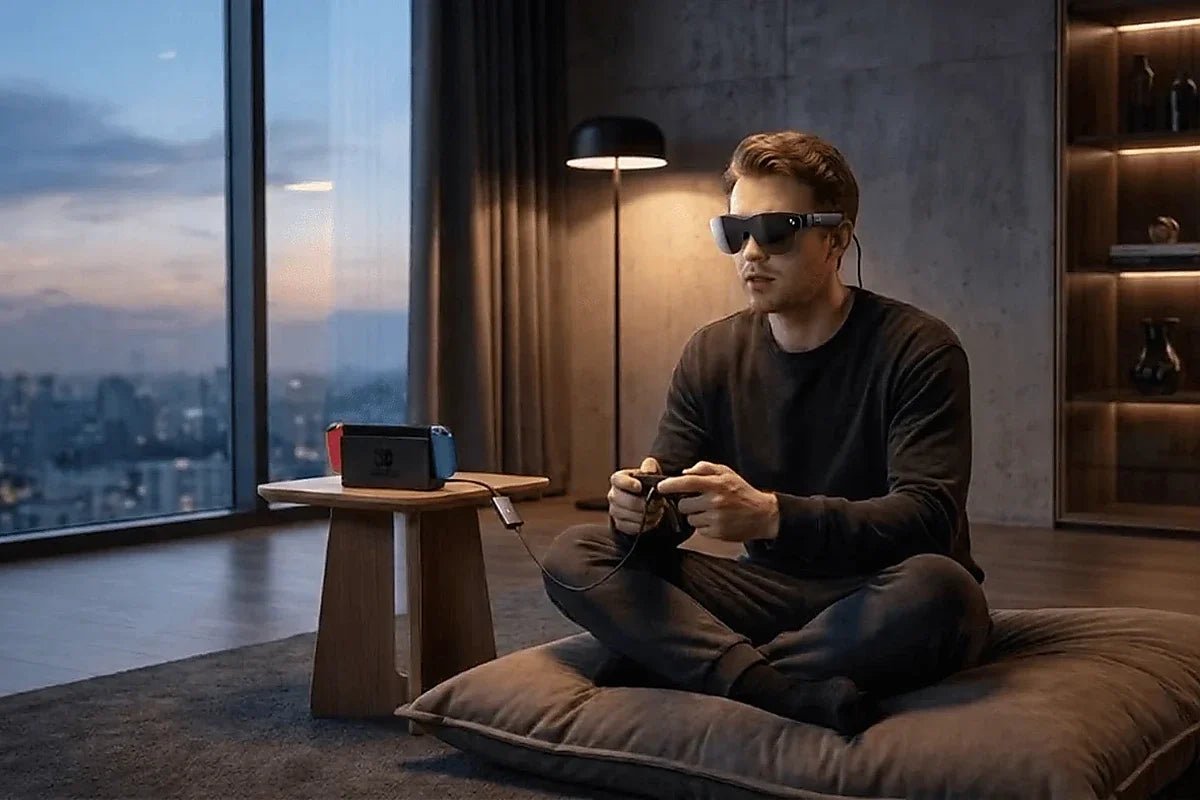
Xbox and PlayStation consoles output video over HDMI, and RayNeo GT and GT Max expect a USB-C video signal instead. That’s why neither console plugs straight into the glasses with the cable in the box. The fix is the RayNeo HDMI Adapter, a small converter that takes HDMI in on one end and sends a USB-C signal to the glasses on the other.
Steam Deck is a different case. Its USB-C port supports DisplayPort video output, so a direct USB-C connection is possible, and RayNeo’s pages describe it in more than one way. This guide covers both routes so you can decide which to try first.
Beyond getting a picture, three practical questions come up with every console setup:
Devices that send video over HDMI rather than USB-C DisplayPort Alt Mode, the standard GT and GT Max read directly from a phone or laptop, include:
The HDMI Adapter sits between the console’s HDMI port and the glasses’ USB-C cable and converts one into the other. It’s a single accessory sold across RayNeo’s AR lineup rather than a GT-specific part; the same model is bundled with Air 4 Pro on RayNeo’s own store. For the fuller breakdown of which devices need the adapter and which plug in directly, see the RayNeo GT and GT Max device compatibility guide.
RayNeo’s own blog walks through the Xbox setup in three steps, and the same sequence applies to PS4 and PS5 since they use the same adapter:
Most consoles include an HDMI cable in the box. The USB-C PD power source isn’t included with the adapter. “PD” stands for Power Delivery, the USB-C charging standard. A console’s HDMI port doesn’t supply power to the glasses, so use a USB-C PD charger that suits the adapter. Check the guide that comes with your adapter for any requirements.
Before settling into a seat, check that the included USB-C cable reaches comfortably between the glasses and adapter. Keep the connection free of tension; do not assume an ordinary charging cable or extension can carry the required video signal.
An HDMI connection carries the console’s video to the adapter; it is not the power connection for the glasses.
Connect a USB-C PD power source to the adapter as instructed in RayNeo’s Xbox setup guide. Use the adapter’s included instructions for its power requirements, and check that both the HDMI cable and power input are connected before troubleshooting the picture.
GT and GT Max have no battery of their own, so something external has to supply their power. For a phone or laptop, that’s the host device’s USB-C port. For a console, there’s no equivalent single cable, so follow RayNeo’s Xbox guide and plug a USB-C PD power source into the adapter.
Steam Deck’s only external video port is USB-C, and that port supports DisplayPort Alt Mode, the same video standard GT and GT Max read from a phone or MacBook. RayNeo’s pages describe it two ways:
Because the Deck’s port supports DisplayPort video, a direct cable connection is possible and is the simpler route to try first if you already have the glasses’ included USB-C cable.
In a direct connection with nothing else plugged in, the Steam Deck’s own battery powers both the handheld and the glasses. RayNeo’s FAQ says of direct connections: “the connected device powers the glasses and processes video, so slight warmth and increased battery consumption are normal.” Expect the Deck’s battery to drain faster than without the glasses. Neither RayNeo nor Valve publishes a runtime figure for this pairing. If you’d rather keep the Deck charging while you play, a dock that charges the Deck and provides an HDMI output removes that load from the Deck’s battery, but then you’re on the HDMI route described next.
If you use the HDMI Adapter path, you need an HDMI signal out of the Deck first, either through Valve’s official dock or a USB-C-to-HDMI adapter, before it can reach the RayNeo HDMI Adapter. That’s one more piece of hardware than a PS5 or Xbox setup needs.
GT and GT Max’s display panel is 1920x1080 (Full HD), with a refresh rate of 120Hz in 2D mode and 60Hz in 3D mode. The panel’s resolution is the ceiling for what you see, regardless of what a console sends.
| Display / Device | Resolution | Refresh Rate |
|---|---|---|
| GT / GT Max display panel | 1920x1080 (Full HD) | 120Hz (2D mode) / 60Hz (3D mode) |
| PS5 / Xbox Series X | Up to 4K | Up to 120Hz, depending on the mode and display |
| RayNeo HDMI Adapter | See the adapter’s product page for supported input modes | See the adapter’s product page |
Console gaming is a 2D-mode use case, so the 120Hz panel is the relevant figure. The 60Hz limit in 3D mode only matters when you’re watching converted or 3D video. Whether you actually see 120Hz depends on the console, the game, and the output settings; a 120Hz panel doesn’t make a 60fps game run at 120fps.
If no picture shows up, work through the chain in order:
GT Max has four open-ear speakers tuned by Bang & Olufsen with head-tracked spatial audio, built into the glasses themselves, not routed through a TV or soundbar. HDMI carries audio alongside video, and the adapter merges the HDMI signal into the USB-C connection. RayNeo doesn’t walk through console audio routing step by step, so test your setup and check the console’s audio output settings if the sound doesn’t come through the glasses.
Open-ear speakers let sound carry beyond the wearer, so people sitting nearby may hear some of it in a shared room.
GT and GT Max’s Dolby Vision playback is tied to pairing with the separate RayNeo Pocket TV Pro, and RayNeo frames it as a movie and streaming feature for that device’s content. This applies to both models. Nothing in RayNeo’s console-gaming material confirms Dolby Vision applying to console games sent through the HDMI Adapter.
For console gaming, the more relevant display feature is real-time SDR-to-HDR conversion (RayNeo calls it AI HDR) from the Vision 4000 display chip, which both models share.
Both connect to Xbox, PlayStation, and Steam Deck the same way, so the choice comes down to screen size and fit. Interpupillary distance, or IPD, is the gap between your pupils, and it affects how well a display lines up with each eye. Here’s how GT Max and GT compare:
| Spec | GT | GT Max |
|---|---|---|
| Price | See the product page | List price $429; $399 with the launch discount applied at checkout (a promotion, not a permanent price) |
| Field of view | 46 degrees | 59 degrees |
| Weight | 68g | 78g |
| Virtual screen presets | 136 / 201 / 231-inch (default 201-inch) | 227 / 267 / 307-inch (default 267-inch) |
| IPD fit | One fixed 64mm IPD design | Three IPD sizes (S/M/L) selected at purchase |
| Display panel | 120Hz (2D) / 60Hz (3D) | 120Hz (2D) / 60Hz (3D) |
| Speakers | B&O tuned | B&O tuned |
GT Max’s wider field of view means the virtual screen fills more of what’s in front of you, while GT’s narrower field of view leaves more space around the image. IPD fit may matter more over a long gaming session; a display that’s misaligned with your eyes can become more noticeable the longer you use it. Take breaks if your eyes feel tired.
Do I need to buy an HDMI cable separately for my console?
Does the RayNeo HDMI Adapter support 4K?
Do the glasses charge while I’m gaming on a console, or do they just run off the adapter’s power?
Will using the adapter add noticeable input lag to my games?
Does this same setup work for Nintendo Switch?








Share:
RayNeo Wired vs. Wireless Glasses: What the Cable Actually Means
RayNeo Air 3s Pro Display Resolution Explained: 1920x1080 (2D) and 3840x1080 (3D)