

$429.00

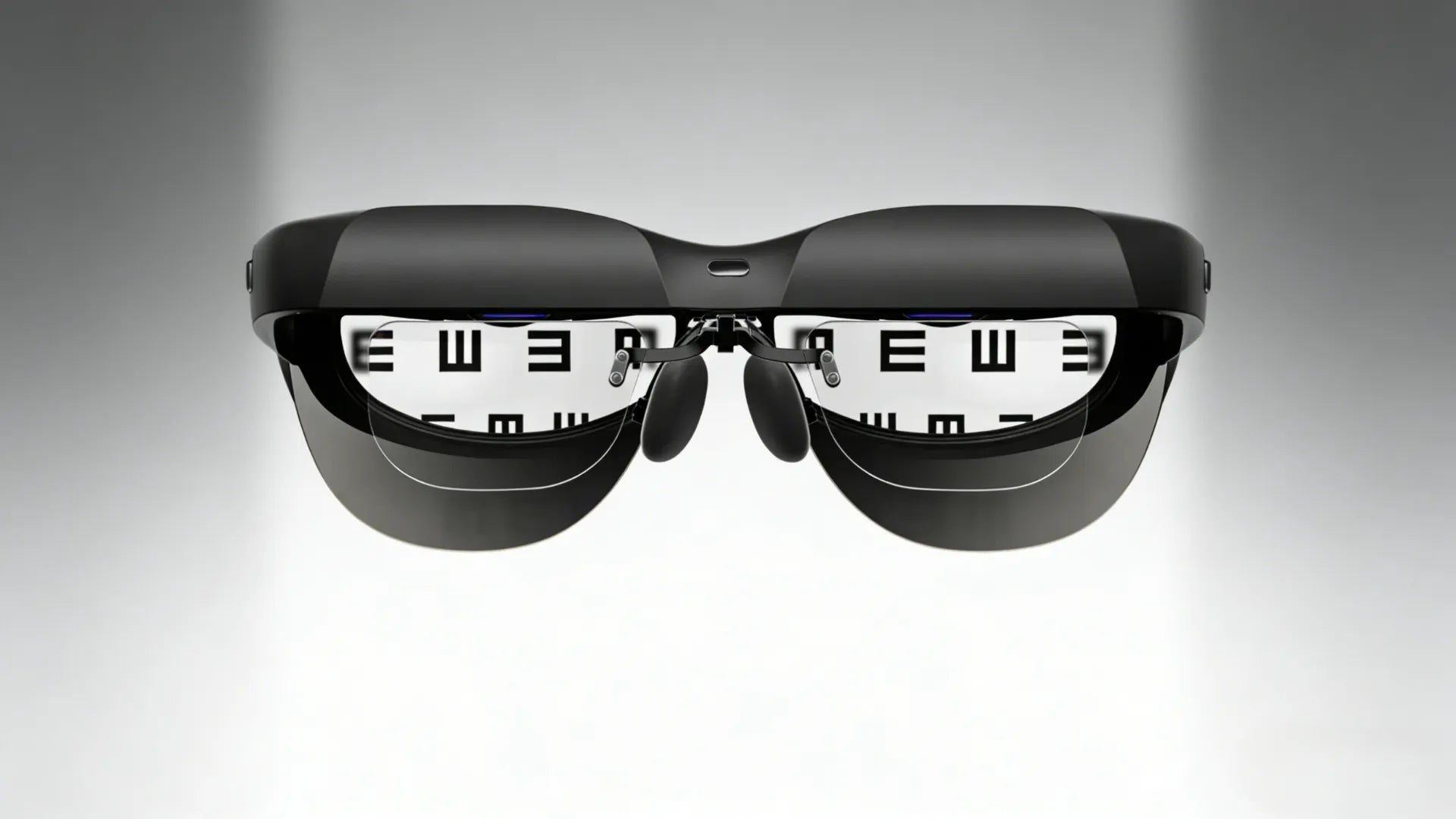
Trying to use smart eyewear over regular glasses always feels like a compromise; you’re choosing between clear vision and the tech features you wish you had. Most folks have been there: struggling with switching between everyday glasses and sunglasses, missing alerts because your phone’s buried deep in a bag, or just juggling too many devices to get through a normal day.
Prescription smart glasses tackle that head-on by combining vision correction with useful digital features like heads-up displays, cameras, or voice assistants in one pair of frames. This guide walks through how they work, what to think about before you buy, and which models are worth a close look for people who wear glasses but want connected functionality without the hassle.
To understand this category, we must look beyond the basic definition of what are smart glasses and focus on true lifestyle integration. Prescription smart glasses combine vision correction and connected tech into one everyday pair of frames. These aren’t regular smart devices worn over contacts or layered on top of your normal eyewear; they’re built from the start to handle your prescription while adding digital features you can actually use day to day.
At their core, these glasses correct nearsightedness, farsightedness, or astigmatism while delivering information through visuals, audio, or voice control. Some models use clip-in prescription inserts that sit behind the lenses, while others integrate corrective lenses directly into the frame for a cleaner feel.
Visual systems usually rely on tiny micro-OLED displays and optical waveguides that place information just off your main line of sight, so you can still see the real world clearly. Brightness, measured in nits, affects how usable the display is outdoors, while refresh rate controls how smooth motion looks. Audio is typically handled through open ear designs like bone conduction or directional speakers, which let you hear calls, prompts, or music without blocking surrounding sounds.
Prescription smart glasses generally fall into a few practical categories, depending on what you want them to do day to day. AR glasses layer digital content onto the real world, like directions, translations, or quick notifications. Display glasses act more like portable screens for gaming, videos, or light work. Camera models are built for hands-free photos and videos, capturing what you’re seeing without pulling out your phone. Audio-focused designs skip visuals and concentrate on calls, music, and voice assistants using open ear speakers.
All of these options support prescription lenses, either through clip-in inserts or lenses built directly into the frame.
There are generally two primary ways to integrate prescription lenses into smart glasses, and each category offers a specific range of lens options.
This is a highly popular approach, particularly for AR glasses like RayNeo AR glasses and the XREAL Air series. With this method, users receive custom-made prescription lenses that attach—either magnetically or mechanically—to the interior side of the smart glasses' main frame.

Pros: This approach offers exceptional flexibility. It allows multiple users with different prescriptions to share the same device, and you can easily switch between clear lenses and tinted/sunglass lenses. If your prescription changes, you simply replace the inserts without needing to replace the entire device.
Cons: It can add some bulk and weight to the eyewear, and occasionally, dust may accumulate between the lens layers.
In this method, the smart glasses frames are designed to hold prescription lenses directly, just like a standard pair of eyeglasses.
Pros: This is arguably the most seamless and aesthetically pleasing solution, as the final product looks and feels like standard eyewear without adding extra bulk or layers.
Cons: Because the lenses are a fixed component of the device, updating your prescription requires replacing the entire lens assembly. This method can also be more expensive and, due to physical constraints of the display technology, may not support prescriptions that are extremely strong or complex.
In the current market, the optional lens types and coatings are also quite diverse, such as Single Vision Lenses that correct just one field of view—either farsightedness or nearsightedness—and Progressive/Multifocal Lenses for users with presbyopia, which provide multiple power zones (distance, intermediate, and near) within a single seamless lens. Furthermore, there are various Specialized Lenses & Coatings tailored for different needs and scenarios, for instance: Photochromic Lenses that automatically darken when exposed to sunlight, Tinted/Polarized Lenses with glare-reducing capabilities—when smart glasses are paired with these lenses, they can serve as smart sunglasses—and additionally, there are Blue Light Blocking lenses, Anti-Reflective/Anti-Glare coatings, High-Index lenses, and more.
Like most everyday tech, prescription smart glasses come with real benefits and real compromises. Understanding both sides upfront helps set expectations before you commit.
The biggest advantage is convenience. One device replaces two. Since you’re already wearing glasses, adding smart features means less gear to carry and one fewer thing to keep charged. There’s no swapping between regular glasses and smart eyewear, and no dealing with contacts just to use connected features.
Today’s prescription smart glasses look much closer to normal frames than earlier versions. Many are designed to fit into workdays, social settings, and daily errands without drawing attention. Cameras, displays, and speakers are built in subtly, and customization keeps improving with different frame shapes, colours, and lens tints, including UV protection.
Battery life is still the biggest limitation. Most models last around 4-8 hours with active use, so charging becomes part of your routine. The field of view is also narrower thanthat of VR headsets, with information appearing in small display areas instead of full immersion. Processing power is limited, which means many features depend on a connected phone.
Electronics add fragility compared to standard glasses, making water resistance and IP ratings important, especially outdoors. Replacing prescription lenses can be more complicated and often requires manufacturer support. Software updates are another variable, sometimes improving performance, other times introducing small bugs that need fixing.
These models stand out for combining smart features, prescription support, and real-world usability. Each one is strong in a specific area while still working well for people who need vision correction.
Higher prices usually bring better materials, smoother software, and fewer compromises. To figure out if upgrading to premium models fits your budget and needs, it helps to weigh whether are prescription smart glasses over 350 worth it. Ultimately, if you want smart glasses that feel like part of your daily routine, not a gadget you tolerate, this tier makes sense.
RayNeo X3 Pro ($1,099 + £95 RX lenses)
The RayNeo X3 Pro pairs AI assistance with AR displays in a lightweight 76-gram frame that’s comfortable for long wear. It projects a 43-inch floating screen that stays out of the way of your natural vision. Battery life is around four hours, with fast charging taking about 38 minutes. Google Gemini 2.5 AI handles directions, questions, and real-time translation across 14 languages. This model works well for professionals who want constant, context-aware help and early adopters using AR for development or exploration. Prescription inserts support nearsightedness up to -10.00D and astigmatism up to -2.00D.

For vision correction, RayNeo has officially partnered with the UK-based Lens Expert Lensology to offer ultra-slim, lightweight High Index lenses. These come standard with anti-glare, anti-scratch, anti-smudge, and easy-clean coatings right out of the box, ensuring a "zero-burden" wearing experience. Regardless of your prescription strength, the price remains flat with no hidden fees.

However, it is important to note that these are single-vision everyday distance lenses. Due to the unique focal point setup of AR glasses, RayNeo X3 Pro prescription inserts are not required for near or intermediate prescriptions.
Affordable smart glasses often force tough trade-offs, but a few options manage to balance cost, comfort, and prescription support.
Solos AirGo 3
The Solos AirGo 3 skips AR visuals and focuses on clean, reliable audio. Its open ear design delivers private sound while keeping you aware of what’s around you. Standard prescription lenses can be fitted through most optical retailers. Battery life averages 6-8 hours for music, and touch controls make it easy to manage calls and playback without relying on voice commands.
Hands-free recording is one of the most natural uses for smart glasses, especially when you want true point-of-view footage.
Oakley Meta HSTN
Hands-free capture makes these a natural fit for athletes, content creators, or anyone who wants to document moments without reaching for a phone. The Oakley Meta HSTN uses an ultra-wide 12MP camera that can record up to 4K quality. Image stabilization helps smooth out motion from activities like running or cycling, and quick access controls let you start recording before the moment passes. Visible privacy indicators clearly show when the camera is active, while Meta integration makes sharing fast and straightforward.
Gaming-focused smart glasses need smooth motion, low lag, and enough brightness to work outside dark rooms.
RayNeo Air 3s Pro ($299 + £95 RX inserts)
The RayNeo Air 3s Pro prescription smart glasses turn almost any place into a portable gaming setup by projecting a massive 201-inch virtual screen. It connects straight to a Switch, Steam Deck, or smartphone through USB-C, so setup is quick and hassle-free. Six viewing modes fine-tune colour profiles for different types of games, while the 120Hz refresh rate keeps motion smooth.
 With 1,200 nits of brightness, the screen stays visible even in well-lit rooms, and high-frequency PWM dimming helps reduce eye strain during longer sessions. Custom RayNeo Air 3s Pro lenses snap in without tools and support nearsightedness up to -10.00D and astigmatism up to -2.00D.
If you plan to wear smart glasses all day, comfort matters more than extra features. Some models feel almost indistinguishable from regular eyewear.
Ray-Ban Meta Gen 2
Ray-Ban Meta Gen 2 is built to feel like regular glasses first, with smart features quietly built in. It keeps the classic Wayfarer look while neatly hiding the cameras, speakers, and internal hardware. Balanced weight helps avoid pressure points, making them comfortable for all-day wear. Voice control through Meta AI handles calls, messages, music, and quick searches without pulling out your phone. The 12MP camera captures everyday moments naturally, and Meta’s ecosystem brings solid app support and frequent software updates.
Shopping carefully upfront can save you from an expensive mistake later. These are the factors that usually decide whether prescription smart glasses become something you wear every day, or something that ends up forgotten in a drawer.

Start with your prescription details. Check the supported ranges, especially if you have a First. Ensure you have a current prescription (from an exam within the last two years) that includes your Pupillary Distance (PD), as this data is critical for precisely aligning the smart display. Before purchasing, check the manufacturer's specified limits for Sphere (SPH) and Cylinder (CYL), especially if you have a strong prescription or astigmatism. Once you understand the lens integration method (inserts vs. integrated), we highly recommend considering lens coatings: an Anti-Reflective (AR) coating effectively reduces glare from the internal display, while blue light filtering or photochromic options can further enhance long-term comfort. Finally, if you rely on progressive or multifocal lenses, you must verify that the specific model supports this customization.
Comfort matters most after a few hours, not in the first few minutes. Poor weight distribution, especially front-heavy frames can cause pressure points and headaches. Look for balanced designs under 80 grams when possible. Adjustable nose pads and flexible temples help accommodate different face shapes and make long wear more realistic.
Prescription lenses can affect how smart features perform. Display clarity may drop if lenses interfere with projection paths, so testing real-world use with your prescription is important. Audio quality should be clear without blasting volume, and voice pickup needs to work in quiet rooms and noisy outdoor settings alike.
Check smartphone OS requirements before committing. Some features only work on specific platforms, which can limit functionality. Smooth integration with apps and services you already use usually matters more than a long list of features you’ll never touch.
Battery life often falls short of advertised numbers. Display brightness, camera use, and audio volume all affect runtime. Fast charging helps, but frequent top-ups can get annoying. Charging cases extend usage time, though they add extra bulk you’ll need to carry around.
There are a few different ways to add prescription lenses to smart glasses, and each option comes with its own balance of cost, convenience, and control. The best choice usually depends on how complex your prescription is and how much hands-on involvement you want.
Many manufacturers now offer direct prescription services. You upload your prescription through their website, select your lens options, and the glasses arrive ready to wear. It’s the simplest path and works well if your prescription is straightforward and up to date.
Some local opticians can order prescription lenses for smart glasses frames. This option gives you in-person measurements and adjustments, which can make a big difference for comfort and clarity. It typically costs more than online services, but you’re paying for professional fitting and follow-up support if something isn’t right.
Independent providers often specialize in prescription inserts for popular smart glasses models. These options can be more affordable and may offer extra lens types or coatings. Quality varies, so it’s important to research reviews, warranties, and return policies before committing.
Clip-in inserts allow you to install prescription lenses yourself. You order the lenses separately and snap them into place using simple guides. This approach works well for people with stable prescriptions and makes future replacements easy and usually less expensive than integrated lenses.
Prescription smart glasses remove the need to choose between seeing clearly and staying connected. Today’s models offer practical ways to handle AI assistance, immersive displays, or hands-free capture without dealing with contacts or stacking multiple devices. The key is matching the features to how you actually live and work, double-checking prescription compatibility, and making sure the fit feels right before committing.
In most cases, yes. Frames typically land in the $200-$500 range, and prescription lenses add another $80-$200, depending on how complex your correction is. That puts the total above standard eyewear, but you’re also getting built-in tech that regular frames simply can’t provide.
Most prescription smart glasses stick to standard eyewear sizing. Check the measurements on a pair you already find comfortable and compare them with the specs online. Many brands also offer virtual try-on tools through your phone camera. Adjustable nose pads and flexible temples help fine-tune the fit for different face shapes.
It really depends on age and use. Younger kids’ prescriptions change often, which makes investing in smart glasses harder to justify. Teenagers with more stable prescriptions and a clear reason to use smart features are usually a better match.
Sports use depends on durability and protection. Some models offer basic dust and water resistance through IP ratings, but true impact protection adds weight and bulk. They can work for recording activities, but for higher-risk sports, wearing extra protection like a helmet is strongly recommended.
How replacements work depends on the design. Removable or clip-in inserts are easier and cheaper to replace. Integrated prescription lenses usually require manufacturer service, which costs more. Scratch-resistant coatings help reduce damage, and using a protective case during storage makes a big difference.







Share:
11 Valentine’s Day Gifts That Are More Affordable Than They Seem
What Are Smart Glasses? A Guide to Smart Eyewear