

$429.00

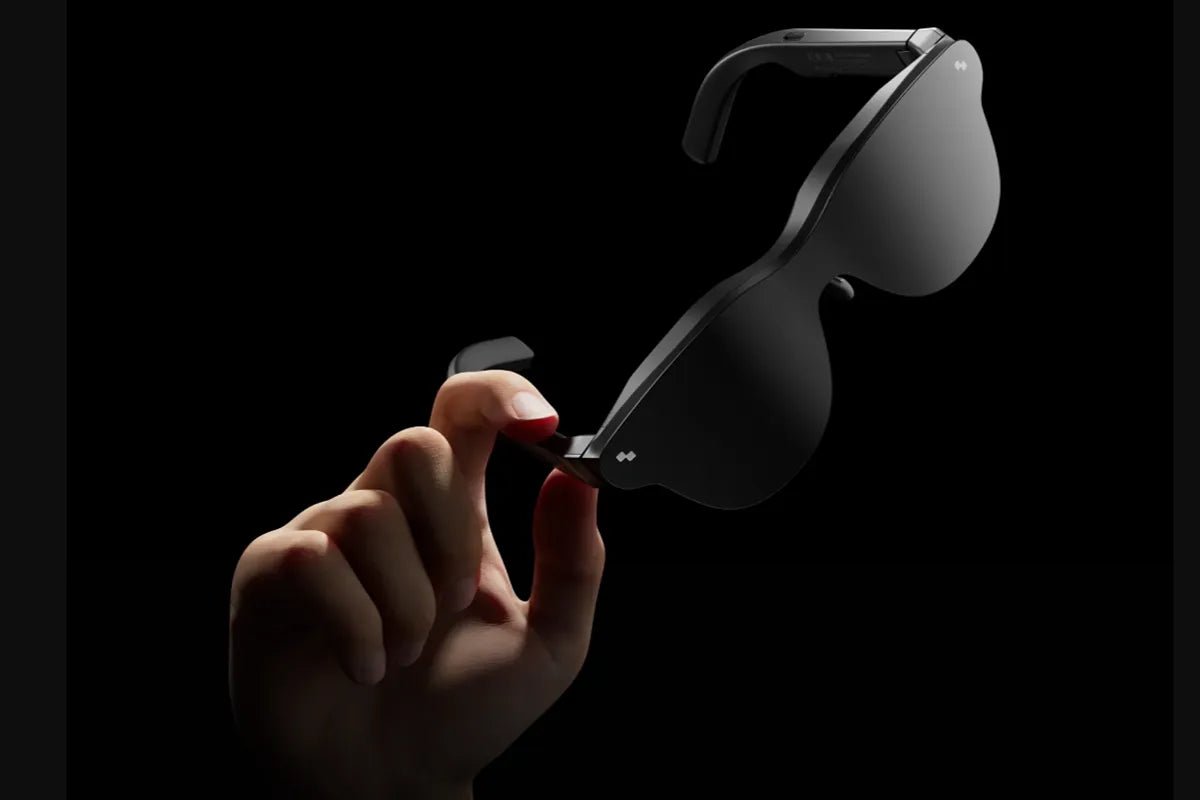
Are AR glasses worth it? The answer depends on how and where you use them. Unlike traditional monitors or TVs, AR glasses provide a portable personal display that can enhance entertainment, gaming, and productivity in places where a fixed screen is unavailable. This guide explains what AR glasses do, their practical benefits and limitations, and the key factors to consider before deciding whether this emerging technology is worth the investment.

AR glasses are worth it if you often need a large private screen in places where a traditional display is unavailable or inconvenient. They are especially useful for long flights, hotel rooms, shared spaces, and handheld gaming, where they can turn a small device screen into a more immersive viewing experience without adding much weight to your bag.
They are less worthwhile if you already have a high-quality monitor or TV for most of your viewing and gaming. AR glasses are not designed to replace a dedicated display setup; their value comes from providing a portable, personal screen when space, privacy, or convenience matters most.
Before buying, remember that AR glasses are display devices rather than standalone computers. They usually need to connect to another device, and they do not replace your phone, laptop, or gaming console.
Consumer AR glasses today are wearable displays. They project a virtual screen in front of your eyes while you still see the room around you. They are different from AI-focused smart glasses, which typically prioritise features like voice assistance, cameras, and real-time information. Set your expectations accordingly: the marketing promises a computer on your face, and the honest product is a beautiful portable screen. That is worth a lot, but it is a different thing.
Most AR display glasses use compact Micro-OLED panels and optical systems built into the frame. The lenses project the image so it appears as a large virtual screen positioned in front of the user, while the transparent design allows users to see their real surroundings.
A USB-C connection is commonly used to transmit video and power between the glasses and a compatible device. Depending on the model, some AR glasses may support additional features through companion apps, wireless accessories, or software platforms, but the core experience remains similar: a portable screen you can wear.
These three categories are often confused, but they serve different purposes. Understanding the differences helps you choose the right type of wearable technology.
| Factor | AR display glasses | VR headset | AI smart glasses |
| What it is | A monitor you wear | A sealed immersive computer | An assistant on your face |
| Screen | Large virtual screen in front of you | Room-scale 3D environment | Small heads-up display, or none |
| Weight | Under 100g | 400g and up | Around 40 to 80g |
| Power | Usually connected device | Usually built-in battery | Built-in battery or connected device |
| Awareness | You still see the room | Fully enclosed | Fully aware |
| Best for | Films, gaming, portable second screen | VR titles and room-scale apps | Translation, navigation, capture |
In summary, AR glasses are the right choice for users who want a large portable screen, while VR headsets suit immersive virtual experiences and AI smart glasses focus on hands-free assistance. The best option depends on how you plan to use the technology in daily life.
AR glasses deliver the most value when they solve a problem you encounter regularly. They are not an everyday replacement for a TV or monitor, but they can become a practical tool if you frequently need a large private screen in places where traditional displays are unavailable. Before buying, consider how often these situations actually occur in your routine.
Travel is one of the strongest use cases for AR glasses. Long-haul flights, train journeys, airport waiting areas, and other transit situations often leave users with limited screen space and uncomfortable viewing conditions. A wearable display can turn a small device screen into a larger private viewing experience, making it easier to watch downloaded movies, play games, or view content while travelling.
However, AR glasses are designed for stationary use. They should not be worn while driving, cycling, or performing activities that require full attention and awareness of your surroundings.
For remote workers, AR glasses can act as a portable second screen when a full monitor setup is unavailable. They can provide a larger virtual workspace in locations like hotel rooms, co-working spaces, or temporary work areas while maintaining more privacy than a traditional laptop display.
For productivity tasks, a moderate virtual screen size is often more comfortable than using the largest possible display. Text-based work, browsing, and multitasking usually benefit more from a balanced viewing experience rather than maximum screen size.
AR glasses are particularly useful with handheld gaming devices because they address one of the main limitations of portable hardware: a relatively small built-in display. Connecting a compatible device can create a larger virtual gaming screen while keeping the handheld controls in your hands.
Before purchasing, check compatibility carefully. Devices that support USB-C DisplayPort Alt Mode can usually connect directly, while HDMI-based sources may require additional adapters. Some consoles may need specific accessories to output video through AR glasses.
AR glasses can also be valuable when you want personal entertainment without disturbing others. They are useful in situations where a shared TV is unavailable, another person is sleeping, or you are using a device in a public or shared environment.
A private wearable display allows you to watch videos, play games, or browse content without requiring a dedicated screen. For many users, this everyday convenience becomes one of the main reasons AR glasses earn their place in a tech setup.
Before buying AR glasses, check whether they solve a problem you actually have. They are most valuable for people who regularly need a large private screen away from a traditional setup. Use these five checks to decide whether they fit your lifestyle.
For users who want a larger personal display without carrying a monitor, RayNeo Air 4 Pro AR Glasses provide a practical AR display solution. Instead of replacing a computer or phone, they work as a wearable virtual screen that connects with compatible devices, making them suitable for travel, gaming, remote work, and private entertainment.
Key features include:
For frequent travellers, mobile workers, and gamers who need a private large-screen experience in limited spaces, RayNeo Air 4 Pro offers a lightweight way to bring a virtual display anywhere.

Are AR glasses worth it? It ultimately depends on your lifestyle, usage habits, and expectations. They are not intended to replace dedicated monitors or televisions, but they can provide a practical portable display solution when space, privacy, or mobility matters. By evaluating your daily needs, device compatibility, and preferred use cases, you can determine whether AR glasses are a worthwhile addition to your technology setup.
Not necessarily, but they do need a source device. Display glasses take video over a USB-C port that supports DisplayPort Alt Mode, and that source can be a phone, a laptop, a tablet, a handheld PC or a console. Many display glasses do not require Wi-Fi or a dedicated account for basic wired display functions.
HDMI-only sources, such as some consoles, require an adapter, and a Nintendo Switch models that do not support direct video output in handheld mode may require a compatible dock.
Yes, watching movies is one of the most common uses. You get a large private virtual screen in an economy seat, a hotel bed or a shared living room, with nobody able to see what you are watching. Look for HDR support and a high contrast ratio, since that is what makes dark scenes look dark. Fit the included light blocker in a bright room to keep the picture punchy.
Yes, though not the kind you look at. Tiny Micro-OLED panels inside the frame project an image through optics, so you perceive a large screen floating a few metres in front of you. Nothing sits in front of your eyes the way a phone does, and you can still see the room. The 201-inch figure quoted for such displays is a perceived size based on optical distance, not the physical panel size.







Share:
Are AI Glasses Worth It? An Honest Buyer's Verdict
Advantages and Disadvantages of Smart Glasses: What You Need to Know