Choosing a monitor based on colour specifications can be confusing, especially when comparing sRGB and DCI-P3 percentages. A higher number does not always mean better image quality, just as the cost of a cleaner alone does not tell you what level of service you receive. The right colour space depends on the content you create, view, and edit.
This article explains what sRGB and DCI-P3 mean, why they represent different colour ranges, how they compare in practical use, and which factors to consider when choosing between them for your monitor.
DCI-P3 vs sRGB: The Quick Answer
sRGB is best for web content, office applications, standard photos, and reliable color consistency across devices. DCI-P3 is best for HDR content, digital cinema, video editing, and users who want richer reds and greens.
DCI-P3 covers roughly 25% more color volume than sRGB, although the exact difference depends on how coverage is measured. A wide-gamut monitor is not automatically more accurate, so look for strong coverage, calibration, and a dependable sRGB mode before buying.
What Are sRGB and DCI-P3?
A color space defines how digital color values should be interpreted. A color gamut describes the range of colors a display can physically reproduce, while coverage indicates how much of a target color space the monitor can show.
For example, a monitor advertised as 99% sRGB can reproduce nearly all colors within the sRGB standard. That number describes range, not necessarily accuracy. A display can cover a wide gamut but still need calibration to show colors correctly.
sRGB is the Standard for Web and Everyday Content
sRGB, short for standard Red Green Blue, is the most widely supported color space for consumer electronics. Websites, social media platforms, office applications, standard digital photos, and most SDR content are designed around it.
That broad compatibility makes sRGB a predictable choice. If you create website graphics or share photos online, working in sRGB gives you the best chance of having colors appear similarly on other phones, laptops, and monitors.
An sRGB monitor can also be an excellent choice for general computing. It avoids the overly intense appearance that sometimes occurs when a wide-gamut screen displays content without proper color management.
DCI-P3 Was Designed for Digital Cinema
DCI-P3 is a wider color space originally developed for digital cinema. It reaches farther into highly saturated reds and greens than sRGB, making it useful for cinema-style video, HDR content, modern games, and professional display workflows.
Today, DCI-P3 support appears in premium monitors, OLED and mini-LED displays, smartphones, laptops, televisions, video-editing systems, and some smart glasses with full-colour displays. Apple devices commonly use the related Display P3 standard, which has the same general gamut but different transfer and white-point characteristics.
A monitor with 90% or more DCI-P3 coverage can provide noticeably richer color than a basic sRGB display, especially when the source content was mastered for a wide gamut.
Color Gamut Is Different From Color Accuracy
Color gamut describes how many colors a display can produce; color accuracy describes how closely those colors match the intended reference. These are related but separate qualities.
A monitor with 100% sRGB coverage may still show incorrect skin tones if its factory calibration is poor. Likewise, a DCI-P3 monitor may look oversaturated when displaying ordinary sRGB content without a color-managed conversion.
When comparing monitors, consider gamut coverage, measured Delta E accuracy, factory tuning, calibration support, and the availability of dedicated color modes.
Why sRGB and DCI-P3 Cover Different Colors
sRGB and DCI-P3 use different primary colors and define different boundaries within the visible color spectrum. DCI-P3 extends further into some saturated reds and greens, while both standards share broadly similar coverage in other areas.
This is why two monitors can display the same RGB values and still look different. The number itself does not tell the complete story; the color space determines what that number represents.
The difference is most visible in scenes containing neon lights, bright foliage, sunsets, colorful costumes, and intense game effects. Wide-gamut content can look fuller and more vibrant on a DCI-P3 display, while ordinary sRGB content may look exaggerated if the monitor does not apply gamut mapping.
A monitor’s percentage claims also require care. “130% sRGB” often means the screen’s total gamut is larger than sRGB, not that it offers meaningful 130% coverage of the standard. Direct coverage measurements are more useful than inflated volume figures.
The Key Differences Between sRGB and DCI-P3
The practical differences between sRGB and DCI-P3 are easiest to understand in a side-by-side comparison.
| Feature |
sRGB |
DCI-P3 |
| Color range |
Standard gamut |
Wide gamut |
| Common use |
Web, office, SDR, general computing |
Cinema, HDR, gaming, video production |
| Color appearance |
More restrained and predictable |
More saturated and vivid |
| Device compatibility |
Very broad |
Increasingly common on premium devices |
| Best for |
Consistent everyday color |
Richer color in supported content |
| Main concern |
May not show all wide-gamut content |
Can oversaturate unmanaged sRGB content |
In practical terms, sRGB is easier to manage, while DCI-P3 offers more visual range. Neither standard automatically improves contrast, black levels, brightness, or HDR quality. Those characteristics depend on the monitor’s panel technology and implementation.
When Wider Gamut Helps and When It Does Not
A wider gamut is valuable when the content actually contains colors beyond sRGB. It is less meaningful when your applications and media use only standard SDR color.
This principle also applies to smart glasses, where display requirements vary by the type of content shown. Full-colour models can benefit from wider gamuts for movies, games, and visual applications, while other designs focus on clear, discreet information.
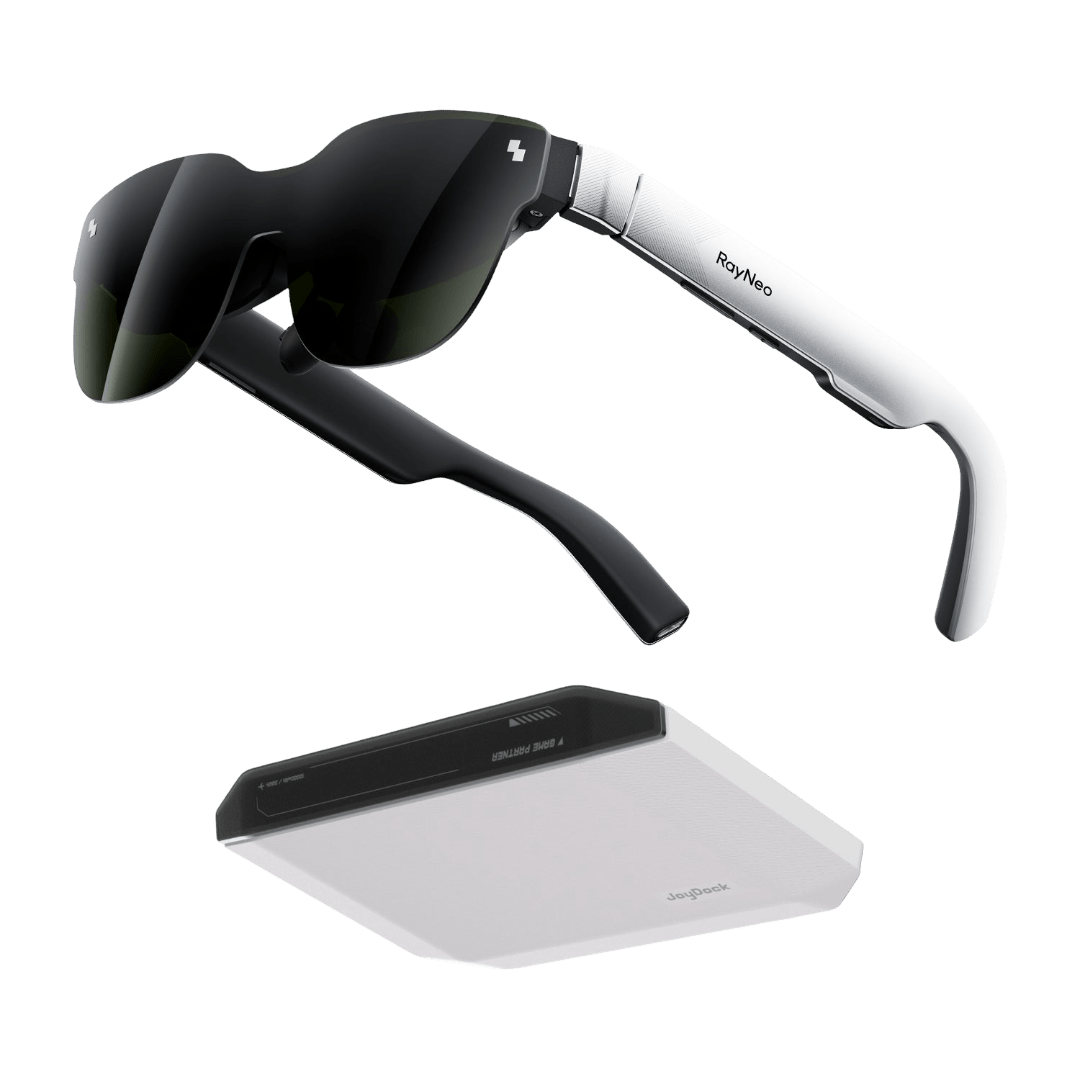
RayNeo iO AI Glasses, for example, use a monochrome green MicroLED display with 97% transparency, making it suited to notifications, live captions, translations, AI responses, and other glanceable information. This shows why colour gamut should be considered alongside the display's intended purpose.
Best Cases for DCI-P3
DCI-P3 is a strong choice for:
- HDR movies and television shows
- Modern games with HDR or wide-gamut support
- Video editing and color grading
- Cinema and streaming production
- RAW photo workflows intended for screens
- Premium laptops, phones, and monitors
- Users who prefer a vivid, immersive image
Where sRGB Still Wins
sRGB remains the better fit for web design, coding, spreadsheets, office applications, social media graphics, and most SDR content. It is also useful for competitive gaming, where refresh rate, response time, motion clarity, and low input lag usually matter more than extra saturation.
If you regularly create content for a general online audience, sRGB provides a dependable reference. It also reduces the risk of approving colors that appear too vivid or unnatural on standard devices.
A wide-gamut monitor can still work well for these tasks if it includes a properly calibrated sRGB mode or an effective gamut clamp.
How Do You Choose Between sRGB and DCI-P3?
Use this buying process to compare monitors without relying on a single color specification:
- Identify whether the monitor will be used mainly for web, office, SDR, gaming, HDR, photography, or video.
- Check both sRGB and DCI-P3 coverage in the specifications or independent measurements.
- Look for a reliable sRGB mode if the monitor has a wide native gamut.
- Check measured color accuracy rather than relying only on manufacturer claims.
- Evaluate brightness, contrast, HDR performance, resolution, refresh rate, and response time.
- Consider calibration support if the display will be used for professional creative work.
- Choose the display that matches the content you actually create and consume.
Do not assume that 95% DCI-P3 is automatically better than 100% sRGB. Those figures describe coverage of different color spaces, so they are not direct quality scores.
The Best Choice for a Mixed-Use Monitor
For mixed use, choose a monitor with strong DCI-P3 coverage, high sRGB coverage, accurate factory tuning, and an effective sRGB mode. This setup lets you use the display’s wider gamut for compatible games, movies, and creative applications while keeping standard desktop content restrained.
A useful target is close to 100% sRGB and at least 90% DCI-P3, although professional video work may justify 95% or higher DCI-P3 coverage. Independent reviews are valuable because manufacturer specifications do not always reveal how accurate each mode is.
When an sRGB-First Monitor Is the Smarter Purchase
An sRGB-first monitor is often smarter if you mainly browse, work, code, create web content, or play SDR games. It can provide natural color without requiring constant switching between presets or troubleshooting oversaturation.
For competitive gaming, prioritize refresh rate, response behavior, input lag, and motion clarity. For office work, resolution, text sharpness, brightness control, and viewing comfort may have a greater daily impact than wide-gamut support.
Conclusion
The best choice in the DCI-P3 vs sRGB discussion depends on your content. sRGB is the dependable standard for web content, office work, SDR media, and consistent color across everyday devices. DCI-P3 is the better option for HDR, modern gaming, cinema, and video workflows that use a wider gamut.
For many buyers, the ideal monitor supports both: a wide native gamut for compatible content and an accurate sRGB mode for standard applications. Compare measured accuracy and real HDR performance rather than choosing based on coverage numbers alone.
FAQs About sRGB vs DCI-P3
Is 100% sRGB better than 95% DCI-P3?
Neither is universally better because 100% sRGB and 95% DCI-P3 measure coverage of different color spaces. Choose 100% sRGB for web and everyday work, or 95% DCI-P3 for HDR and wide-gamut video.
A 100% sRGB monitor can be more predictable for online content, while a 95% DCI-P3 display can show more saturated colors in compatible media. If you want flexibility, look for high coverage of both standards and a reliable sRGB mode.
Is DCI-P3 good for gaming?
Yes, DCI-P3 is good for gaming when the game, operating system, and monitor support wide-gamut or HDR content. It can make environments, lighting, effects, and colors appear richer and more immersive.
For competitive gaming, however, P3 vs sRGB is usually a secondary decision. Refresh rate, response time, motion clarity, and input lag have a larger effect on performance. A monitor with a usable sRGB mode is helpful when older or SDR games look oversaturated in its native wide-gamut mode.
Do photographers need DCI-P3?
Photographers do not always need DCI-P3, but it can be useful for images intended for modern screens, HDR presentations, or wide-gamut digital portfolios. sRGB remains the safer working space for web publishing and broad device compatibility.
Photographers who prepare images for print may also consider Adobe RGB, which emphasizes different colors than DCI-P3. In any srgb vs dci p3 workflow, accurate calibration, a suitable color-managed application, and a clear delivery target matter more than choosing the widest gamut available.




Choosing a monitor based on colour specifications can be confusing, especially when comparing sRGB and DCI-P3 percentages. A higher number does not always mean better image quality, just as the cost of a cleaner alone does not tell you what level of service you receive. The right colour space depends on the content you create, view, and edit.
This article explains what sRGB and DCI-P3 mean, why they represent different colour ranges, how they compare in practical use, and which factors to consider when choosing between them for your monitor.
DCI-P3 vs sRGB: The Quick Answer
sRGB is best for web content, office applications, standard photos, and reliable color consistency across devices. DCI-P3 is best for HDR content, digital cinema, video editing, and users who want richer reds and greens.
DCI-P3 covers roughly 25% more color volume than sRGB, although the exact difference depends on how coverage is measured. A wide-gamut monitor is not automatically more accurate, so look for strong coverage, calibration, and a dependable sRGB mode before buying.
What Are sRGB and DCI-P3?
A color space defines how digital color values should be interpreted. A color gamut describes the range of colors a display can physically reproduce, while coverage indicates how much of a target color space the monitor can show.
For example, a monitor advertised as 99% sRGB can reproduce nearly all colors within the sRGB standard. That number describes range, not necessarily accuracy. A display can cover a wide gamut but still need calibration to show colors correctly.
sRGB is the Standard for Web and Everyday Content
sRGB, short for standard Red Green Blue, is the most widely supported color space for consumer electronics. Websites, social media platforms, office applications, standard digital photos, and most SDR content are designed around it.
That broad compatibility makes sRGB a predictable choice. If you create website graphics or share photos online, working in sRGB gives you the best chance of having colors appear similarly on other phones, laptops, and monitors.
An sRGB monitor can also be an excellent choice for general computing. It avoids the overly intense appearance that sometimes occurs when a wide-gamut screen displays content without proper color management.
DCI-P3 Was Designed for Digital Cinema
DCI-P3 is a wider color space originally developed for digital cinema. It reaches farther into highly saturated reds and greens than sRGB, making it useful for cinema-style video, HDR content, modern games, and professional display workflows.
Today, DCI-P3 support appears in premium monitors, OLED and mini-LED displays, smartphones, laptops, televisions, video-editing systems, and some smart glasses with full-colour displays. Apple devices commonly use the related Display P3 standard, which has the same general gamut but different transfer and white-point characteristics.
A monitor with 90% or more DCI-P3 coverage can provide noticeably richer color than a basic sRGB display, especially when the source content was mastered for a wide gamut.
Color Gamut Is Different From Color Accuracy
Color gamut describes how many colors a display can produce; color accuracy describes how closely those colors match the intended reference. These are related but separate qualities.
A monitor with 100% sRGB coverage may still show incorrect skin tones if its factory calibration is poor. Likewise, a DCI-P3 monitor may look oversaturated when displaying ordinary sRGB content without a color-managed conversion.
When comparing monitors, consider gamut coverage, measured Delta E accuracy, factory tuning, calibration support, and the availability of dedicated color modes.
Why sRGB and DCI-P3 Cover Different Colors
sRGB and DCI-P3 use different primary colors and define different boundaries within the visible color spectrum. DCI-P3 extends further into some saturated reds and greens, while both standards share broadly similar coverage in other areas.
This is why two monitors can display the same RGB values and still look different. The number itself does not tell the complete story; the color space determines what that number represents.
The difference is most visible in scenes containing neon lights, bright foliage, sunsets, colorful costumes, and intense game effects. Wide-gamut content can look fuller and more vibrant on a DCI-P3 display, while ordinary sRGB content may look exaggerated if the monitor does not apply gamut mapping.
A monitor’s percentage claims also require care. “130% sRGB” often means the screen’s total gamut is larger than sRGB, not that it offers meaningful 130% coverage of the standard. Direct coverage measurements are more useful than inflated volume figures.
The Key Differences Between sRGB and DCI-P3
The practical differences between sRGB and DCI-P3 are easiest to understand in a side-by-side comparison.
In practical terms, sRGB is easier to manage, while DCI-P3 offers more visual range. Neither standard automatically improves contrast, black levels, brightness, or HDR quality. Those characteristics depend on the monitor’s panel technology and implementation.
When Wider Gamut Helps and When It Does Not
A wider gamut is valuable when the content actually contains colors beyond sRGB. It is less meaningful when your applications and media use only standard SDR color.
This principle also applies to smart glasses, where display requirements vary by the type of content shown. Full-colour models can benefit from wider gamuts for movies, games, and visual applications, while other designs focus on clear, discreet information.
RayNeo iO AI Glasses, for example, use a monochrome green MicroLED display with 97% transparency, making it suited to notifications, live captions, translations, AI responses, and other glanceable information. This shows why colour gamut should be considered alongside the display's intended purpose.
Best Cases for DCI-P3
DCI-P3 is a strong choice for:
Where sRGB Still Wins
sRGB remains the better fit for web design, coding, spreadsheets, office applications, social media graphics, and most SDR content. It is also useful for competitive gaming, where refresh rate, response time, motion clarity, and low input lag usually matter more than extra saturation.
If you regularly create content for a general online audience, sRGB provides a dependable reference. It also reduces the risk of approving colors that appear too vivid or unnatural on standard devices.
A wide-gamut monitor can still work well for these tasks if it includes a properly calibrated sRGB mode or an effective gamut clamp.
How Do You Choose Between sRGB and DCI-P3?
Use this buying process to compare monitors without relying on a single color specification:
Do not assume that 95% DCI-P3 is automatically better than 100% sRGB. Those figures describe coverage of different color spaces, so they are not direct quality scores.
The Best Choice for a Mixed-Use Monitor
For mixed use, choose a monitor with strong DCI-P3 coverage, high sRGB coverage, accurate factory tuning, and an effective sRGB mode. This setup lets you use the display’s wider gamut for compatible games, movies, and creative applications while keeping standard desktop content restrained.
A useful target is close to 100% sRGB and at least 90% DCI-P3, although professional video work may justify 95% or higher DCI-P3 coverage. Independent reviews are valuable because manufacturer specifications do not always reveal how accurate each mode is.
When an sRGB-First Monitor Is the Smarter Purchase
An sRGB-first monitor is often smarter if you mainly browse, work, code, create web content, or play SDR games. It can provide natural color without requiring constant switching between presets or troubleshooting oversaturation.
For competitive gaming, prioritize refresh rate, response behavior, input lag, and motion clarity. For office work, resolution, text sharpness, brightness control, and viewing comfort may have a greater daily impact than wide-gamut support.
Conclusion
The best choice in the DCI-P3 vs sRGB discussion depends on your content. sRGB is the dependable standard for web content, office work, SDR media, and consistent color across everyday devices. DCI-P3 is the better option for HDR, modern gaming, cinema, and video workflows that use a wider gamut.
For many buyers, the ideal monitor supports both: a wide native gamut for compatible content and an accurate sRGB mode for standard applications. Compare measured accuracy and real HDR performance rather than choosing based on coverage numbers alone.
FAQs About sRGB vs DCI-P3
Is 100% sRGB better than 95% DCI-P3?
Neither is universally better because 100% sRGB and 95% DCI-P3 measure coverage of different color spaces. Choose 100% sRGB for web and everyday work, or 95% DCI-P3 for HDR and wide-gamut video.
A 100% sRGB monitor can be more predictable for online content, while a 95% DCI-P3 display can show more saturated colors in compatible media. If you want flexibility, look for high coverage of both standards and a reliable sRGB mode.
Is DCI-P3 good for gaming?
Yes, DCI-P3 is good for gaming when the game, operating system, and monitor support wide-gamut or HDR content. It can make environments, lighting, effects, and colors appear richer and more immersive.
For competitive gaming, however, P3 vs sRGB is usually a secondary decision. Refresh rate, response time, motion clarity, and input lag have a larger effect on performance. A monitor with a usable sRGB mode is helpful when older or SDR games look oversaturated in its native wide-gamut mode.
Do photographers need DCI-P3?
Photographers do not always need DCI-P3, but it can be useful for images intended for modern screens, HDR presentations, or wide-gamut digital portfolios. sRGB remains the safer working space for web publishing and broad device compatibility.
Photographers who prepare images for print may also consider Adobe RGB, which emphasizes different colors than DCI-P3. In any srgb vs dci p3 workflow, accurate calibration, a suitable color-managed application, and a clear delivery target matter more than choosing the widest gamut available.
Share:
Leave a Comment
We'd love to hear your thoughts. Comments are reviewed before publication.