

Sale price$399.00
Regular priceReg. $429.00
Save $30.00

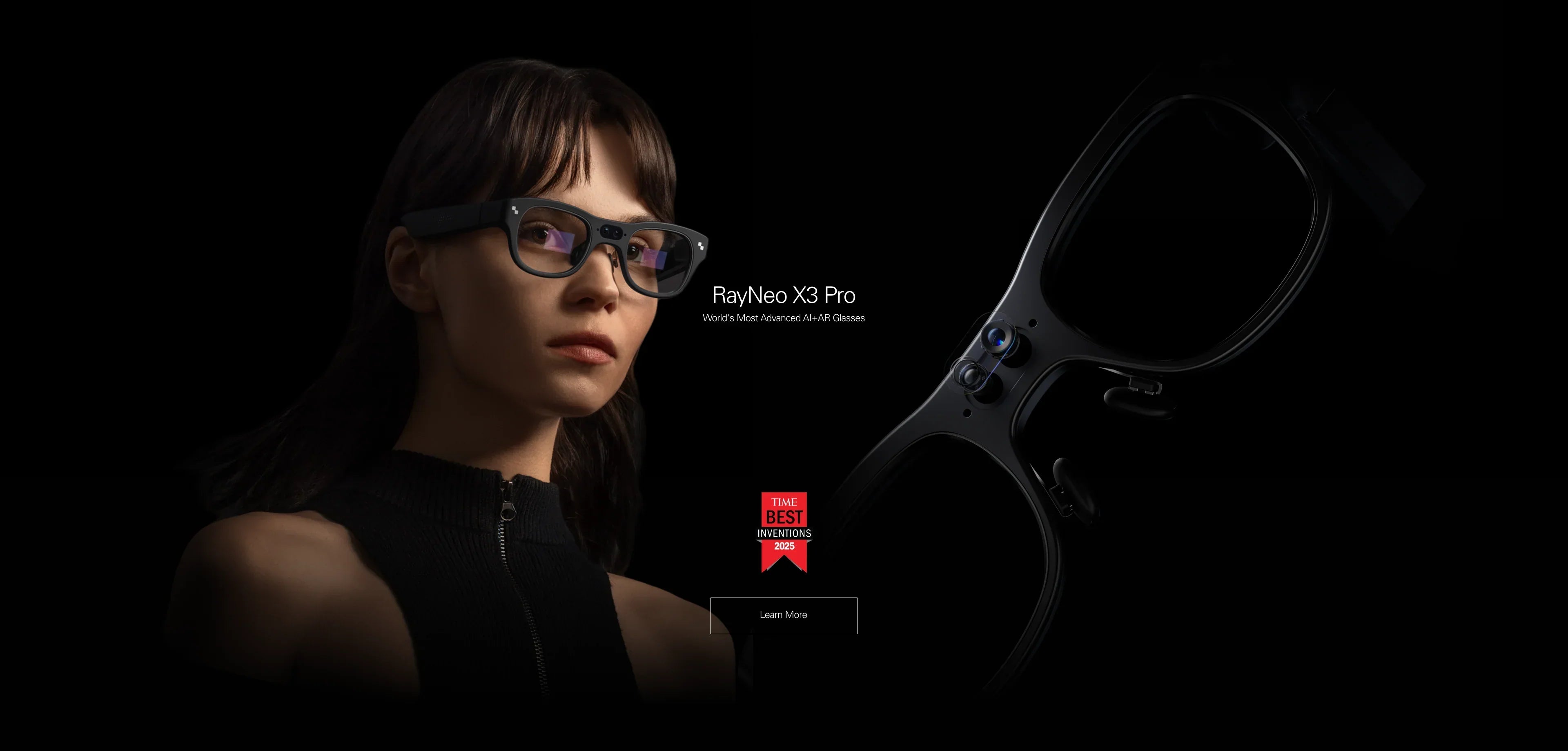
If you are searching for "smart glasses with a heads-up display (HUD)," you are likely looking for that specific "Iron Man" experience: digital information floating in the air, guiding you without blocking your view of the real world. You don't want a movie screen that blinds you; you want an intelligent data layer.
In 2026, very few devices deliver a true, transparent HUD experience. Here is the definitive verdict:
The Best True HUD Glass (Winner): RayNeo X3 Pro.
It uses advanced Binocular Waveguide technology to project transparent, floating widgets (navigation arrows, translation subtitles, notifications) directly onto your environment. It is wireless, standalone, and designed to augment reality, not replace it.
The Best Virtual Screen (Runner Up): RayNeo Air 3s Pro.
Often confused with a HUD, this is actually a "Portable Monitor." It creates a massive, opaque cinematic screen. While excellent for gaming, it blocks your vision and is not a true see-through HUD for active use.
This comprehensive guide (approx. 20-minute read) will explain the physics of HUD technology, help you check if your lifestyle requires one, and walk you through how to use this technology safely in daily life.

To avoid buyer's remorse, it is critical to understand the optical physics. Many users buy "Display Glasses" expecting a HUD, only to find they can't walk around while wearing them.
Technology: Diffractive Waveguide + MicroLED.
How it looks: Imagine a transparent layer of glass. When you receive a text message, the letters glow in bright green or white, floating about 2 meters in front of you. The rest of the lens remains clear (85%+ transparency).
The Goal: Augmentation. It adds information to your world without removing you from it. You wear these while walking, cycling, or talking to people.
Key Use Cases: Real-time translation subtitles, turn-by-turn navigation arrows on the road, teleprompter for speeches, notification triage.
Technology: Birdbath Optics + Micro-OLED.
How it looks: Imagine sitting in a dark movie theater looking at a 201-inch screen. The image is opaque and blocks your view of the real world behind it.
The Goal: Immersion. It replaces your world with a video feed. You wear these while sitting still (on a plane or couch).
Key Use Cases: Gaming on Steam Deck, watching Netflix, privacy monitor for laptops.
Verdict: If you want to see data while moving, you need Type A (X3 Pro). If you want to watch movies while sitting, you need Type B (Air 3s Pro).
A Heads-Up Display is a powerful tool, but it requires a specific lifestyle fit. Let's validate your specific scenario to see if a HUD is the solution.
The Pain Point: Looking down at a phone mount to check GPS directions is dangerous. It takes your eyes off the road for 2-3 seconds.
The HUD Solution: The RayNeo X3 Pro excels here. Its MicroLED engine pumps out up to 1500 nits of brightness, making green navigation arrows visible even on a sunny street. You keep your head up and eyes on traffic.
The Pain Point: You are navigating a foreign airport or ordering food. You need to understand the local language instantly without fumbling with a translation app.
The HUD Solution: The X3 Pro's AI translation acts as a universal subtitle machine. As someone speaks, the HUD displays the text in English floating near their face. It transforms travel anxiety into confidence.
The Pain Point: You can't miss a Slack message or email from a key client, but you are in back-to-back meetings where checking a phone is rude.
The HUD Solution: The display shows message headers in your peripheral vision. You can triage "Urgent" vs "Ignore" with a glance, maintaining eye contact with your team.
Unlike a simple monitor that you plug in, a HUD is a computer on your face. It needs to be calibrated to your biology to look "real."
The RayNeo X3 Pro is standalone (no cables), but it needs a data pipe.
1. Power On: Hold the temple button. The HUD interface boots up in the air.
2. App Pairing: Download the "RayNeo App" on your iPhone or Android. This app manages your data connection.
3. Wi-Fi Link: Connect the glasses to a Wi-Fi network or your phone's mobile hotspot. Advanced AI features (Translation/Gemini) need the cloud to process data.
For a HUD to look sharp and aligned, it must match your IPD (Inter-Pupillary Distance).
1. Eye Tracking: The setup wizard will ask you to follow a moving green dot with your eyes. This tells the glasses exactly where you are looking.
2. Display Position: You may need to adjust the nose pads so the entire HUD interface is visible. If the clock in the top corner is cut off, swap to a smaller nose pad to lower the frame. If the bottom text is blurry, swap to a larger pad.
A cluttered HUD is annoying and dangerous. Use the app to choose what you see.
Recommended Layout: Keep it minimal.
- Center: Empty (keep clear for vision).
- Top Right: Time & Battery.
- Bottom Center: Navigation Arrows (only when active).
- Top Left: Next Meeting / Weather.

In 2026, very few consumer glasses offer a true, high-quality HUD. Most are either monochromatic (green only), monocular (one eye), or audio-only.
We built the X3 Pro to solve the three biggest problems with previous HUD glasses that prevented mass adoption.
Early-generation smart glasses projected images into only one eye. This forced your brain to switch focus between eyes, causing headaches known as "Binocular Rivalry." The X3 Pro is Binocular—it projects into both eyes simultaneously. This allows for stereoscopic 3D effects and is much more comfortable for long-term wear as your eyes relax naturally.
Most early HUD glasses used green-only monochromatic displays because they are brighter and cheaper. We developed the Firefly Optical Engine to deliver full-color visuals that are also bright enough for daylight. You can see a red warning icon, a blue map route, or a colorful album art clearly.
A dumb HUD just shows you every text message, which is distracting. The X3 Pro uses AI to be context-aware. It stays dormant and transparent until you need it—like when you tilt your head up to navigate, or when someone starts speaking a foreign language. It respects your attention.
A HUD is amazing technology, but it is not magic. Here are the physical realities you should know.
The Reality: The transparent waveguide display covers about 30 degrees of your central vision. It does not fill your entire peripheral view like a VR headset.
The Implication: Long text (like a full PDF document) requires scrolling. It is designed for "snackable" info—tweets, headlines, subtitles—not reading books.
The Reality: Powering a bright MicroLED display and an AI processor takes energy.
The Data: Expect 3-4 hours of continuous screen-on time (e.g., active navigation). However, in "Assistant Mode" (screen off, waiting for wake word), it lasts all day. It charges quickly via magnetic pins.
The Reality: At night, the glowing HUD can be very bright against the dark world, potentially affecting your natural night vision.
The Fix: The X3 Pro has an ambient light sensor that auto-dims the display at night to prevent blinding you, but you may still see a slight "glow" from the optics.
A: Technically yes, but you shouldn't. The transparency means blacks will look see-through (ghostly), and the 30° FOV is too small for cinema immersion. For movies, you want the RayNeo Air 3s Pro (OLED, 201" equivalent). Use the X3 Pro for information; use the Air 3s Pro for entertainment.
A: Yes. Do not wear the X3 Pro on top of your frames. Instead, use our magnetic prescription inserts. You snap them onto the inside of the X3 Pro. This ensures the waveguide optics are perfectly aligned with your corrected vision. Check Prescription Options Here.
A: Very minimally. From the front, people might see a faint colored shimmer on the lens if the brightness is maxed out, but they cannot read your text messages. It is designed for personal privacy.
Ready to layer digital intelligence onto your physical world? Here is your path forward.
If you want navigation, translation, and notifications floating in the air:
→ Shop RayNeo X3 Pro (Best HUD Glass)
If you realized you actually wanted a giant screen for gaming (not a transparent HUD):
→ Shop RayNeo Air 3s Pro (Best Virtual Screen)
Curious if your phone supports the companion apps?







Share:
Standalone vs. Tethered AR Glasses: Which Is Better for Real-Time Translation?
Which Smart Glasses Have Live Translation? The 2026 Guide