

$429.00

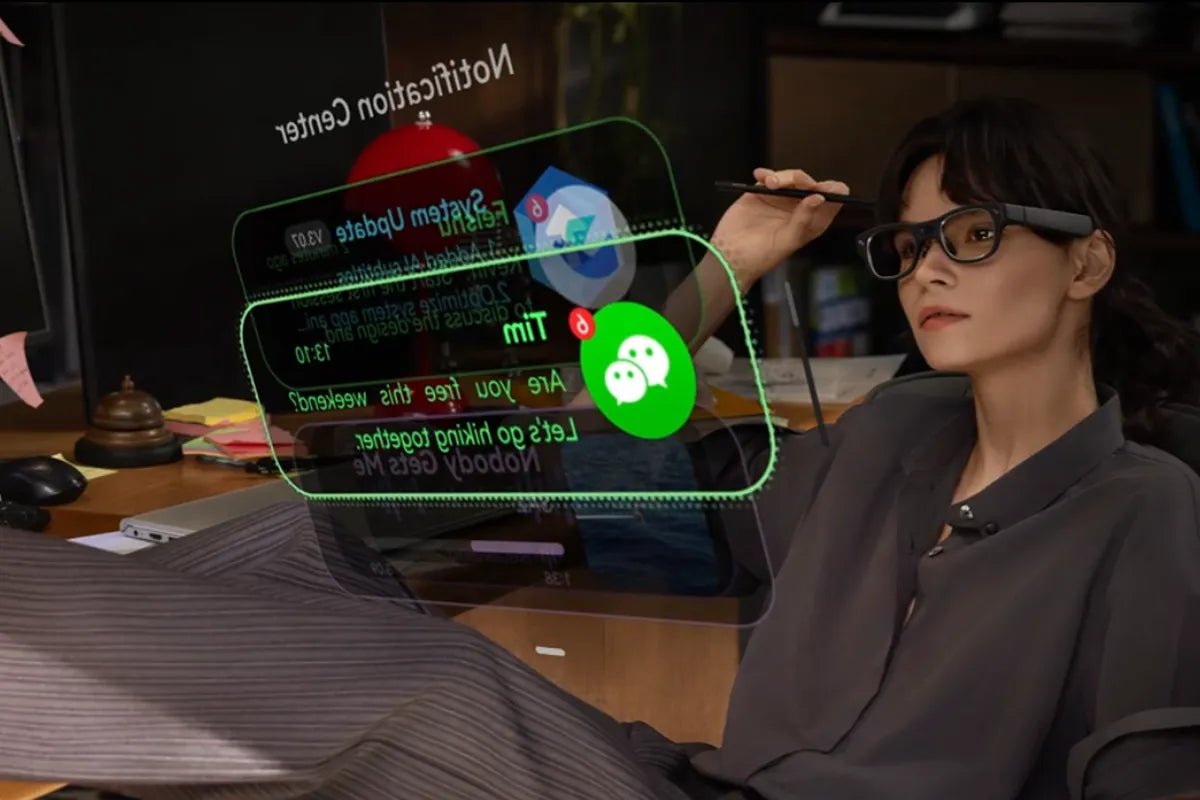
Speaking in public can feel stressful when you lose your place. An auto scrolling teleprompter changes the game by keeping your script moving at your natural pace. Whether you present at live events, launch products, or host online streams, you can stay focused on your message without missing a single line. Read on to discover how modern technology makes public speaking easier than ever.

An auto scrolling teleprompter is a smart tool that displays your script on a screen and moves the text automatically while you speak. Instead of using a manual remote, the software tracks your speech in real time to match your pace. It keeps your words right at eye level so you can deliver a smooth message without awkward pauses or lost lines.
Understanding how these devices function helps you get the best results during a presentation. They rely on speech recognition and voice processing technologies to synchronize spoken words with on-screen text. Speech recognition systems are evaluated through technologies such as automatic speech recognition (ASR) and speech analytics research.
Presenting without a clear script often leads to mistakes, filler words, and lost confidence. Auto scrolling tools solve these common presentation problems by handling the pacing for you.
First, you save valuable prep time because you do not have to memorize long speeches line by line. Second, you look more professional because your delivery stays steady and natural. Third, you lower your stress levels during live events since you always know what comes next. You can focus entirely on your message instead of worrying about forgetting important points.
Many types of speakers use intelligent prompt tools to improve their daily communication and build stronger connections.
Public speaking relies heavily on strong non-verbal communication and natural timing. An AI teleprompter transforms how you engage with an audience by removing mechanical distractions.
When you do not need to push buttons or tap a foot pedal, your body language stays natural. The smart system adjusts to unscripted pauses, audience laughter, or quick bursts of speed without losing your place. This flexible response helps you speak with authentic emotion, clean articulation, and solid pacing from start to finish.
Comparing classic speech tools with modern options reveals major updates in how speakers handle script delivery.
Older setups rely on fixed scroll speeds or human operators using manual remotes. If you pause to emphasize a point or answer a question, the text keeps moving down the screen. This forces you to rush your delivery or stop entirely to find your place again.
Modern systems listen directly to your cadence. If you take a breath or pause for effect, the script stops instantly. When you resume speaking, the text moves right along with you. This creates a stress-free environment where you control the speed without touching any buttons.
Wearable technology takes speech tools to a whole new level by moving the display directly into your field of view. AI Glasses offer a lightweight, hands-free way to read your lines anywhere.
With wearable displays, your text appears as a floating overlay right before your eyes. You never need to glance down at a monitor, a tablet, or a piece of paper on a podium.
Connecting with people requires looking them in the eye. A glass teleprompter lets you read your notes while facing your audience directly, keeping your presentation personal.
Modern wearable displays combine live script tracking with other smart tools. You get hands-free control, real-time feedback, and quick access to key points during live interactions.
Choosing the right equipment ensures your presentations go smoothly every single time. Keep these core elements in mind when evaluating your options.
The software must follow your unique accent and speaking speed accurately. Look for systems that handle sudden pauses and natural phrasing without lagging or skipping ahead.
Your text needs to remain sharp and easy to read under bright studio lights or direct sunlight. Adjustable text sizes, background contrast options, and comfortable brightness levels prevent eye strain.
Setting up your speech should feel simple. Choose tools that let you edit scripts quickly, import documents from cloud storage, and organize key talking points easily.
Ensure the system protects your confidential presentations. Look for secure local data processing features so your unreleased scripts stay safe from unauthorized access.

For professionals who need to present, communicate, and capture ideas efficiently, RayNeo iO AI Glasses stand out as a powerful wearable solution. These lightweight AI glasses feature a built-in teleprompter (with AI auto-scrolling) that automatically adjusts your script as you speak. You maintain natural eye contact during presentations, keynotes, or virtual calls without touching a controller.
Beyond presentations, iO works as a personal AI assistant. The Dashboard provides quick access to schedules, notifications, and updates, while Live Captions supports real-time translation in up to 40 languages for smoother cross-language conversations.
Public speaking becomes easier when you do not need to memorize every word. An auto scrolling teleprompter keeps your presentation flowing while you look directly at your audience. From online livestreams to major company events, modern speech tools give you the freedom to speak clearly. Explore smart options like wearable tech today to elevate your next talk and present with total confidence.
Yes, an auto scrolling teleprompter is ideal for live streaming. Because it automatically tracks your voice speed, the script moves only as fast as you speak. If you pause to answer a live chat comment or react to your audience, the text stops scrolling. This keeps your delivery smooth, natural, and completely free from awkward manual pauses.
An AI teleprompter makes natural eye contact effortless. Traditional prompters often force you to race against a rolling screen, making your eyes dart side to side. AI versions follow your voice in real time, letting you pause, emphasize words, and look directly at the camera lens or crowd without losing your place or breaking your connection with your audience.
AI Glasses project your script directly into your field of view, completely freeing your hands. You no longer need heavy hardware, podium monitors, or hand-held remotes to control text scrolling. By keeping your notes at eye level, you maintain an upright posture, make direct eye contact, and use natural hand gestures while presenting seamlessly from anywhere.







Share:
How to Reduce Phone Screen Time with Smart Glasses
RV Studio Productivity Tools for Touring Musicians and Creators