

Sale price$399.00
Regular priceReg. $429.00
Save $30.00

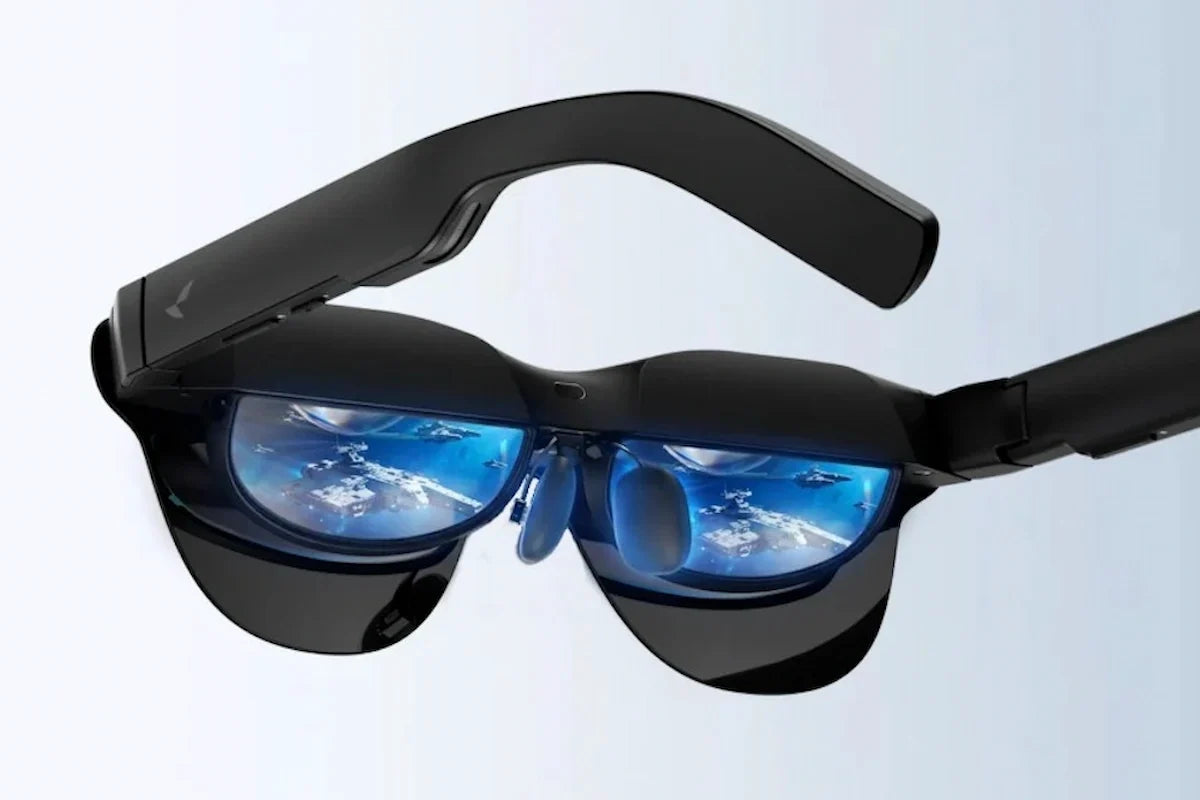
iPhone 15, along with the 16 and 17 series, was the first iPhone generation built with a USB-C port that supports DisplayPort video output. That single change is what makes plug-and-play AR glasses possible on iPhone for the first time: no Lightning adapter, no separate streaming box, just a cable between the phone and the glasses.
RayNeo GT Max is built around exactly this connection. Plug the included USB-C cable into an iPhone 15, 16, or 17, unlock the phone, and turn up the glasses’ brightness to bring up a virtual screen you can use for video, photos, and games. RayNeo GT, the lighter and less expensive model in the same lineup, uses the identical wired connection and works the same way.
Every iPhone before the 15 used Lightning, a port that never supported external video output without an adapter and extra cabling. Apple’s move to USB-C on the iPhone 15 wasn’t just a connector swap. The chip behind that port supports DisplayPort Alt Mode, the same video-out standard used on most USB-C laptops and Android phones.
DisplayPort Alt Mode means the iPhone can send a real video signal down the included USB-C cable to a device built to receive DP video output, not just charge or transfer files. For AR glasses that put a screen close to your eyes, that’s the difference between needing a separate adapter and a compatible cable, and connecting with the cable already in the box.
RayNeo GT Max ships with a USB-C cable in the box:
RayNeo describes the setup as a simple one-cable connection. The glasses draw power from the iPhone through the same cable, so nothing needs a separate charge to get started. Specific content sources, like streaming apps or games, still need their own apps installed on the iPhone as usual.
With GT Max wired to an iPhone 15, the glasses project a 267-inch cinema display, RayNeo’s primary size setting, with 227-inch and 307-inch sizes also available. Field of view is 59 degrees. The panel itself is a 0.6-inch Micro-OLED running at 1920x1080, with a 120Hz refresh rate in 2D and 60Hz in 3D content.

That combination covers the use cases most people are actually looking for when they search for a USB-C AR glasses setup:
GT Max also includes three spatial display modes that change how the virtual screen behaves in relation to your head movement, which matters more than the screen size number by itself:
| Mode | What it does | Best suited for |
|---|---|---|
| Follow | Keeps the screen centered as you move your head, so the picture stays in view wherever you look. | Casual, everyday viewing, including lying down or moving around |
| Steady | Holds a stable image with subtle natural movement rather than locking rigidly in place. | Travel and commuting, where the ride itself is already moving |
| Pinned | Keeps the screen fixed in one position in the space around you, so turning your head away moves it out of your view. | Focused, cinema-like viewing, or using the screen like a monitor left in one spot |

Pinned mode runs at a lower 336-nit perceived brightness; Follow and Steady both run at up to 1,200 nits. That fits how Pinned mode gets used: the screen stays anchored to one spot in the room, similar to a monitor left on a desk or a screen mounted on a wall, rather than moving with your head the way Follow does.
RayNeo’s product specifications list Native 3D support as a display feature. Beyond that baseline, GT Max’s product page lists two features that are explicitly limited to iPhone 15, 16, and 17 series devices connected over USB-C: an AI-driven 2D-to-3D conversion feature that turns standard flat video into a stereoscopic 3D image, and spatial video playback, which the product page lists as live for the same three iPhone generations. Neither feature is available on iPhone 16e, 17e, or Air, and neither is available on older iPhones connecting through the Lightning adapter path.
RayNeo’s page doesn’t spell out whether Native 3D support itself carries this same iPhone 15/16/17 limitation. The safer way to read it: treat 2D-to-3D conversion and spatial video playback as the two confirmed iPhone-15-and-newer exclusives, rather than assuming every 3D-related feature on GT Max works identically across all connected devices.
RayNeo’s compatibility list for USB-C DisplayPort output on GT and GT Max covers the iPhone 15, 16, and 17 series specifically. The iPhone 16e, iPhone 17e, and iPhone Air are not on that list. If you own one of those models, the direct USB-C video path that this article describes won’t apply, and connecting the glasses that way won’t produce a display output.
These models simply aren’t on RayNeo’s supported list for direct USB-C video output, and there’s no app update or software fix on RayNeo’s end that would add them later, since the connection works at the hardware level. If display output over USB-C is the main reason you’re considering GT Max, check your exact iPhone model against this list before buying.
iPhone 14 and earlier models use Lightning, which has never supported native video output. Getting one of those phones onto GT Max’s virtual screen takes two separate adapters, not one: Apple’s Digital AV Adapter (Lightning to HDMI), which converts the Lightning port’s signal to HDMI, plus RayNeo’s own HDMI Adapter ($64), which takes that HDMI signal and feeds it into the glasses’ USB-C input. Neither adapter ships with the glasses. RayNeo’s FAQ notes that when connecting through an adapter, you should make sure it’s connected correctly and sufficiently powered, which in practice means giving the HDMI Adapter its own USB-C power source rather than relying on the host device alone.
That combination is workable, but it turns a one-cable connection into two purchases and a small stack of cables. For most people planning to use GT Max mainly with an iPhone, upgrading to an iPhone 15, 16, or 17 is the simpler path, since it skips the adapter chain entirely.
Because the iPhone is the power source for the glasses in this setup, connecting GT Max will draw down the phone’s battery faster than normal use. RayNeo’s own product documentation states plainly that the connected device powers the glasses and processes video, so slight warmth in the phone and increased battery consumption are expected during use, not a sign of a defect.
Two built-in features target the phone’s battery while it’s connected, not the glasses’ display itself:
For longer sessions, RayNeo’s accessory lineup includes a USB-C Charging Adapter built for extended play.
Both models connect to iPhone 15/16/17 the same way and support the same display modes, refresh rates, and 2D-to-3D conversion. The differences come down to field of view, screen size, weight, and fit.
| RayNeo GT Max | RayNeo GT | |
|---|---|---|
| Price | $399 | $299 |
| Weight | 78g | 68g |
| Field of view | 59° | 46° |
| Virtual screen sizes | 227” / 267” / 307” | 136” / 201” (default) / 231” |
| IPD fit | S / M / L sizes | Fixed 64mm |
| USB-C connection to iPhone 15/16/17 | Yes | Yes |
| AI 2D-to-3D (iPhone 15/16/17 only) | Yes | Yes |
RayNeo GT Max is the better fit if you want the widest possible field of view and a screen size closer to a real home theater, and if your IPD (the distance between your pupils) isn’t close to the fixed 64mm that GT uses. RayNeo provides an IPD measurement tool at ipd.rayneo.com if you’re not sure which size you’d need.

RayNeo GT, at $299 and 68g, is the choice for anyone who wants the same iPhone 15 USB-C workflow at a lower price and lighter weight, and whose IPD falls close enough to 64mm that the fixed design and adjustable nose pads provide a comfortable fit.
Both models share the same Bang & Olufsen-tuned four-speaker audio setup, OptiCare 3840Hz flicker-reduction technology (TÜV SÜD certified), and support for prescription lens inserts through RayNeo’s partnership with Lensology.
Dolby Vision playback on GT or GT Max requires pairing with the RayNeo Pocket TV Pro ($199), a separate Google TV streaming device, and only applies when the content itself is mastered in Dolby Vision. Pocket TV Pro is not required to use the glasses with an iPhone over USB-C; it’s an optional add-on specifically for Dolby Vision content and for watching video independently of a phone.
Does the iPhone 15 need any special cable to connect to GT Max?
Can I use GT Max with an iPhone 15 without installing an app?
What iOS version do I need to use GT Max over USB-C?
How do I switch between Follow, Steady, and Pinned modes?







Share:
What AR Glasses Are Comfortable to Wear While Lying in Bed?
Which Glasses Have a HUD Display, and How Useful Is It in Real Life?