

$449.00

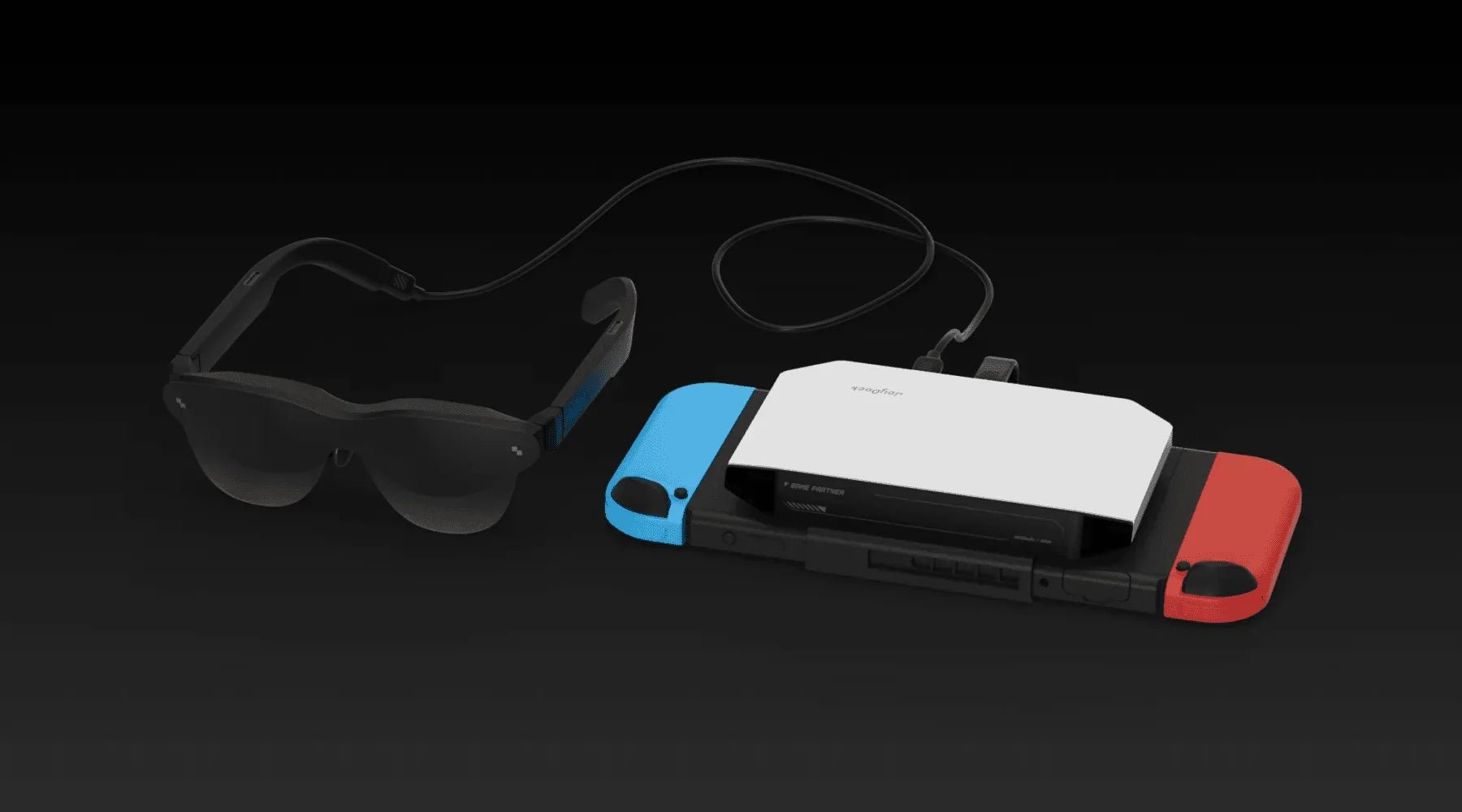
Every Switch player knows the struggle: that 7-inch screen is portable, sure, but immersion? Not so much.
The vast landscapes of Hyrule in Zelda: Tears of the Kingdom deserve a bigger canvas. The gorgeous details in Astro Bot get lost on that tiny display. And let's be honest: hunching over a small screen for hours on a long flight is a recipe for neck pain.
AR glasses can fix this. A 76-gram pair of glasses can project your Switch's display onto a 201-inch virtual screen. But here's the catch: Switch has a unique compatibility issue, and not every AR glasses will work out of the box.
This guide explains the Switch compatibility problem in detail and recommends the best AR glasses combos for Switch players.
Before recommending any products, let's address the elephant in the room: Nintendo Switch can't connect directly to AR glasses in handheld mode.
Most AR glasses connect via USB-C DP (DisplayPort Alt Mode). MacBooks, iPad Pros, and Steam Decks all support this standard. Plug in the cable and you're good to go.
Switch is different. Its USB-C port doesn't output video in handheld mode. It only outputs video when docked and connected to a TV. That's a Nintendo design limitation, not an AR glasses problem.
To use AR glasses with Switch in handheld mode, you need a dedicated portable dock that bypasses Nintendo's restriction and enables video output while portable.
RayNeo JoyDock is designed specifically for this scenario. Think of it as a "mini Switch dock" that unlocks video output in handheld mode.
Important note: If you see AR glasses claiming "Switch compatible" online, always confirm whether you need an additional adapter. Plugging a USB-C cable directly into Switch in handheld mode simply won't work.
Now that we've covered compatibility, let's look at what specs actually matter for Switch gaming:
Switch maxes out at 60fps output. So why would you need 120Hz AR glasses?
Two reasons:
Smoother frame matching. 120Hz is an exact multiple of 60fps, so frames sync more precisely with less tearing and stutter.
Future-proofing. If you plan to use these glasses with a Steam Deck, ROG Ally, or other devices, 120Hz unlocks their full potential. Many games on those platforms run at 90-120fps.
Bottom line: 60Hz works, but 120Hz feels better. Given the minimal price difference, go with 120Hz.
Switch players typically game on planes, trains, and in coffee shops. These environments are often way brighter than your living room.
| Brightness Level | Gaming Experience |
|---|---|
| 400-600 nits | Usable in dark rooms, washed out in bright spaces |
| 600-800 nits | OK indoors, struggles in airplane cabins |
| 1000-1200 nits | Clear in most environments |
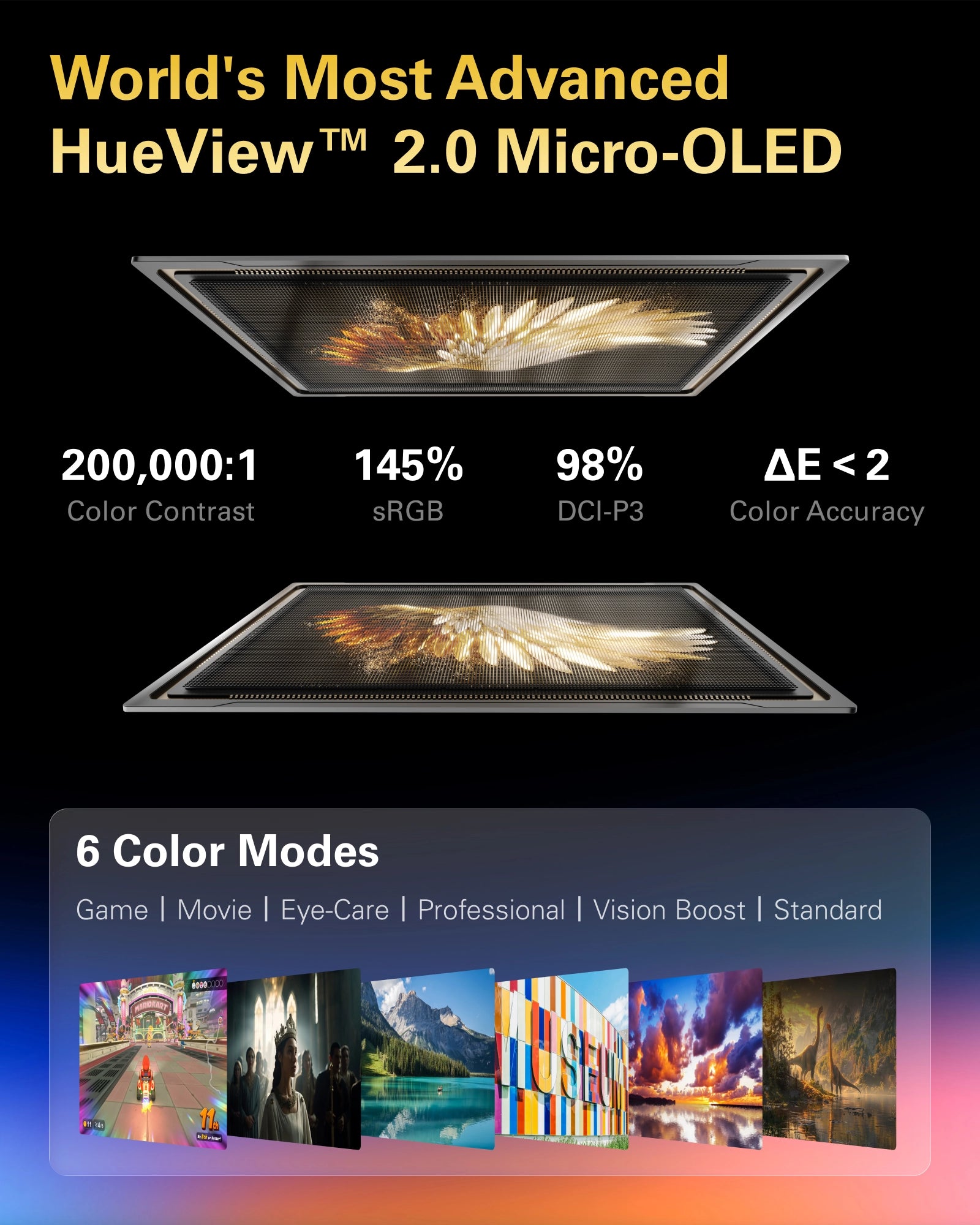
Benchmark reference: RayNeo Air 3s Pro hits 1200 nits peak brightness, staying clear even by an airplane window with the shade up.
Latency is the delay between Switch outputting a frame and the AR glasses displaying it. High latency causes input lag, making action games feel sluggish and frustrating.
Good news: wired AR glasses typically have very low latency (<20ms), which won't affect gameplay. But watch out for these:
Avoid wireless solutions. Wireless streaming usually adds 50-100ms+ latency. Action games will feel noticeably "delayed."
Stick with USB-C DP direct connection. This is the lowest-latency method.
Switch players often game for hours at a stretch. AR glasses weight directly impacts comfort during extended wear.
| Weight Range | Gaming Experience |
|---|---|
| >85g | Noticeable discomfort after 1 hour |
| 80-85g | Acceptable for 2 hours |
| 75-80g | Comfortable for 3-4 hours |
| <75g | No pressure even during marathon sessions |
Benchmark reference: Both RayNeo Air 3s Pro and Air 4 Pro weigh approximately 76 grams. This lightweight design ensures both models sit firmly in the "long-session comfortable" zone.
As mentioned earlier, Switch handheld mode requires a dedicated dock. Beyond basic video output, a good dock should also support:
Play-while-charging: Battery life matters on long trips
Multi-device compatibility: Works with Switch, Switch Lite, and Switch OLED
Portable design: Easy to toss in a backpack
RayNeo JoyDock ($69) checks all these boxes. It's the most mature accessory for Switch + AR glasses setups.
Based on the specs above, here are my specific picks for Switch players:
Price: $249 + $69 = $318 (bundles may offer discounts)
Why this combo:
This is the best overall Switch + AR glasses setup I've tested.
Real-world gaming test:
I tested Air 3s Pro + JoyDock for 5 hours on a trans-Pacific flight:
Zelda: Tears of the Kingdom: Hyrule on a 201-inch virtual screen hits different. The sense of scale is incomparable to the 7-inch display. 120Hz made gliding and combat silky smooth.
Astro Bot: The vibrant colors popped on that 200,000:1 contrast display. Every detail on the little robot was crystal clear.
Mario Kart 8: Fast-moving tracks showed zero motion blur. Controls felt instantly responsive.
Best for: Most Switch players. If you want the best experience in one package, this is it.
Price: $299 + $69 = $368
What you gain:
HDR10 support (Switch doesn't output HDR, but useful for other devices) B&O co-tuned audio (richer game soundscapes) 76 grams (Maintains the ultra-lightweight standard for comfort) ΔE < 2 color accuracy (more accurate game visuals)
Is $50 more worth it?
For pure Switch gaming, Air 3s Pro is already excellent. But if you:
Also plan to watch HDR movies
Care about audio quality
Want the absolute lightest option
Then Air 4 Pro's $50 premium makes sense.
Price: $199 + $69 = $268
What you sacrifice:
Brightness drops to 650 nits (struggles in bright environments)
Standard contrast ratio
No 3840Hz PWM dimming
Best for:
Budget-conscious players who mainly game indoors or in dim environments. If you rarely fly, the $268 combo still delivers a complete big-screen gaming experience.
Before you order, confirm these:
JoyDock works with Switch models that support video output:
Nintendo Switch (original) ✓
Nintendo Switch OLED ✓
Nintendo Switch Lite ❌
(Note: Switch Lite lacks hardware for video output and cannot connect to AR glasses, even with a dock.)
If you're nearsighted, you'll need magnetic prescription lenses (sold separately). RayNeo's entire lineup supports up to -8.00D (800 degrees).
True cost for nearsighted players: glasses + JoyDock + prescription lenses ≈ $350-420
Switch handheld battery life runs 4-9 hours depending on the game. JoyDock supports play-while-charging. For long trips, bring a charger or power bank.
AR glasses + JoyDock + cable + carrying case need some backpack room. Good news: the whole setup weighs under 200 grams. That's lighter than an iPad.
No. Unfortunately, the Nintendo Switch Lite hardware completely lacks the "DisplayPort Alt Mode" functionality required for video output. No dock or adapter can bypass this hardware limitation. AR glasses are compatible only with the standard Switch (V1/V2) and Switch OLED models.
Wired connection latency is extremely low (<20ms). It feels identical to looking at the Switch screen directly. I tested Mario Kart and Splatoon, both of which demand fast reactions. Zero perceptible lag.
AR glasses display whatever Switch outputs, essentially acting as a "big monitor." Switch games don't output 3D, so you'll see 2D images on the glasses (but on a 201-inch 2D screen).
Air 4 Pro has a 2D-to-3D conversion feature, but that's post-processing. Results vary by game.
Yes. JoyDock supports PD passthrough charging. Play and charge simultaneously. This is crucial for long flights.
If you're a Switch player looking to upgrade to AR glasses, my pick is Air 3s Pro + JoyDock at $318.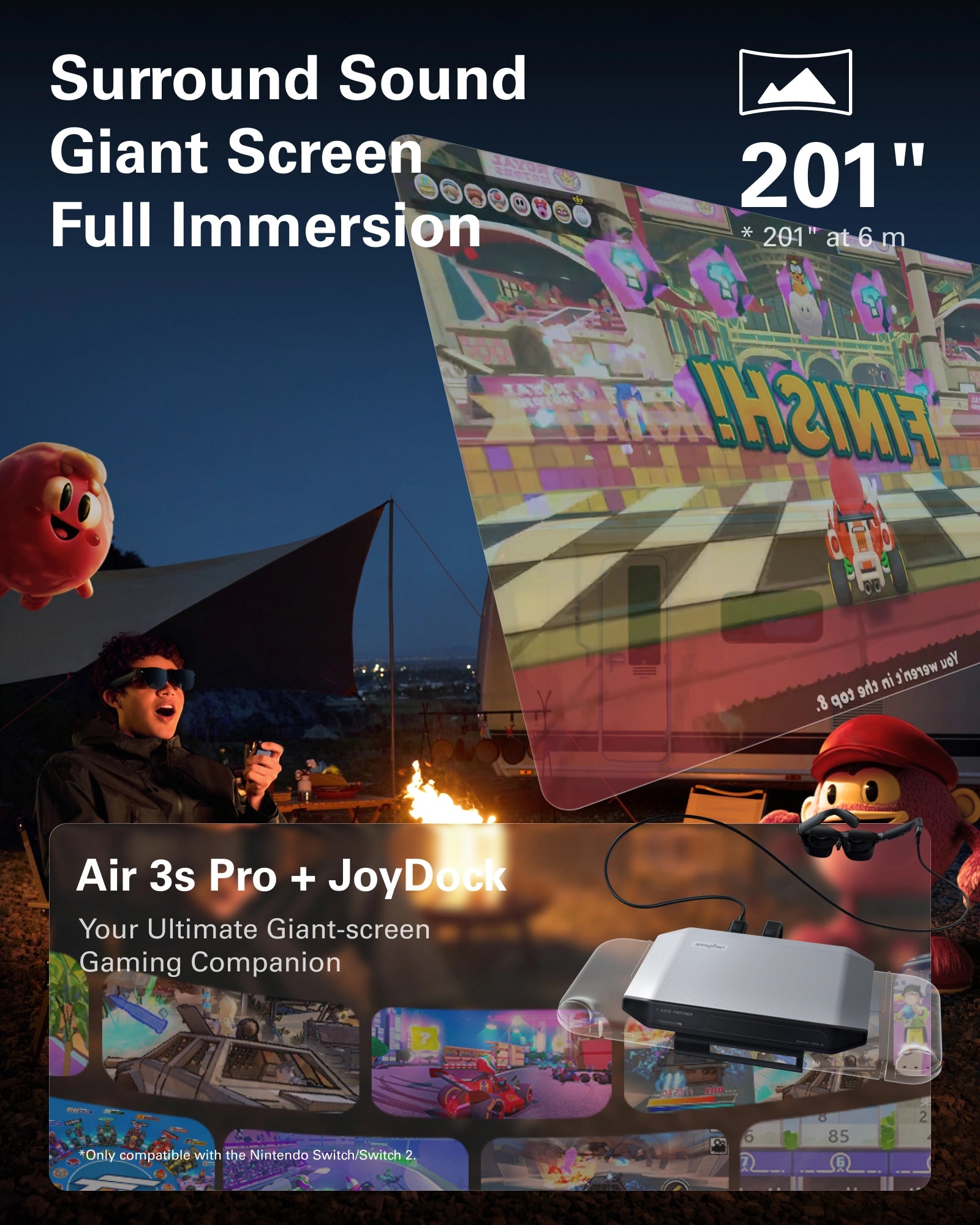
This combo delivers:
201-inch virtual screen (vs Switch's 7 inches)
1200 nits brightness (playable even on planes)
120Hz smoothness (buttery gameplay)
76 grams (comfortable for hours)
$318 total gets you what's essentially a "portable 201-inch gaming monitor." And since these glasses also work with MacBooks, Steam Decks, phones, and more, the value extends way beyond Switch.
Switch's 7-inch screen used to be the price of portability. Now you can fit a 201-inch gaming world into 76 grams.
Read More:







Share:
What Are the Best AR Glasses and Why? A Technical Buyer's Guide
What Are the Best AR Glasses for Steam Deck? The Complete 2026 Guide