Thinking about buying AR glasses but unsure which features matter most? AR glasses Reddit discussions can offer useful insights into real-world experiences, from display clarity and screen stability to wearing comfort and device compatibility. These practical details can help you look beyond advertised specifications and understand what to expect in everyday use.
In this guide, we'll explore what Reddit users value, common concerns worth checking, and how to choose AR glasses for gaming, movies, travel, or work.
Key Takeaways
When choosing AR glasses, prioritize display clarity, field of view, screen stability, wearing comfort, and device compatibility. Reddit discussions can offer useful insights into real-world experiences, but optical fit and personal preferences also affect viewing quality.
-
Display clarity: Higher pixel density can help make text and fine details easier to see.
-
Screen stability: Consider whether you prefer a screen that follows your head or stays fixed in one direction.
-
Comfort and compatibility: Check the fit, prescription options, and whether your device supports video output through USB-C.
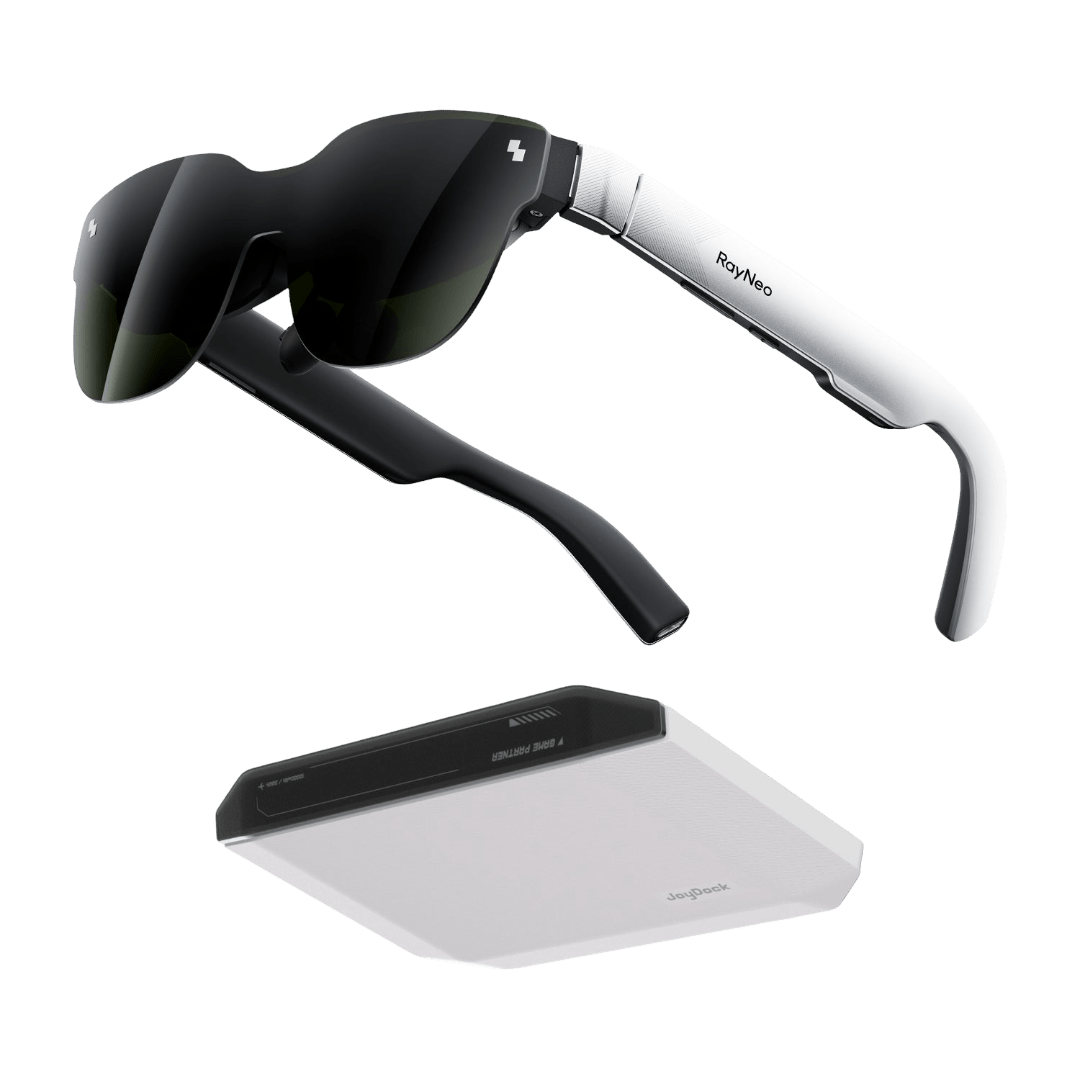
For example, the RayNeo GT Max emphasizes a wider field of view, while the RayNeo GT prioritizes higher pixel density and a lighter frame.
What Reddit Users Look for in AR Glasses
A large virtual display might grab your attention, but everyday usability determines whether AR glasses feel practical.
When exploring reddit AR glasses conversations, you'll notice recurring questions about screen sharpness, virtual display movement, comfort, and connectivity. These concerns make sense because the experience depends on more than the specifications printed on a product page.
Here are four factors worth checking before choosing a pair.
Sharp Text and Clear Edges
Ever tried reading a document on a virtual screen, only to discover that the corners look blurry?
Resolution alone doesn't determine clarity. Pixels per degree (PPD), lens quality, and IPD alignment affect how sharply you see text across the display. For everyday productivity, pay attention to:
-
Center clarity: Text should remain readable without constant refocusing.
-
Edge clarity: Menus and text near the corners should be easy to recognize.
-
Optical alignment: The image should sit comfortably within your natural viewing area.
A Stable Virtual Screen
A large virtual display is more enjoyable when it remains comfortable to view as you move your head. Understanding 0DoF and 3DoF can help you compare different screen-positioning experiences.
- In a basic 0DoF setup, the virtual screen stays fixed relative to your head, remaining in front of your eyes as you turn. This can work well for casual viewing, although some users may prefer a screen that stays in a fixed direction when they move their heads.
- Three degrees of freedom (3DoF) tracks head rotation, allowing the virtual screen to remain stabilized or positioned in a chosen direction. Unlike 6DoF, it does not track your physical movement through a room.
Comfortable Fit for Long Sessions
Even a sharp display can become uncomfortable if the glasses don't fit properly. Frame weight, nose pad design, and pressure around the temples all affect comfort during extended use.
IPD is another important consideration because poor optical alignment can make the image difficult to see clearly. Look for suitable fit adjustments and check whether prescription inserts are available if you wear corrective lenses.
Easy Device Compatibility
Not every USB-C port supports video output, so check compatibility before buying. Your phone, laptop, or gaming device must support the required video connection, either directly or through a compatible adapter.
Also consider whether you need additional accessories to charge your device while using the glasses. For specific connection requirements, check your device manufacturer's specifications and the glasses' compatibility guide.
What Reddit Users Like About AR Glasses
Discussions about AR glasses on Reddit often focus on practical benefits rather than specifications alone. By creating a personal virtual display, these glasses offer a portable alternative to a traditional monitor or television. Their usefulness depends on the activity, device compatibility, and viewing comfort.
A Big Screen Anywhere
One of the main attractions of AR glasses is the ability to enjoy a large virtual screen without needing a television. Whether you're relaxing on the couch, staying in a hotel, or living in a small apartment, you can connect a compatible device and watch your favorite shows on a personal display.
Keep in mind that advertised screen sizes represent virtual equivalents rather than physical dimensions. Field of view also determines how much of the virtual screen you can see at once.
Better Handheld Gaming
Handheld gaming devices offer portability, but their smaller displays can make detailed environments harder to appreciate. AR glasses change the viewing experience by moving gameplay onto a larger virtual screen while you continue using the handheld controls.
A higher refresh rate can make supported gameplay appear smoother, although the source device must deliver the corresponding frame rate. Before buying, check whether your gaming device can send video through USB-C and whether its charging setup will work during longer sessions.
Private Movies While Travelling
During long flights or train journeys, AR glasses offer a convenient way to watch downloaded movies without relying on a small phone screen. Connect a compatible device, settle into your seat, and enjoy entertainment on a virtual display.
Audio deserves consideration, too. Built-in speakers may produce some sound leakage, so compatible headphones can provide a more private listening experience. Keep yourself aware of announcements and crew instructions while travelling.
Portable Screens for Work
For remote workers, AR glasses can provide a personal display for reviewing documents, preparing presentations, or handling lighter computer tasks in hotels, airport lounges, and shared workspaces.
However, extended spreadsheet editing and detailed design work may require more careful attention to text clarity, optical alignment, and viewing comfort. Take regular breaks when using a virtual screen for prolonged periods. The National Eye Institute's eye health guidance recommends the 20-20-20 rule: every 20 minutes, look at something about 20 feet away for 20 seconds.
Check Compatibility Before You Buy
Before choosing AR glasses, make sure they work with your phone, computer, or gaming device. Even glasses with excellent display specifications may not work as expected if the source device cannot output compatible video.
USB-C DisplayPort Support
A USB-C port does not automatically mean video output is available. Many AR display glasses require DisplayPort Alternate Mode, commonly called DP Alt Mode, to receive video through USB-C.
Check your device specifications for terms such as "DisplayPort Alt Mode," "USB-C video output," or compatible Thunderbolt video support. Also make sure any cable or adapter supports video transmission rather than charging alone.
Phones and Tablets
Smartphones can work well for streaming, but support varies by model. Before connecting your glasses, consider these points:
-
Android phones: Confirm that your exact model supports USB-C DisplayPort video output.
-
iPhones: Compatible USB-C models can connect directly, while older Lightning models may require an appropriate video adapter.
-
Tablets: Check external display support and any restrictions on screen mirroring.
Some apps may also restrict external video playback because of content protection. Check your favorite streaming services before relying on them during travel.
Laptops and PCs
Check your computer's available video outputs before choosing AR glasses. A compatible USB-C or Thunderbolt port may allow a direct connection, while an HDMI output generally requires a compatible active adapter, sometimes with external power.
Also consider how the glasses work with your operating system. Depending on the device, you may be able to mirror your laptop screen or extend your desktop. For text-heavy tasks, check supported resolutions and display scaling to ensure that text remains readable.
Handheld Gaming Devices
Handheld gaming is one of the more appealing uses for wearable displays, but connection details can get overlooked. Check whether your handheld supports external displays through its USB-C port. Some devices require a dock or dedicated video adapter.
Also verify:
-
Resolution support: The output should match a resolution accepted by the glasses.
-
Refresh rate: Your device must support the refresh rate you want to use.
-
Charging: A suitable adapter may be necessary to play and charge simultaneously.
-
Video modes: Some handhelds change display settings when an external screen connects.
Testing the setup before a long trip can save considerable frustration.
RayNeo AR Glasses to Consider
If you've explored reddit best AR glasses searches, you've probably noticed that different users prioritize different features. Movie lovers often want a larger viewing area, while people working with text may place greater importance on sharpness and comfort. Our RayNeo GT Series AR glasses address these needs through two distinct viewing experiences.
The RayNeo GT Series offers two distinct approaches, depending on whether you prioritize cinematic viewing or everyday clarity.
RayNeo GT Max for a Wider View
The RayNeo GT Max AR Glasses are designed for users who want a broader virtual screen for movies and gaming. Its 59° field of view provides a more expansive viewing area than the GT, while three IPD sizes offer greater flexibility for optical alignment.
Who It's For
- Users who regularly switch between movies, gaming, reading, and everyday computer tasks.
- Travelers who prefer a lighter frame for portable viewing.
Key Features
-
49 PPD: Higher pixel density than the GT Max can benefit text-focused tasks and detailed visuals.
-
Three virtual screen sizes: Offers 136-, 201-, and 231-inch equivalents, with 201 inches as the default.
-
68g frame: Weighs 10g less than the GT Max, making it easier to carry for everyday viewing and travel.
-
Fixed 64 mm IPD: Adjustable nose pads help position the display, although optical fit should be checked before buying.
-
Full HD Micro-OLED display: Delivers 1920 × 1080 resolution and up to 120Hz refresh rate in 2D mode.
RayNeo GT for Sharper Everyday Viewing
The RayNeo GT AR Glasses take a different approach, emphasizing higher pixel density in a lighter frame. With a 46° field of view and approximately 49 PPD, the GT concentrates its Full HD image into a narrower viewing area, which can help make small text, subtitles, and interface details easier to distinguish.
Who It's For
- RayNeo GT is suited to users who frequently switch between entertainment and everyday tasks.
- Its 68g design makes it convenient to carry between home, work, and travel, while adjustable nose pads help position the display comfortably.
Key Display Features
-
46° field of view: Provides a focused virtual viewing area.
-
201-inch default display: Includes 136- and 231-inch equivalent alternatives.
-
Peacock Optical Engine 3.0: Combines Tandem Micro-OLED technology with 1920 × 1080 resolution and up to 120Hz refresh in 2D mode.
-
The integrated Vision 4000 and Zone 360 chips provide native 3DoF functionality without requiring a separate tracking accessory.
-
Follow, Steady, and Pinned modes let you adapt the screen to different situations.
The GT Max is better suited to users who prioritize a wider field of view, while the GT may appeal to those who value higher pixel density and a lighter frame.
As Reddit discussions often highlight, specifications alone cannot guarantee a comfortable viewing experience. Check device compatibility and optical fit before choosing either model.
Conclusion
Exploring AR glasses Reddit discussions can help you identify common concerns and useful buying tips, but the best choice ultimately depends on your own viewing habits and comfort preferences.
Before making a decision, check device compatibility, display clarity, screen positioning, and optical fit. Consider where you'll use the glasses most often and which trade-offs matter to you. Whether you're comparing the best AR glasses on Reddit or evaluating specific models, prioritize a comfortable, reliable viewing experience over specifications alone.
FAQs
Are AR glasses actually worth it?
Yes, AR glasses can be worth it if you frequently travel, play handheld games, or want a large personal screen without carrying a monitor. They make watching movies and gaming more convenient in small spaces, such as airplanes or shared rooms. However, if you already have a comfortable multi-monitor workspace or a high-quality TV, AR glasses may offer fewer practical benefits for your everyday routine.
Do AR glasses work if you wear glasses?
Yes, you can use AR glasses even if you wear prescription glasses. Many models support prescription lens inserts, while some offer built-in diopter adjustments for certain vision requirements. Wearing regular glasses underneath AR glasses may feel uncomfortable and affect screen alignment. Before purchasing, check whether the model supports your prescription, offers suitable lens inserts, and accommodates your interpupillary distance (IPD) for a clear viewing experience.
Are there any AR glasses that look normal?
Yes, some AR glasses resemble everyday sunglasses or prescription frames, making them suitable for casual wear. However, models designed to project large virtual screens often have thicker temples or more noticeable optical components. If appearance matters to you, look for lightweight frames, subtle designs, and comfortable nose pads. Checking product photos from different angles can help you find AR glasses that balance functionality with a natural look.




Thinking about buying AR glasses but unsure which features matter most? AR glasses Reddit discussions can offer useful insights into real-world experiences, from display clarity and screen stability to wearing comfort and device compatibility. These practical details can help you look beyond advertised specifications and understand what to expect in everyday use.
In this guide, we'll explore what Reddit users value, common concerns worth checking, and how to choose AR glasses for gaming, movies, travel, or work.
Key Takeaways
When choosing AR glasses, prioritize display clarity, field of view, screen stability, wearing comfort, and device compatibility. Reddit discussions can offer useful insights into real-world experiences, but optical fit and personal preferences also affect viewing quality.
For example, the RayNeo GT Max emphasizes a wider field of view, while the RayNeo GT prioritizes higher pixel density and a lighter frame.
What Reddit Users Look for in AR Glasses
A large virtual display might grab your attention, but everyday usability determines whether AR glasses feel practical.
When exploring reddit AR glasses conversations, you'll notice recurring questions about screen sharpness, virtual display movement, comfort, and connectivity. These concerns make sense because the experience depends on more than the specifications printed on a product page.
Here are four factors worth checking before choosing a pair.
Sharp Text and Clear Edges
Ever tried reading a document on a virtual screen, only to discover that the corners look blurry?
Resolution alone doesn't determine clarity. Pixels per degree (PPD), lens quality, and IPD alignment affect how sharply you see text across the display. For everyday productivity, pay attention to:
A Stable Virtual Screen
A large virtual display is more enjoyable when it remains comfortable to view as you move your head. Understanding 0DoF and 3DoF can help you compare different screen-positioning experiences.
Comfortable Fit for Long Sessions
Even a sharp display can become uncomfortable if the glasses don't fit properly. Frame weight, nose pad design, and pressure around the temples all affect comfort during extended use.
IPD is another important consideration because poor optical alignment can make the image difficult to see clearly. Look for suitable fit adjustments and check whether prescription inserts are available if you wear corrective lenses.
Easy Device Compatibility
Not every USB-C port supports video output, so check compatibility before buying. Your phone, laptop, or gaming device must support the required video connection, either directly or through a compatible adapter.
Also consider whether you need additional accessories to charge your device while using the glasses. For specific connection requirements, check your device manufacturer's specifications and the glasses' compatibility guide.
What Reddit Users Like About AR Glasses
Discussions about AR glasses on Reddit often focus on practical benefits rather than specifications alone. By creating a personal virtual display, these glasses offer a portable alternative to a traditional monitor or television. Their usefulness depends on the activity, device compatibility, and viewing comfort.
A Big Screen Anywhere
One of the main attractions of AR glasses is the ability to enjoy a large virtual screen without needing a television. Whether you're relaxing on the couch, staying in a hotel, or living in a small apartment, you can connect a compatible device and watch your favorite shows on a personal display.
Keep in mind that advertised screen sizes represent virtual equivalents rather than physical dimensions. Field of view also determines how much of the virtual screen you can see at once.
Better Handheld Gaming
Handheld gaming devices offer portability, but their smaller displays can make detailed environments harder to appreciate. AR glasses change the viewing experience by moving gameplay onto a larger virtual screen while you continue using the handheld controls.
A higher refresh rate can make supported gameplay appear smoother, although the source device must deliver the corresponding frame rate. Before buying, check whether your gaming device can send video through USB-C and whether its charging setup will work during longer sessions.
Private Movies While Travelling
During long flights or train journeys, AR glasses offer a convenient way to watch downloaded movies without relying on a small phone screen. Connect a compatible device, settle into your seat, and enjoy entertainment on a virtual display.
Audio deserves consideration, too. Built-in speakers may produce some sound leakage, so compatible headphones can provide a more private listening experience. Keep yourself aware of announcements and crew instructions while travelling.
Portable Screens for Work
For remote workers, AR glasses can provide a personal display for reviewing documents, preparing presentations, or handling lighter computer tasks in hotels, airport lounges, and shared workspaces.
However, extended spreadsheet editing and detailed design work may require more careful attention to text clarity, optical alignment, and viewing comfort. Take regular breaks when using a virtual screen for prolonged periods. The National Eye Institute's eye health guidance recommends the 20-20-20 rule: every 20 minutes, look at something about 20 feet away for 20 seconds.
Check Compatibility Before You Buy
Before choosing AR glasses, make sure they work with your phone, computer, or gaming device. Even glasses with excellent display specifications may not work as expected if the source device cannot output compatible video.
USB-C DisplayPort Support
A USB-C port does not automatically mean video output is available. Many AR display glasses require DisplayPort Alternate Mode, commonly called DP Alt Mode, to receive video through USB-C.
Check your device specifications for terms such as "DisplayPort Alt Mode," "USB-C video output," or compatible Thunderbolt video support. Also make sure any cable or adapter supports video transmission rather than charging alone.
Phones and Tablets
Smartphones can work well for streaming, but support varies by model. Before connecting your glasses, consider these points:
Some apps may also restrict external video playback because of content protection. Check your favorite streaming services before relying on them during travel.
Laptops and PCs
Check your computer's available video outputs before choosing AR glasses. A compatible USB-C or Thunderbolt port may allow a direct connection, while an HDMI output generally requires a compatible active adapter, sometimes with external power.
Also consider how the glasses work with your operating system. Depending on the device, you may be able to mirror your laptop screen or extend your desktop. For text-heavy tasks, check supported resolutions and display scaling to ensure that text remains readable.
Handheld Gaming Devices
Handheld gaming is one of the more appealing uses for wearable displays, but connection details can get overlooked. Check whether your handheld supports external displays through its USB-C port. Some devices require a dock or dedicated video adapter.
Also verify:
Testing the setup before a long trip can save considerable frustration.
RayNeo AR Glasses to Consider
If you've explored reddit best AR glasses searches, you've probably noticed that different users prioritize different features. Movie lovers often want a larger viewing area, while people working with text may place greater importance on sharpness and comfort. Our RayNeo GT Series AR glasses address these needs through two distinct viewing experiences.
The RayNeo GT Series offers two distinct approaches, depending on whether you prioritize cinematic viewing or everyday clarity.
RayNeo GT Max for a Wider View
The RayNeo GT Max AR Glasses are designed for users who want a broader virtual screen for movies and gaming. Its 59° field of view provides a more expansive viewing area than the GT, while three IPD sizes offer greater flexibility for optical alignment.
Who It's For
Key Features
RayNeo GT for Sharper Everyday Viewing
The RayNeo GT AR Glasses take a different approach, emphasizing higher pixel density in a lighter frame. With a 46° field of view and approximately 49 PPD, the GT concentrates its Full HD image into a narrower viewing area, which can help make small text, subtitles, and interface details easier to distinguish.
Who It's For
Key Display Features
The GT Max is better suited to users who prioritize a wider field of view, while the GT may appeal to those who value higher pixel density and a lighter frame.
As Reddit discussions often highlight, specifications alone cannot guarantee a comfortable viewing experience. Check device compatibility and optical fit before choosing either model.
Conclusion
Exploring AR glasses Reddit discussions can help you identify common concerns and useful buying tips, but the best choice ultimately depends on your own viewing habits and comfort preferences.
Before making a decision, check device compatibility, display clarity, screen positioning, and optical fit. Consider where you'll use the glasses most often and which trade-offs matter to you. Whether you're comparing the best AR glasses on Reddit or evaluating specific models, prioritize a comfortable, reliable viewing experience over specifications alone.
FAQs
Are AR glasses actually worth it?
Yes, AR glasses can be worth it if you frequently travel, play handheld games, or want a large personal screen without carrying a monitor. They make watching movies and gaming more convenient in small spaces, such as airplanes or shared rooms. However, if you already have a comfortable multi-monitor workspace or a high-quality TV, AR glasses may offer fewer practical benefits for your everyday routine.
Do AR glasses work if you wear glasses?
Yes, you can use AR glasses even if you wear prescription glasses. Many models support prescription lens inserts, while some offer built-in diopter adjustments for certain vision requirements. Wearing regular glasses underneath AR glasses may feel uncomfortable and affect screen alignment. Before purchasing, check whether the model supports your prescription, offers suitable lens inserts, and accommodates your interpupillary distance (IPD) for a clear viewing experience.
Are there any AR glasses that look normal?
Yes, some AR glasses resemble everyday sunglasses or prescription frames, making them suitable for casual wear. However, models designed to project large virtual screens often have thicker temples or more noticeable optical components. If appearance matters to you, look for lightweight frames, subtle designs, and comfortable nose pads. Checking product photos from different angles can help you find AR glasses that balance functionality with a natural look.
Share:
Leave a Comment
We'd love to hear your thoughts. Comments are reviewed before publication.