

$429.00

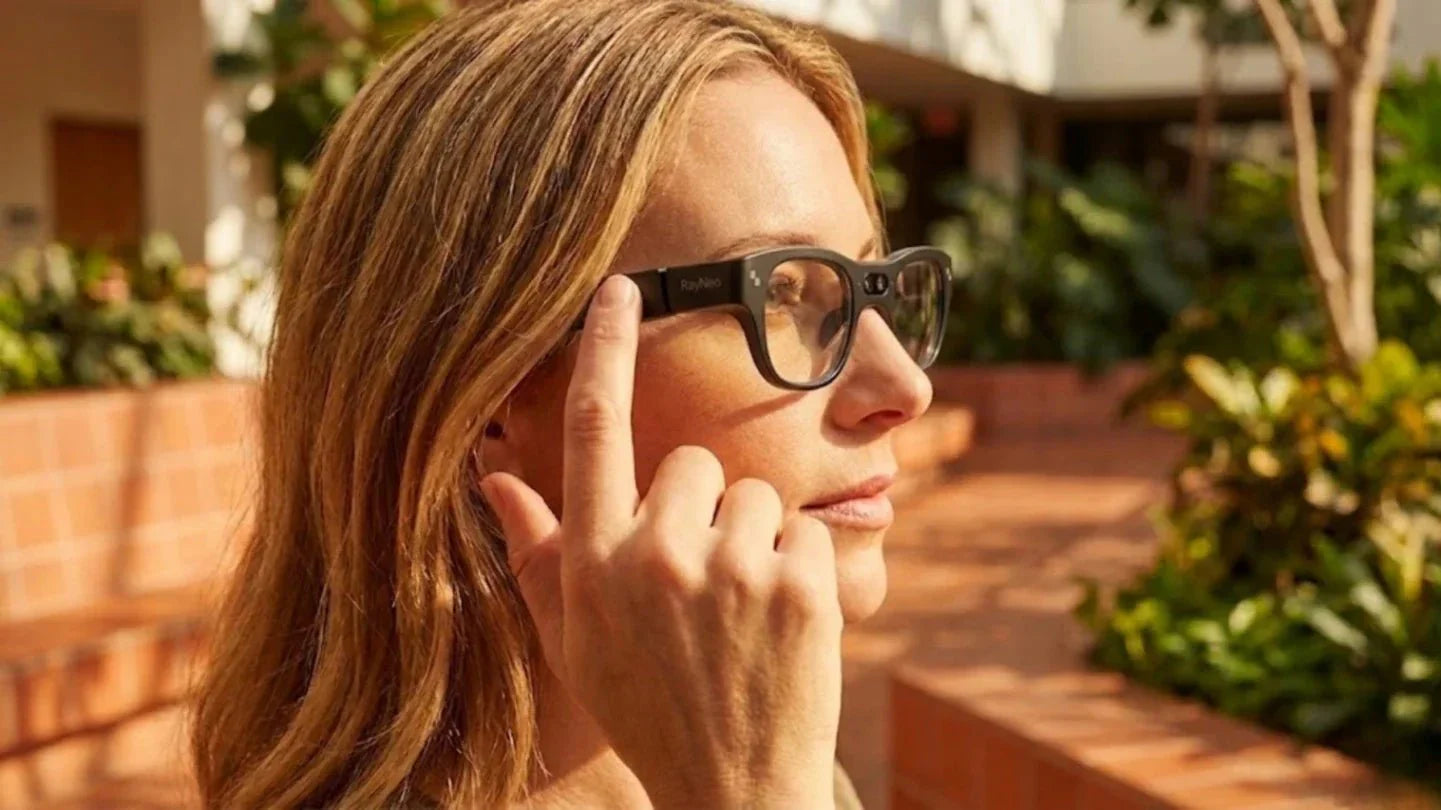
The way humans acquire information has only undergone two fundamental revolutions in the past ten thousand years: the invention of writing and the ubiquity of screens. The third is quietly happening inside your eyeglass frames: What You See Is What You Get. In this article, we will explore how smart glasses turn seeing itself into a real-time, meaningful interaction.
In traditional graphical interfaces, What You See Is What You Get originally meant that the editing interface and the final output were highly consistent. The layout a user saw on the screen was almost exactly the final effect after printing or publishing. In the era of smart glasses, this definition is pushed to a higher dimension. We strive for an augmented image that is as synchronized as possible with the real world in terms of spatial position, semantic information, and timing.
For smart glasses, we define What You See Is What You Get as a triple consistency. The first is spatial consistency, such as a navigation arrow accurately sticking to the next turn instead of floating in the sky or shifting by several meters. The second is semantic consistency. When a user sees a storefront plaque, the translated text popping up needs to correspond one-to-one with that plaque, rather than being an isolated line of text in the corner of the screen. The third is temporal consistency. The delay from looking at an intersection to seeing the navigation prompt must be controlled within a few hundred milliseconds. This ensures the entire experience is perceived as happening in real time.

As smart glasses shift from geek toys to critical tools for daily commutes, business travel, and industrial work, this evolution directly aligns with what are the latest trends in cool wearable technology across the industry. Because of this macro shift, user tolerance for latency and interaction issues is dropping fast, making a true What You See Is What You Get visual interface the mandatory baseline rather than an optional bonus.
Whether it is navigation or translation, people care less about having many features and more about whether feedback appears instantly in their field of vision. Many early AR glasses forced users to wait a second or two for the interface to update after a click. Users quickly went back to their phones because phone clicks and interface changes are almost perfectly synchronized.
On wearable devices, any response time over one second breaks the rhythm of the wearer. This is especially true while walking, cycling, or transferring on the subway. Users want their next move clearly marked the moment they look up, rather than having to wait for the screen to start loading.
Traditional phone navigation requires understanding a 2D map and then translating that understanding into a 3D street view. This mental translation consumes cognitive resources over time. If smart glasses simply move a 2D interface in front of your eyes, users still have to perform that same conversion, and the experience will not fundamentally change.
The true value of What You See Is What You Get lies in reducing this cognitive translation. For example, when a user turns their head right at an intersection, the next instruction should appear immediately above the crossroad. Or when looking at a menu, the translation should show directly above the dish name. The eyes should not need to jump between multiple interfaces, and the brain should not have to align coordinates.
One of the greatest expectations for smart glasses is reducing the burden of finding information and thinking while staying focused. This is particularly obvious in outdoor and mobile scenarios. Many users critiquing first-generation products focused on one point: the content they saw was too cluttered, and the information they actually needed was buried.
When navigating, smart glasses should prioritize showing only the next move and key road signs, hiding more details as on-demand expandable info. During translation, they should highlight the final translated sentence while hiding language settings and mode switches deep within voice commands. This way, the main view remains focused on the one thing the user cares about most at that moment.
If phone interfaces rely primarily on app context, smart glasses interfaces must understand physical context. Sensor data, head pose, ambient brightness, and the user's current environment all change how What You See Is What You Get is presented. During a commute, users need simple routes and timing. During a meeting, they need schedules and summaries. In a factory, they need process instructions and safety alerts.
Achieving true What You See Is What You Get on smart glasses requires more than just a single feature. It is a combined engineering effort involving display technology, spatial positioning, sensor fusion, and interaction methods. The following aspects form the foundation of this capability.
True WYSIWYG requires digital layers to fit precisely onto real objects or spaces. This relies on high-brightness, high-contrast optical waveguides or microLED solutions, along with stable 6DOF tracking. In outdoor daylight, if the display brightness is below 800 to 1000 nits, the content remains hard to see regardless of how smart the algorithms are. The binocular microLED waveguide display on the RayNeo X3 Pro reaches a peak brightness of 2500 nits. This keeps arrows and prompt text readable even at backlit intersections.
For spatial fitting, six-degrees-of-freedom tracking and scene understanding are essential. By fusing IMU, camera, and depth inference, the system continuously estimates head pose and spatial position. This ensures digital elements do not shake or drift while the user is moving.

A large part of the excitement surrounding smart glasses comes from how they free your hands. For WYSIWYG to work, the display must be accurate, and the interaction must avoid interrupting your line of sight or actions. Community feedback shows that early products often required frequent tapping on tiny touch areas or pulling out a phone to confirm actions. This defeats the purpose of a distraction-free experience.
Our current solutions combine touch, voice, and head control to reduce phone dependency. For instance, through simple floating prompts, users can confirm navigation steps with a quick tap on the temple or a short voice command. There is no need to hunt for buttons on a screen. On the RayNeo X3 Pro, we integrated five-way touch and voice command input into a 76-gram body. This allows users to keep their main tasks uninterrupted, whether they are hauling luggage at a subway station or operating equipment at a workstation.
True real-time visual interaction requires that data no longer loops back to a phone screen. Instead, capture, computation, and presentation must happen right before your eyes. In the past, many products had to send images back to a phone for translation or recognition. This made the glasses feel like a passive screen while the heavy lifting stayed in a pocket. This led to latency and connection instability.
Traditional interaction loops follow a fixed order: input, processing, output. With vision-led smart glasses, we are building a new closed loop. We first identify what the user is looking at, then provide proactive feedback based on that focal point. The system uses cameras and tracking algorithms to determine which area the user is viewing. It then places information directly next to that area. A simple glance allows the user to confirm the information without needing secondary steps.
Not all applications are suitable for smart glasses. The value of WYSIWYG is magnified in specific scenarios while offering limited benefits in others. These high-frequency use cases come from our long-term testing and user interviews across commuting, travel, industrial, and entertainment sectors.
Navigation is the most intuitive use case for users, yet it is also one of the most demanding for WYSIWYG. User requirements are simple: arrows must appear on the correct road, text prompts must stay close to real road signs, and the next move must appear before the physical action occurs. A common issue with phone navigation is the constant switching between the road and the screen, often leading users to realize the route updated only after they missed a turn.
On smart glasses, we place navigation info firmly at the top or side of the field of view. Spatial positioning aligns guidance arrows with the street ahead. We overlay landmark-style prompts at complex intersections, such as overpasses, subway exit numbers, or building names. In unfamiliar urban complexes, the time it takes to find the right exit is significantly shorter. Visualized WYSIWYG navigation is much easier to understand than a flat map, especially in underground malls and multi-level transit hubs.
In travel scenarios, the most typical needs involve understanding road signs, menus, billboards, and forms. Early mobile translation apps required users to photograph a plaque and wait several seconds to see the result, creating a clear disconnect from reality. The goal for WYSIWYG smart glasses is to let the source and translation overlap almost perfectly in the field of vision. When reading, users should feel as if only the font has changed, quietly erasing the language barrier.
By highlighting numbers, marking key info, and maintaining the original layout, we achieve instant understanding without breaking the reading rhythm. This is especially useful for information-dense visuals like subway maps, bus schedules, and airport guide signs where traditional photo translation often loses context. Real-time overlays on glasses allow users to read while walking without stopping to operate a device. Many users note that while translation quality matters, the real game-changer is the seamless feeling of simply looking and understanding.
In industrial maintenance, warehouse management, and medical assistance, the WYSIWYG advantage is particularly prominent. Operators often need to remember multiple steps and safety points within complex spaces. The traditional method involves holding a paper manual or a tablet, looking back and forth while working. This splits their attention and increases the chance of error.

In entertainment, the advantage of WYSIWYG on smart glasses shows up in two ways: fully immersive virtual large screens and lightly overlaid general entertainment. When users watch movies at home or play games on the go, they expect a image quality and size that rivals a real screen, not a small, washed-out window.
For example, the RayNeo Air 4 Pro uses a HueView 2.0 micro OLED display. At 1080p resolution and a 120Hz refresh rate, it presents a virtual screen equivalent to over 200 inches at a distance of several meters. Combined with 1200 nits of perceived brightness and HDR10 support, highlight and shadow details remain clear in indoor or cabin environments. For users, What You See Is What You Get here means that film color, contrast, and motion smoothness are highly comparable to a traditional large-screen experience. Meanwhile, speakers co-tuned with specialists provide a soundstage with a better sense of space.

While WYSIWYG has become the core goal of smart glasses design, current technical conditions still impose a series of objective limits. These constraints stem from hardware, software, and human perception. A truly valuable product must acknowledge these boundaries and provide the best possible solution within its capabilities.
Spatial alignment precision remains one of the biggest challenges for WYSIWYG in smart glasses. Whether based on SLAM-driven scene reconstruction or GPS map matching, performance is affected by obstructions, lighting, and dynamic environmental changes. Especially in dense urban centers or complex indoor environments with poor signals, digital layers inevitably drift slightly. These errors can be magnified during long-distance navigation.
If WYSIWYG is misinterpreted as sticking all available information right in front of the eyes, it quickly becomes counterproductive and creates visual noise. Many early users complained that too many interface elements constantly interrupted their line of sight, leading to quick eye fatigue. This proves that the threshold for visual overlays is much lower than that of phone screens. We need to be more selective about the information we display.
Hardware constraints form the hard boundaries of the current smart glasses experience. To keep wearing comfort high, the total weight usually needs to stay within 70 to 80 grams. This places harsh limits on battery capacity, cooling, and processor performance. Even with a small battery of around 245 mAh, the system must balance battery life with peak performance during regular use.
This means that high-load AR rendering and AI inference are unsustainable over long periods. The system needs to intelligently prioritize resources. For example, during navigation, the system should prioritize refreshing direction indicators and key alerts while lowering the frame rate of background apps. In translation scenarios, it should prioritize text recognition and language model speed. Screen brightness also needs to adjust automatically to ambient light to reduce unnecessary power drain. Hardware constraints will not disappear; our job is to find the balance between WYSIWYG effects and practical usability within these limits.
The final limit comes from the structure of human attention. Human vision is divided into central and peripheral zones. The central area is used for fine reading and recognition, while the peripheral area senses motion and overall layout. If the entire field of view is filled with dynamic elements, attention will be constantly pulled away. This can become a safety hazard, especially in high-risk scenarios like driving or cycling.







Share:
Digital Minimalism in 2026: Can Smart Glasses Replace Multiple Devices?
Gaming Laptops vs. AR Glasses: Which Is Better for Portable Gaming?