

Sale price$399.00
Regular priceReg. $429.00
Save $30.00

If you are searching for "smart glasses that offer real-time translation," you likely want to solve a specific anxiety: the fear of not understanding or being understood. You want a "Babel Fish" device that breaks down language barriers instantly, allowing you to travel or work without friction.
In 2026, many glasses claim to "translate," but they do it in fundamentally different ways. The experience varies wildly between "hearing a robot voice" and "seeing subtitles." Here is the quick verdict to help you choose:
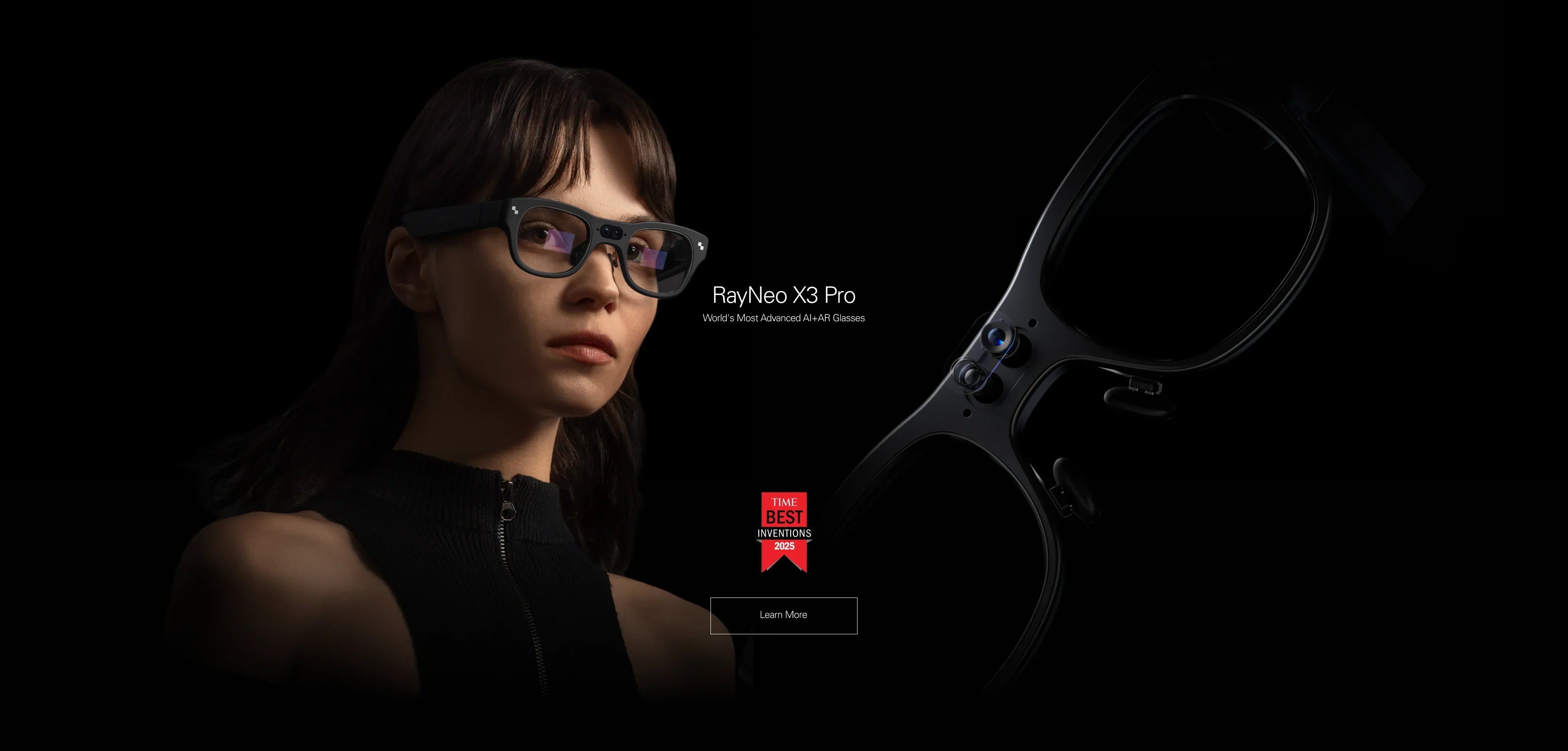
The Best Visual Translator (Overall Winner): RayNeo X3 Pro.
It uses AR Subtitles. When someone speaks to you in Japanese or French, English text floats in the air next to their face. It allows for natural eye contact and is the best choice for face-to-face conversations.
The Best Audio Translator (Alternative): Audio-Only Smart Glasses.
They use Voice-Over. The glasses listen to speech and whisper the translation into your ear. Good for casual listening, but harder to follow in complex, noisy discussions due to cognitive overload from hearing two voices simultaneously.
The Best Document Translator (Specialist): RayNeo Air 3s Pro.
It uses Screen Mirroring. It projects your phone's Google Translate app onto a massive 201-inch screen. Best for reading PDFs, contracts, or long menus in high definition.
This comprehensive guide (approx. 20-minute read) will explain the difference between "Subtitles" and "Dubbing" for your eyes, check your compatibility, and walk you through the reality of using AI translation in the wild.

rio 2: The Tourist DiBefore you buy, you must understand the "Interface of Translation." How the information reaches your brain determines whether the experience feels magical or frustrating.
Technology: Binocular Waveguide Display + Mic Array + Multimodal AI.
How it works: The glasses listen to the audio environment using directional microphones. The onboard AI (or cloud AI like Gemini/Azure) transcribes the speech and translates it. The text is then projected onto the transparent lenses in real-time.
The Feeling: It feels like watching a foreign movie with subtitles turned on in real life. You can look the person in the eye while reading what they are saying.
Key Advantage: Memory Retention & Accuracy. Studies show people remember conversations better when they read and hear simultaneously. Also, it works for reading menus/signs via the camera (Visual Translation), which audio glasses cannot do instantly.
Technology: Open-Ear Speakers + Mic Array.
How it works: The glasses listen, translate, and then speak the translation into your ear using text-to-speech (TTS).
The Feeling: It feels like having a simultaneous interpreter whispering in your ear.
Key Disadvantage: Cognitive Overload (The "Cocktail Party Effect"). You are hearing the person speak (in a foreign language) AND the robot voice (in English) at the same time. This "Audio Overlap" can be confusing in fast conversations, forcing you to ask people to repeat themselves.
Technology: Micro-OLED Virtual Monitor.
How it works: These glasses do not have built-in translation AI. Instead, you open a translation app (like DeepL or Google Translate) on your phone. You plug in the glasses. The phone screen is mirrored onto a giant virtual theater screen.
The Feeling: Like sitting in front of a giant desktop monitor running translation software.
Key Advantage: Perfect for reading dense documents, emails, or scanned PDFs where you need high resolution (1080p) text clarity. It is not for walking around or talking, but for deep reading work.
Let's map these technologies to your actual travel or work scenarios to find the perfect fit.
Verdict: RayNeo X3 Pro (Visual AI) is Essential.
The Challenge: You are negotiating with a supplier in Shenzhen or Berlin. You need to understand numbers, technical terms, and intent precisely.
Why Visual Wins: Seeing the numbers written out ("$50,000" vs "$15,000") prevents costly errors. Audio translation often mumbles numbers. Plus, the silent subtitle overlay means you aren't constantly interrupted by a robotic voice, allowing for smoother rapport and professional eye contact.

Verdict: RayNeo X3 Pro (Visual AI) is Essential.
The Challenge: Ordering from a menu that has no pictures and is written in Kanji or Cyrillic.
Why Visual Wins: You simply look at the menu. The X3 Pro's camera identifies the text and overlays the English translation directly on top of the physical menu items using AR. "Spicy Tofu" appears right where it should be. Audio glasses cannot do this; they would have to read the entire menu out loud to you, which is slow and awkward.
Verdict: RayNeo Air 3s Pro (Display) is Superior.
The Challenge: You need to read a 50-page contract or a technical manual in a foreign language while on a train.
Why Display Wins: The Waveguide display of the X3 Pro is optimized for short snippets (subtitles). For reading long paragraphs, the Micro-OLED screen of the Air 3s Pro provides a much sharper, paper-like reading experience. You simply open the PDF on your phone and read it on the virtual giant screen.
Translation is one of the most data-intensive tasks for a wearable device. It requires a solid setup to function with low latency. Here is how to set up the RayNeo X3 Pro for success.
Most advanced translation engines (like Microsoft Azure or Gemini) live in the cloud to ensure high accuracy and large vocabulary.
Pairing: Connect your X3 Pro to the RayNeo App on your smartphone.
Hotspot / Wi-Fi: If you are traveling, ensure your phone's "Personal Hotspot" is active and the glasses are connected to it. Real-time AI translation will usually not work without data.
Roaming Check: Verify your phone plan supports data roaming in the destination country. Latency is highly dependent on signal strength (4G/5G).
Inside the glasses interface (controlled by the temple touch bar):
Open the "AI Translation" widget.
Select Source Language: (e.g., "Auto-Detect" or "Chinese"). Auto-detect adds a slight delay, so selecting the specific language is faster.
Select Target Language: (e.g., "English").
Mode Selection: Choose "Face-to-Face" mode. This utilizes microphone beamforming technology to isolate the voice of the person standing directly in front of you, filtering out background restaurant noise.
There is always latency (lag). Usually 1-3 seconds depending on network speed.
Pro Tip: Learn to nod slowly while waiting for the subtitle to appear. It signals to the speaker that you are engaged, covering the awkward 2-second gap while the AI processes the speech from audio to text.
Translation accuracy depends on both software (AI models) and hardware (microphones). Here is the 2026 breakdown.
Why do we insist that "Visual AI" (X3 Pro) is better than "Audio AI" for translation? It comes down to human cognitive science.
Human brains struggle to process two voices speaking at once. If your German colleague is speaking, and your audio glasses start speaking English over him, your brain jams. You miss the emotion and nuance of his tone.
The Visual Fix: With visual subtitles, your ears focus on the human voice (tone/emotion), while your eyes process the meaning (text). This uses two different parts of the brain simultaneously, reducing fatigue and increasing comprehension.
When an audio assistant translates, you can't "re-read" it. If you missed it, it's gone. With the X3 Pro's HUD, the text stays floating for a few seconds (or scrolls). You can glance back to double-check a specific number ("Did he say 15 or 50?") or a name. This verification layer builds trust in the conversation.
Using audio translation often requires the glasses to speak loudly enough for you to hear, or requires you to wear headphones. Visual subtitles are completely silent. No one knows you are receiving assistance, making the interaction feel more natural and polite.
AI translation is magical, but it is not yet a human interpreter. It is important to manage your expectations.
The Reality: Speech must go from Mic -> Cloud -> AI Engine -> Text -> Display. This takes time. Expect a 1 to 3-second delay.
The Impact: Jokes often land flat because you laugh 3 seconds late. Rapid-fire arguments are hard to follow. It works best for structured, polite conversation where people take turns speaking.
The Reality: AI models (even Gemini) struggle with heavy regional accents, street slang, or specialized medical/legal jargon.
The Fix: The X3 Pro displays the transcribed text (what it thought it heard in the original language) alongside the translation. Always glance at the transcription if the translation looks weird to verify if it heard the word correctly.
The Reality: Real-time translation is a battery killer. It keeps the microphone, Wi-Fi radio, and display active simultaneously.
The Limit: Expect 2.5 to 3.5 hours of continuous translation session time on the X3 Pro. If you are attending a full-day conference, bring a magnetic battery bank or charge during lunch breaks.
A: Partially. The RayNeo X3 Pro supports basic offline translation for simple phrases and menus in major languages (English/Chinese/Spanish). However, for high-accuracy conversational nuance and support for all 14+ languages, you absolutely need an internet connection to access the cloud AI models.
A: Currently, the X3 Pro supports real-time translation for 14+ major languages (including Chinese, English, Japanese, Korean, French, Spanish, German, Italian). More languages are frequently added via OTA software updates.
A: Yes. One of the best productivity features of the X3 Pro is "Meeting Record." You can choose to save the text transcript of the translation to the RayNeo App on your phone to review later. (Note: Always ask for consent before recording conversations in professional settings).
A: Only by mirroring your phone. The glasses themselves have no microphone input for the translation app. You would have to hold your phone out to listen, and see the result on the big screen. It works, but it's not hands-free AR.
Don't let language hold you back. Choose the tool that fits your travel style.
If you want to look people in the eye and understand them via subtitles:
→ Shop RayNeo X3 Pro (Best AR Translator)
If you want to read foreign PDFs or watch foreign films on a big screen:
→ Shop RayNeo Air 3s Pro (Best Screen)
Translation needs data. Check our guide on connectivity and accessories.







Share:
Which Smart Glasses Have the Best Audio? The 2026 Audiophile Guide
Which Smart Glasses Offer the Best Value for Money? The 2026 Buyer’s Guide