

$429.00

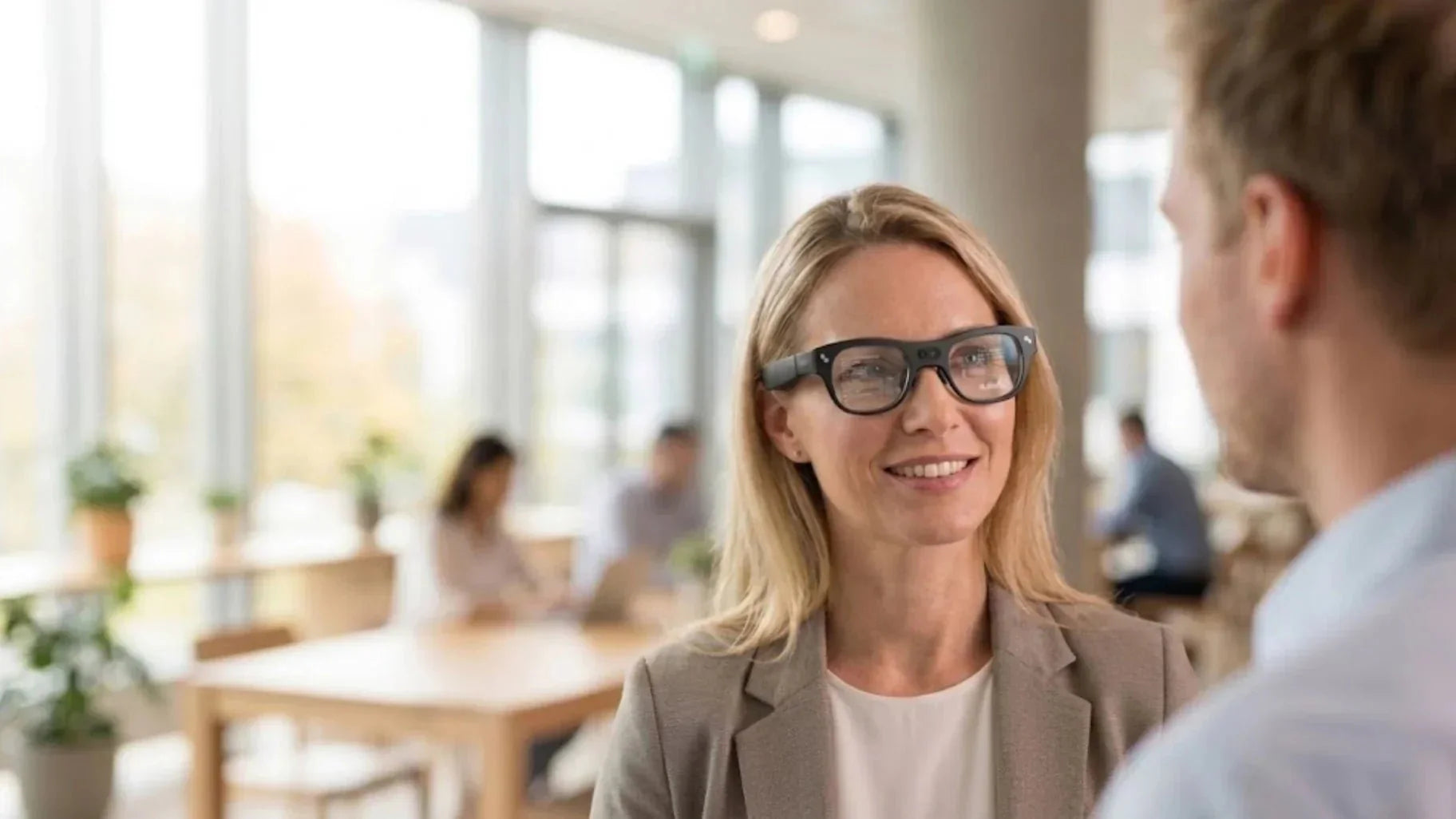
Real-Time Translation Glasses overlay foreign language subtitles directly onto your lenses. This turns cross-language communication into a natural action that requires almost zero thought. In this article, we will break down how they work, where to use them, and what to look for when buying. Our goal is to help you find the pair that truly fits your needs.
Real-world real-time translation glasses must integrate three capability chains at the same time: perception, understanding, and presentation. When we evaluate any pair of smart glasses, we judge them by the completeness of these three pipelines to see whether they can truly support frequent, long-duration cross-language use.
Real-time translation glasses are wearable terminals that capture voice input through microphone arrays while being worn. They use on-device chips and cloud-based large models to perform natural language recognition and machine translation. The results are overlaid onto the user's field of vision as an AR HUD or a virtual screen.
There are three core standards for these devices. First, the glasses must handle voice capture and noise reduction independently without using external microphones. Second, translation latency should stay between 0.5 and 2 seconds. If it takes longer than 3 seconds, the flow of conversation feels broken. Third, users must be able to adjust subtitle brightness, position, and font size. This ensures the display remains visible in both dark and high-light environments.
As of 2026, hardware for advanced translation glasses falls into two main categories. One type includes AR glasses with full optical waveguides or Micro LED engines. Models using nanolithography waveguides and Micro LED display engines can float subtitles precisely in front of real-world objects.The other type follows a display glasses approach. These use Micro OLED or Micro LED to project a virtual screen of 100 inches or more. Translation appears as subtitles in the corner of the screen, which works well for movies, remote meetings, and gaming.
Glasses that can truly handle translation tasks differ significantly in hardware and software from regular blue light or audio glasses. For example, microphone systems are designed for conversations in complex environments.
On the other hand, translation glasses need high SoC and memory bandwidth for long AI tasks. In 2026, top AI glasses like the 2026 best AI Glasses RayNeo X3 Pro use platforms like the Snapdragon AR1 Gen 1. With 4GB of RAM and 32GB of ROM, they handle command recognition, voice wake-up, AR rendering, and cloud translation at the same time. This prevents the system from freezing during meetings. For the display, peak brightness now ranges from 1200 to 6000 nits. Average brightness stays around 3500 nits. This makes subtitles clear even in bright sunlight. This performance is far better than smartwatches or phones in high light.

True translation glasses are complete sensing and computing platforms. They are not just regular glasses with an app.
Evaluating how do glasses with subtitles work from a systemic level helps you identify where issues occur. It could be the network, the microphone, or the translation engine itself.
In the recognition stage, the glasses capture sound through a multi-microphone array. The device then uses a local DSP or NPU for preprocessing. This includes beamforming, echo cancellation, and adaptive noise reduction. When the signal to noise ratio is above 20 dB, error rates for cloud engines stay between 5 and 8 percent. Below 10 dB, errors increase sharply. High-quality arrays and algorithms are the first gate for translation quality.
For long talks or meetings, recognizing sentence by sentence can cause breaks. We use a short-term context cache in the firmware. This saves the last 3 to 5 sentences locally. Large models then use this for semantic error correction and entity mapping. For example, if a brand name sounds like something else, the model can map it to the right term by the third time it appears. This self-correction in context improves readability for business negotiations and technical talks.
For the translation stage, most devices connect to cloud-based neural translation models through a phone or the glasses. These use Transformer and multi-head attention mechanisms to handle complex sentences. In 2026, services like Azure and Gemini have higher BLEU scores than older systems. Accuracy for complex clauses and oral speech has improved in languages like English, Chinese, Spanish, and Japanese. This is why more users trust glasses for international business.
According to a 2025 Statista survey, over 60 percent of companies believe neural machine translation meets business needs. However, high-risk fields like law and medicine still require human review. For travel, dining, or product demos, translation glasses are accurate enough for direct use. For signing contracts or legal advice, we suggest human confirmation. The glasses are best for reducing the stress caused by language barriers.
After translation, the glasses must show subtitles without blocking your natural view. AR models with waveguides and MicroLEDs fix text about 10 to 15 degrees below the center. Subtitles cover 20 to 30 percent of the width. This area does not block faces or road conditions. You only need to look down slightly to read a line. The refresh rate usually matches the display at 60 Hz or more. This prevents flickering and reduces eye fatigue during long sessions.
Most people need translation for cross-language meetings, travel, immigrant life, or multilingual family talks. Real-time translation glasses minimize language friction in these everyday moments.
Glasses have a clear advantage over phone translation. You do not have to look down or treat the other person like a microphone. You do not have to interrupt the flow by holding up a screen. In face-to-face mode, the microphone array focuses on voices within one to two meters. The subtitles stay in the empty space above the other person's shoulder. This lets you watch their expressions while reading the content. For those in international meetings, this natural eye contact builds trust and engagement.
Multilingual teams often mix English, Chinese, and Japanese during daily standups or product reviews. In the past, everyone needed bilingual slides. Now, the host speaks their most comfortable language. Participants set their glasses to their own native language to see the correct subtitles in the same meeting.
The value is immediate for frequent travelers and business pros. You might miss airport announcements, subway transfer tips, or restaurant recommendations using a phone. It is often too slow or loses signal. Glasses stay on standby: they catch key phrases and show subtitles automatically.
During business visits to overseas factories or trade shows, many users struggle with Q&A. It is hard to organize words quickly, so they miss the chance to ask for details. With two-way mode, you can speak your native language. The glasses then output speech or text in the other person's language. This experience feels like having a simultaneous interpreter. It lowers the barrier to speaking and allows you to handle meetings without a human translator.
Unlike phones or handheld translators, glasses keep your hands free. This is vital when carrying luggage, taking photos, or watching kids. It is also helpful in a factory where you need to hold tools. A tech support engineer can describe a scene to a remote expert while viewing translated instructions. They never have to stop to check a phone or laptop.
Another benefit users mention is the ability to save conversation subtitles. You can export the text later for review, combining contextual immersion with the best ways to learn a new language during daily habits. This is great for language classes, product training, or technical Q&A, turning translation glasses into a long-term asset for learning. Instead of recording and transcribing later, the glasses generate timestamps and text directly. You can jump between key sentences and review much faster.
The market for real-time translation glasses is growing, with prices ranging from a few hundred to over a thousand dollars. However, the three most common questions focus on language support and accuracy, battery life and comfort, and compatibility with existing devices and app ecosystems. The pair that truly fits your needs will balance these factors rather than simply chasing high technical specifications.
When choosing Real-Time Translation Glasses, first confirm the language pairs the translation engine supports. Check if it has deep optimization for your most common scenarios. In 2026, mainstream translation glasses generally support over 30 languages, covering Chinese, English, Japanese, Korean, and major European languages. However, accuracy for less common languages, such as those in Eastern Europe or Southeast Asia, still depends on the frequency of cloud service updates. You can test your 3 to 5 most used language directions through trials or online demos. In our corporate client projects, we rarely recommend looking at language quantity alone. We focus more on the performance of technical terminology for specific language pairs.
Another easily overlooked factor is accent adaptation and industry-specific data. In real environments, English with regional accents or Japanese with foreign loanwords are very common. Many early devices perform well in demo environments but fail in mixed scenarios with various accents and speaking speeds. You can stress test a device by intentionally using different speeds and accents. Observe if the captions frequently skip or lose meaning. This is much more reliable than the high accuracy claims found on promotional flyers.
Community feedback shows that battery life and comfort are the biggest complaints. Current top AR models with roughly 245 mAh batteries last 2 to 3 hours under heavy use. They can fast charge in 40 minutes. Display glasses have less battery strain because they rely on external devices for computing. This makes them better for long movies and light translation.
Comfort depends on weight, nose pads, and temple pressure. Leading products weigh between 70 and 80 grams. They use adjustable pads and soft temple covers so users can wear them for up to 2 hours without marks. When testing, wear them for 15 minutes. Check your ears and nose bridge for discomfort. Move your head up, down, and sideways. Make sure the glasses do not slide or press against your face when the center of gravity shifts.
Hardware Performance Basics:
Battery Life: 2 to 3 hours of heavy use with 40 minute fast charging.
Device Weight: Optimized at 70 to 80 grams for long term wear.
Display Type: Display glasses offer better endurance by offloading compute.

Connectivity determines the quality of the translation experience. Most translation glasses rely on a phone for network and processing. They use dual-channel Bluetooth and Wi-Fi. Bluetooth handles low-power signals, while Wi-Fi provides high bandwidth for data. You should check if the glasses support the latest wireless standards. Ensure they switch smoothly between routers and hotspots. Connection stability is vital in crowded places like subways or trade shows.
Ecosystem compatibility is also key. iOS users should check for full app support and system notifications. Android users can look for screen casting, game modes, or desktop extensions. When glasses work with video conferencing and messaging tools, translation fits into your workflow. This increases how often you actually use them. Stability and ecosystem support are the ceiling for this technology. Great specs mean nothing if you face constant disconnects.
The market for real-time translation glasses in 2026 is very active. It ranges from high-end standalone AR headsets for developers to lightweight display glasses for movies and remote work. There are also budget-friendly entry-level devices.
High-end products typically sit above the 1000 dollar price point. They feature full AR capabilities and powerful local computing platforms. Leading models using the Snapdragon AR1 Gen 1, 4 GB RAM, and 32 GB storage can run multiple windows at once. Users can overlay translation subtitles alongside navigation, camera previews, or remote apps in a single field of vision. Peak brightness for these glasses can reach 6000 nits. This keeps subtitles clear even in direct sunlight, making them ideal for cross-language outdoor communication.
If your work involves content creation, remote inspections, or 3D visualization, high-end models offer a major boost. Features like 6 DoF spatial positioning and high-spec cameras create a synergy between translation and other AR tools. For example, you could watch a remote lecture from an overseas mentor while overlaying real-world steps and subtitles in physical space. It is a learning method that traditional screens cannot match.
Mid-range options fall between 400 and 800 dollars. In terms of hardware, they lean toward display glasses. They use an external phone or computer for processing power and high-refresh Micro OLED or Micro LED screens for subtitles and virtual displays. New 2026 mid-range models commonly support 1080p resolution, 120 Hz refresh rates, and perceived brightness up to 1200 nits. This provides very sharp subtitles for movies and video calls. Since these devices weigh around 70 grams, they are better for long-term wear.
Budget-friendly translation glasses are usually under 300 dollars. These models trade display quality and AR features for a more accessible price. They often use simpler display modules and fewer sensors. Their focus is on one-way subtitles and basic voice control. For users who mostly study languages indoors, prepare for travel, or join the occasional cross-border call, these provide enough value.
However, low-cost models often struggle with microphone quality, noise-canceling algorithms, and app updates. This leads to frequent errors in noisy places like cafes or airports. You might also face stagnant firmware or high app crash rates. If you plan to use them in loud environments or for formal business, we suggest choosing mid-range or higher. It is better to put your budget into key areas like microphones, display quality, and connection stability.
|
Category |
Typical Price |
Core Hardware |
Best Use Case |
|
High-End |
1000+ dollars |
Standalone SoC, 6000 nits |
Outdoor work, 3D visualization |
|
Mid-Range |
400 to 800 dollars |
Micro OLED, 120 Hz |
Video calls, travel, vlogs |
|
Budget |
Under 300 dollars |
Basic LED, minimal sensors |
Quiet indoor study, casual use |
Community feedback shows that battery life and comfort are the biggest complaints. Current top AR models with roughly 245 mAh batteries last 2 to 3 hours under heavy use. They can fast charge in 40 minutes. Display glasses have less battery strain because they rely on external devices for computing. This makes them better for long movies and light translation.
Comfort depends on weight, nose pads, and temple pressure. Leading products weigh between 70 and 80 grams. They use adjustable pads and soft temple covers so users can wear them for up to 2 hours without marks. When testing, wear them for 15 minutes. Check your ears and nose bridge for discomfort. Move your head up, down, and sideways. Make sure the glasses do not slide or press against your face when the center of gravity shifts.
Hardware Performance Basics:
Battery Life: 2 to 3 hours of heavy use with 40 minute fast charging.
Device Weight: Optimized at 70 to 80 grams for long term wear.
Display Type: Display glasses offer better endurance by offloading compute.
Connectivity determines the quality of the translation experience. Most translation glasses rely on a phone for network and processing. They use dual-channel Bluetooth and Wi-Fi. Bluetooth handles low-power signals, while Wi-Fi provides high bandwidth for data. You should check if the glasses support the latest wireless standards. Ensure they switch smoothly between routers and hotspots. Connection stability is vital in crowded places like subways or trade shows.
Ecosystem compatibility is also key. iOS users should check for full app support and system notifications. Android users can look for screen casting, game modes, or desktop extensions. When glasses work with video conferencing and messaging tools, translation fits into your workflow. This increases how often you actually use them. Stability and ecosystem support are the ceiling for this technology. Great specs mean nothing if you face constant disconnects.
Technically, identifying and translating several languages at once is possible. Cloud models can detect multiple languages in a single audio stream and use the correct translation channels. However, in real-world scenarios, running multi-language detection for every sound increases lag and error rates. It can become difficult to use in open spaces.
For group settings where many people speak different languages, such as trade shows or international forums, current devices work best for one-to-many or many-to-one scenarios. For example, a speaker or host uses one language, and the audience gets translations via glasses or headphones. They are not yet reliable as the sole tool for free-flowing group discussions. In these cases, we suggest using them with traditional interpretation systems, letting the glasses handle the personalized display.
For high accuracy, real-time translation glasses usually need a stable internet connection. This lets them access cloud-based speech recognition and translation models. If the network quality drops, the most obvious sign is a longer delay in captions. Some sentences might get lost or stay stuck in processing.
Some devices offer offline translation packs for emergencies, such as on flights or in areas with poor signal. However, offline models are not as good at vocabulary or context as cloud versions. They are better for short commands and simple daily phrases, like asking for directions, ordering food, or shopping.
Noise is the enemy of all translation devices, and glasses are no exception. The good news is that multi-microphone arrays, beamforming, and adaptive noise-canceling algorithms help a lot. These features improve accuracy in busy environments.
What really hurts the experience is when multiple nearby sound sources overlap. For example, if many people talk at once near a bar, or if you are at a concert near the speakers. In these extreme cases, even professional equipment struggles to perform perfectly.
Comfort for long-term wear is a major focus for 2026 product updates. Current high-end and mid-range models usually weigh between 70 and 80 grams. They use adjustable nose pads, soft temples, and balanced weight to move pressure from the nose to the ears and the side of the head. This is fundamentally different from heavy AR headsets.
If your work or life requires wearing them many times a day, we suggest taking breaks. Remove the glasses for a few minutes after a meeting or a trip to let your eyes rest. For users who need prescription lenses, choosing models that support custom lenses or magnetic inserts will improve clarity and comfort. It is best to treat translation glasses as a tool you wear as needed, rather than an all-day replacement for regular glasses. This better fits their current weight and battery life.







Share:
What is sRGB Color Space and Why Your AR Glasses Need It
5 Smart Ways to Enjoy In-Flight Entertainment Without Wi-Fi