

$429.00

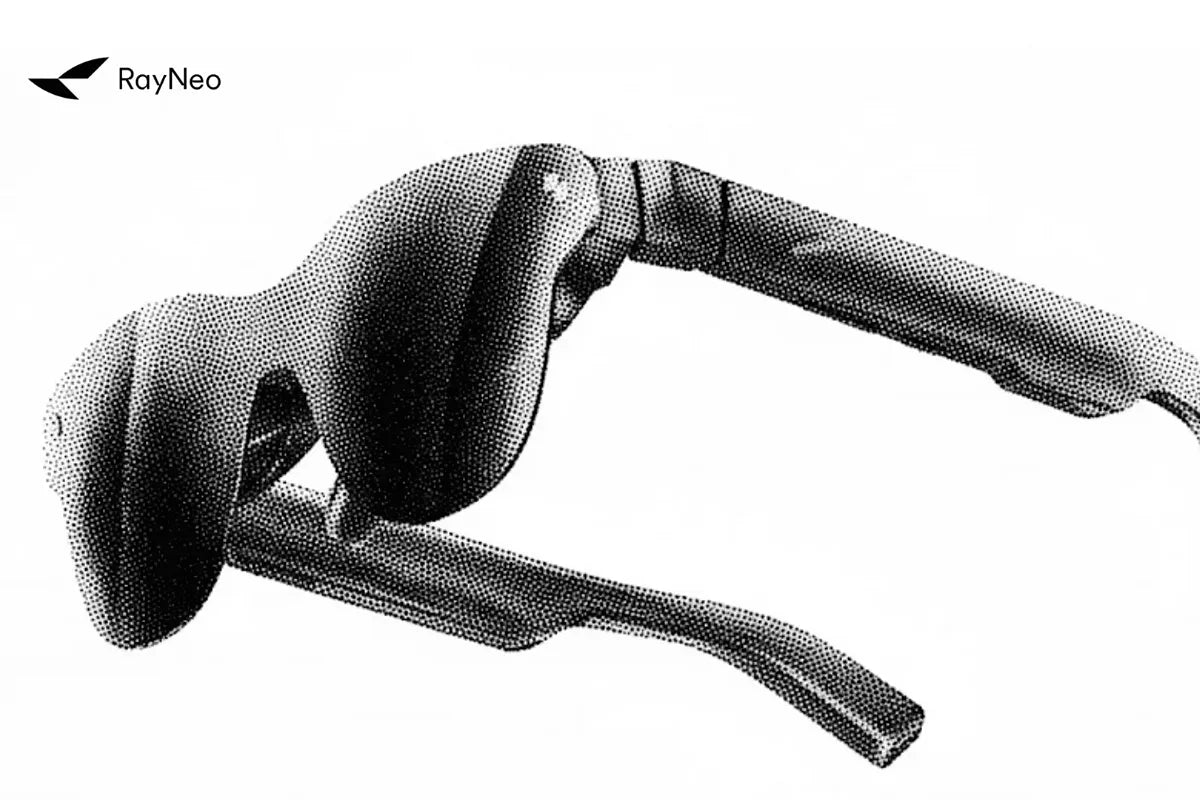
The RayNeo Air 3s Pro weighs 76 grams, and RayNeo splits that weight 46.7 percent toward the front of the frame and 53.3 percent toward the rear. RayNeo states this split serves two purposes: avoiding pressure on the nose and keeping the glasses from slipping. The frame also offers 9 temple adjustment levels and 3 nose pad positions, so the fit isn’t locked to one head shape out of the box.
Here’s what each number changes, and where the adjustability runs out.

Where weight sits on your face matters as much as how much there is. A pair of glasses with its weight concentrated at the front tends to tip forward on the nose. At 76 grams, the Air 3s Pro is heavier than a typical pair of sunglasses, so how that weight is distributed affects comfort.
The listed split is 46.7 to 53.3 front-to-rear. Applied to the full 76 grams:
| Section of frame | Approximate weight | Share of total |
|---|---|---|
| Front | ~35.5 g | 46.7% |
| Rear (temples) | ~40.5 g | 53.3% |
| Total | 76 g | 100% |
The listed split assigns about 5g more to the rear than the front. It describes where the frame’s weight is distributed, not a guarantee of zero nose pressure or slippage. Actual comfort also depends on how the nose pads and temples fit your face.
Use the balance figure alongside the adjustment range when judging fit. It is not a comparative comfort test against earlier models, nor does it establish how the frame will feel during a particular activity.
The product page describes two adjustment systems:
Use the temple settings to adjust fit around your head and the nose-pad positions to align the display with your eyes. Follow the included adjustment instructions, and check for both a clear image and comfortable contact at the nose and temples.
Adjustment levels only help if they cover your head and face. The Air 3s Pro’s eyebox, the zone where the display stays visible and in focus, measures 14 by 7 millimeters and covers roughly 93 percent of interpupillary distances (IPD), according to RayNeo’s published specs. It gives some tolerance in where your pupils land, but it is separate from physical comfort: a wide eyebox doesn’t fix a frame that pinches, and a well-adjusted frame doesn’t widen the eyebox.
On frame width, a RayNeo guide to fitting larger heads publishes hinge-to-hinge benchmarks for smart glasses as a category:
Those figures describe smart glasses in general, and the product page doesn’t list the Air 3s Pro’s own hinge-to-hinge width. To judge fit before ordering, compare against a pair of glasses you already wear comfortably, and try the glasses on in person where possible. RayNeo also hasn’t published a hard head-size limit past which the adjustment range stops being enough, so if you’re at the very large or very small end of standard sizing, check fit carefully.
RayNeo lists a 15% reduction in clamping force for the temple and nose-pad system, without identifying a comparison baseline. Treat this as a manufacturer claim, not a measured advantage over a named alternative. Use the supported adjustment positions to find a comfortable fit, following the included instructions rather than forcing the arms outward.
Fit specs describe the resting state, not how comfort holds up over a long session. A RayNeo buyer’s guide post cites a pattern across hands-on reviews: comfort holds up for the first 60 to 90 minutes of continuous wear, after which nose bridge pressure or temple contact can become more noticeable, particularly during long uninterrupted sessions such as extended gaming.
That timeframe isn’t a lab-tested spec. It is RayNeo’s synthesis of independent coverage, and comfort varies by person. If you feel discomfort at any point, take a break and re-check the temple and nose pad adjustment instead of pushing through. For long sessions, build in regular breaks.
| Model | Adjustment system | Weight distribution published? | Eyebox / IPD coverage published? |
|---|---|---|---|
| Air 3s Pro | 9-level temple + 3-level nose pad | Yes (46.7:53.3) | Yes (93% IPD, 14×7 mm eyebox) |
| Air 2s | 9-point FlexiFit system | No | No |
| Air 4 Pro | 9-way adjustment system | No | No |
The Air 2s and Air 4 Pro product pages don’t publish a front-to-rear weight distribution figure, so the Air 3s Pro’s fit specs are documented in more detail on those pages. The adjustment level counts look similar, but don’t assume the mechanics are identical across the line; compare in person if fit is a priority.
The RayNeo Air 3s Pro is for buyers who want a frame they can adjust after unboxing rather than a fixed, one-size design. It’s a reasonable match if:
Check fit carefully, in person if you can, if you’re at the very large or very small end of standard sizing, or if you want an ultra-minimal, non-adjustable frame profile.
As of this writing, RayNeo lists the Air 3s Pro at $279 (reduced from a $299 regular price). Pricing and promotions change regularly, so check the product page before ordering.
Does the 93 percent IPD coverage mean the Air 3s Pro fits any face shape?
Are the nose pads interchangeable for different sizes, or is it only the 3-position adjustment?
Does the rear-weighted balance make a difference during exercise or fast head movement?
How does this compare to the Air 2s’s FlexiFit system?
Will adding prescription lens inserts change the front-to-rear weight balance?
Sources:







Share:
RayNeo GT Series Spatial Modes Explained: Steady, Pinned, and Follow
RayNeo Pocket TV Pro Specs Explained: Battery, Storage, and What It Adds to the GT Series