

$429.00

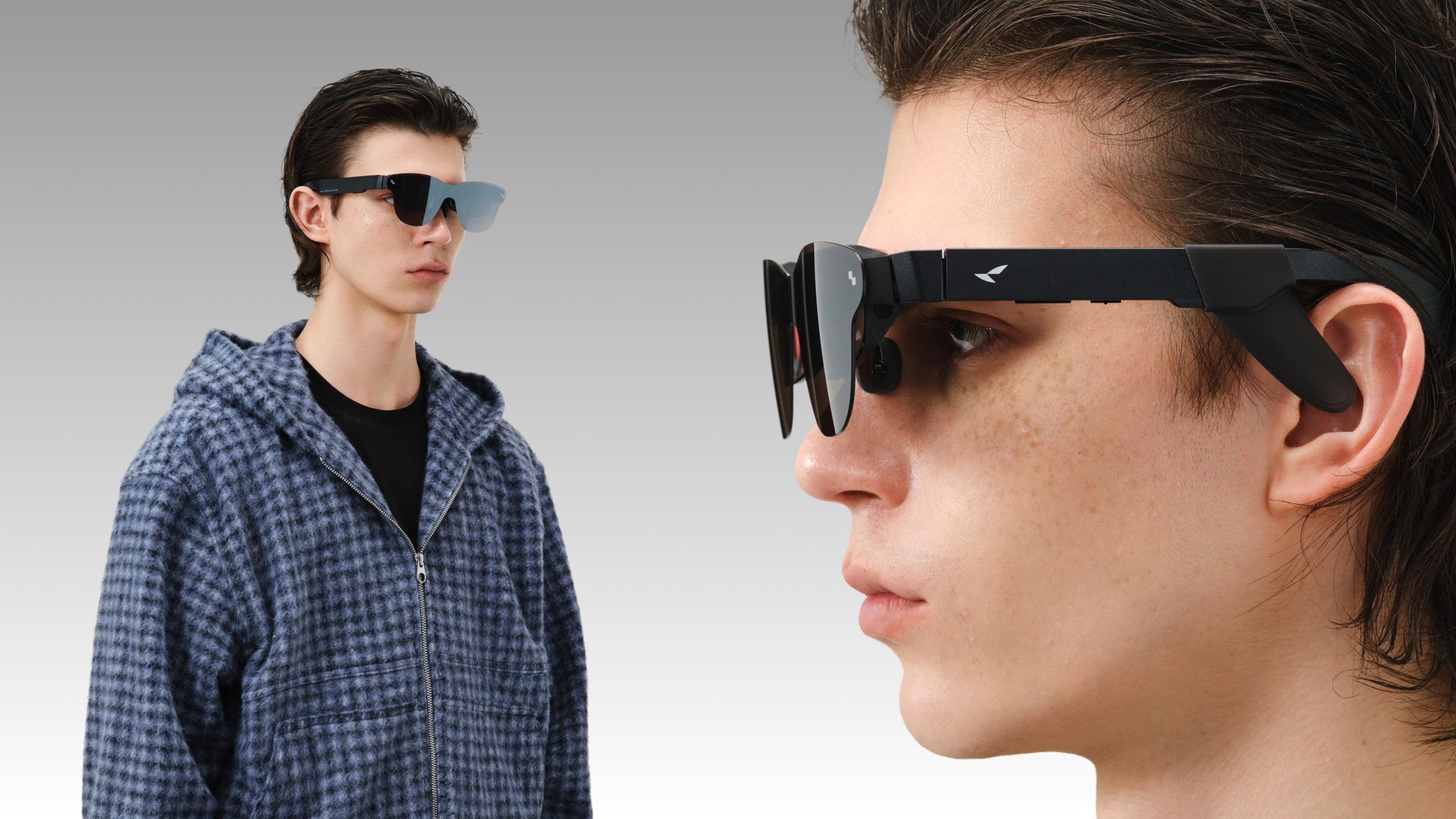
How far away is the information overlay seen in sci-fi movies from our daily lives?
The HUD inside Iron Man’s helmet, the memory playback in Black Mirror, and the constant notifications in Her—these scenes once felt out of reach. Now, devices the size of regular glasses are quietly turning this into reality. But how close are they to what you actually imagine?
In this guide, we will explain the working principles of AR smart glasses, the current real-world experience, and existing technical limitations. Our goal is to help you build a clear and realistic understanding of the technology.
Before we dive into use cases and buying guides, we need to clarify a few concepts that often get confused. Understanding the technical boundaries and form factors of AR smart glasses is the only way to make sense of specs like brightness, FOV, battery life, and compatibility later on.
The AR smart glasses we are discussing here generally refer to head-worn devices equipped with independent computing power, sensor systems, and optical display modules. They use technologies like waveguides, micro OLED, or micro LED to overlay digital images onto your real-world field of view. These devices typically house a built-in SoC, RAM, and storage, running on standalone operating systems or lightweight kernels. They can handle applications such as navigation assistants, AI translation, info cards, and camera viewfinders.

The core of modern AR smart glasses displays is primarily a combination of waveguides with micro LED or micro OLED. Micro LED waveguide solutions offer extreme brightness, with peaks hitting 6000 nits and averages around 3500 nits. With an FOV of about 30 degrees, they are better suited for complex AR light fields and information overlays in bright outdoor environments. Micro OLED is known for its contrast and color. A common setup features a 0.6-inch panel supporting a 120Hz refresh rate, HDR10, a 200,000 to 1 contrast ratio, and 98% DCI-P3 color gamut. This makes them ideal as a portable private cinema or a high-resolution virtual screen.
In terms of optical structure, the waveguide determines how the image is guided into your vision. It affects clarity, dispersion control, and lens transparency. Next-generation light engines like the Peacock Optical Engine 2.0 can achieve 145% sRGB color coverage while keeping the total weight around 76 grams. This is vital for long-term wearing comfort. Regarding driver chips, some display-centric AR glasses like the RayNeo Air 4 Pro use dedicated display processors such as the Vision 4000. These chips handle real-time SDR to HDR conversion and 2D to 3D processing to enhance depth and the overall viewing experience.
The main difference between AR smart glasses and VR headsets is how much of the world you can see. VR headsets completely block out reality, usually providing an FOV over 90 degrees for total immersion. They are great for gaming and virtual worlds but are difficult to wear all day. AR smart glasses maintain a transparent or translucent view. The FOV is smaller, such as 30 degrees for waveguides or 47 degrees for micro OLED. The goal is to overlay digital content onto the real world, not replace it.
Compared to traditional eyewear, AR smart glasses are much more complex in terms of weight, balance, and heat dissipation. The front frame integrates display modules, speakers, microphones, and sometimes dual-camera systems. This requires significant engineering for nose bridge design, temple grip, and weight distribution. During daily use, the digital images in your view stay stable as you move your head. This relies on 3DoF or 6DoF spatial tracking and IMU sensors, which are requirements traditional glasses simply do not have.
What can you actually do with AR smart glasses? Here are four primary use cases.
In entertainment, we mostly care about whether the screen is big and clear enough, and if the color and brightness can match 4K sources. Current high-end Micro-OLED AR glasses, like the RayNeo Air 4 Pro, can simulate a 201-inch virtual screen at a 6-meter distance. It features 1200 nits of peak brightness, a 200,000:1 contrast ratio, and supports HDR10 and 10-bit color depth. This provides a visual experience closer to an OLED TV than a traditional tablet.
The audio experience is also evolving rapidly. Systems have moved from early single speakers to four-speaker open-ear arrays. Tuned by acoustic teams like Bang & Olufsen, these significantly improve bass presence and vocal clarity while reducing sound leakage. Real-world experience shows that in planes, trains, or small apartments, you can finally have a large screen that does not disturb others. It also removes the hassle of holding tablets or setting up stands.
In navigation and city exploration, the advantage of AR smart glasses is that you no longer need to keep looking down at your phone. Full-featured AR glasses with 6DoF positioning and front-facing cameras can overlay navigation arrows, intersection prompts, and real-time translation results directly in your view.
For drivers, HUDs are already common. AR smart glasses bring similar capabilities to pedestrians. This is especially useful for exploring unfamiliar cities on foot. In indoor navigation or museum tours, spatial computing is even more valuable. Models with spatial positioning can identify indoor structures and overlay pathfinding, exhibit info, or equipment tags. This reduces the time spent being lost or asking for directions.
Productivity has been a major topic since 2025. Many remote workers and programmers want a multi-screen environment without filling their homes with physical monitors. High-resolution AR glasses can float multiple virtual screens in your field of vision. For example, your main screen can show code, while side screens host meeting windows and documentation or charts.
In mobile work scenarios, a single USB-C cable connected to a phone or laptop creates a desktop environment. You no longer rely on the limited power outlets or public displays in cafes. Some users have found that during long trips, a pair of AR glasses and a folding keyboard are enough for most document processing and light development. Cabin space is no longer a restriction for them.
With the help of AI, language assistance has become one of the most frequent selling points for AR smart glasses. Models with on-device speech recognition and cloud-based large models provide real-time captions, cross-language translation, and contextual explanations. This offers direct value to users who travel often or read foreign content.
In terms of accessibility, deaf or hard-of-hearing users can use real-time captions to improve face-to-face communication. Blind or low-vision users can rely on voice descriptions and environmental analysis to get an extra layer of information. Advanced AI agent features, such as those based on Gemini, can identify what you see. They help read menus, translate signs, and explain complex charts. This reduces the interruption of taking out a phone to take a photo for translation. These capabilities have moved from early concepts to practical use in 2026. The key differences now lie in whether the local processing, microphone arrays, and thermal design can support long conversations.
When you are ready to buy, the easiest trap is focusing only on brands and promotional videos without a quantitative decision framework. We suggest focusing on four dimensions: display, battery life, compatibility, and price.
Clarity depends on resolution, PPD, and brightness. Current mainstream specs like 1920x1080 per eye for OLED AR glasses with 49 PPD keep text edges sharp on a 201-inch virtual screen. This is vital for movies and work. Brightness of 1000 to 1200 nits handles most indoor and low-light outdoor settings. Meanwhile, micro LED waveguides with 3500 to 6000 nits are better for bright daylight and high-reflection backgrounds.
FOV determines how much content you see at once, usually between 30 and 50 degrees. Around 30 degrees is better for information overlays and aligning with the real world, which reduces dizziness. Over 47 degrees is better for immersive movies and gaming. Over the long term, sensitivity to clarity and brightness stability is more important than chasing extreme FOV.
Regarding battery life, standalone AR glasses usually have 200 to 300 mAh batteries. They typically support about 5 hours of recording, 3 hours of music, or 30 to 40 minutes of continuous video and complex AR tasks. This depends on SoC load, brightness, and AI use. In contrast, display terminals do not handle main processing. They rely on external power, so they have less battery anxiety but depend on the phone or computer battery.
In practice, most users do not wear them for more than two hours at a time. Usage is usually in 10 to 30 minute bursts for movies, navigation, and messages. We suggest considering both full battery runtime and charging scenarios. Check if the device supports USB-C direct power, use while charging, or portable cable solutions.
Compatibility involves ports, protocols, and OS support. Mainstream display glasses connect to phones, tablets, laptops, and consoles via USB-C DP mode or HDMI adapters. High-end models support 100W PD pass-through charging. This keeps the host device powered while outputting video. Some Android flagships natively support desktop mode, showing a PC-like multi-window interface in the glasses with one cable.
Standalone AR glasses focus on cloud AI and smartphone app integration. They sync photos, messages, and navigation via dedicated apps or connect to cloud services through Bluetooth and Wi-Fi. First-time buyers must confirm if their phone or laptop supports video output protocols. Needing extra adapters will increase the daily cost of use.
Regarding price, high-end models with full AR features and Snapdragon AR1 Gen 1 chips are usually over $1,000. They offer dual cameras, 6DoF, an AI OS, and high-brightness micro LED waveguides. Micro OLED display terminals are more affordable. However, their HDR10, 120Hz, quad speakers, and color accuracy are very close to high-end audio-visual gear.
When evaluating value, we recommend looking at cost per use case. Based on 10 hours of movies and 5 hours of mobile work per week, the hourly cost is lower than a single trip to the cinema. SNS Insider predicts the AI smart glasses market will grow over 11% annually for the next decade. This means the ecosystem will keep expanding. Buying high-spec hardware now offers more potential for the future. True value is not about a temporary sale price. It is about how well the device fits into your work and lifestyle so you want to wear it every day.
Every new generation of hardware has real-world constraints. AR smart glasses are no exception. We believe that discussing limitations honestly builds long-term trust more than just talking about advantages.
Even with Micro LED waveguides reaching 6000 nits peak and 3500 nits average brightness, contrast still drops in direct noon sunlight or highly reflective streets. This is especially true for small text on light backgrounds. Many users report that outdoor use is better for high-contrast arrows, icons, and large fonts rather than complex UIs or dense documents. For Micro OLED glasses designed for movies, the 1200 nits peak brightness needs a light shield or a hat brim outdoors to achieve an indoor-like view. If you spend most of your time in bright outdoor settings, high-brightness waveguide glasses work better for information overlays. However, we still recommend indoor use for entertainment and detailed reading.
AR smart glasses have very little room for cooling. The SoC, display modules, cameras, and sensors are all packed into a frame that weighs only a few dozen grams. Running high-load tasks for long periods will cause temperature issues. However, these devices can support a full day of intermittent use if you take short breaks after high-intensity sessions.
The content ecosystem is often the biggest concern for AR smart glasses. Standalone AR OS models have a limited number of apps at launch. Most of these are built-in tools like photo capture, navigation, voice assistants, and translation. Third-party apps need time to catch up and adapt. Meanwhile, display-style AR glasses connect directly to existing devices through USB-C or HDMI.
Market expectations for AI smart glasses show that ecosystem expansion is a priority for top manufacturers. This focus includes professional areas like office collaboration, industrial inspection, remote work, and education. For beginners, we suggest viewing AR smart glasses as a personal screen upgrade or an AI assistant interface. Do not expect them to replace all phone functions immediately. This perspective fits the reality of the market in 2026.
When you decide to get your first pair of AR smart glasses, the goal is to make the first week as smooth as possible.
We recommend a fixed setting for unboxing, pairing, and the initial experience. A living room or office works well so you can use your phone or computer at the same time.
For display-type AR glasses:
Prepare a phone or laptop that supports USB-C video output and any needed adapters.
Enable external display or desktop mode in your system settings.
Connect the glasses and wait a few seconds. Once the virtual screen appears in your view, adjust the resolution and scaling in your system.
For standalone AR smart glasses:
Follow the guide to finish Wi-Fi, Bluetooth, and account login after the first boot.
Authorize notifications, photo access, and location in the app to sync your data.
Complete the spatial scanning and calibration. This ensures head tracking and gesture recognition work correctly. Being patient here prevents sync and permission issues later.
Adjusting the display and fit determines if you can use the glasses for a long time.
Start with low to medium brightness, especially indoors, to avoid eye strain.
If the device has modes like Standard, Cinema, or Eye Comfort, use them for different tasks to balance color and comfort.
Adjust the virtual screen distance. Most users find it easiest to focus at an equivalent distance of 4 to 6 meters.
For physical fit:
Try the different included nose pads to find a stable fit that does not press too hard on your nose.
Check if the temples are too tight or loose. You can visit a professional optician for fine-tuning if needed.
If you have a prescription, get matching lens inserts early. Do not rely on contacts to hide vision issues for long periods. If you spend 30 minutes tuning the fit on day one, the next few days will be much easier.
Treat AR smart glasses as a modular tool and enable different features based on your needs.
Commuting and Movies: Use them as a high-quality display to replace your small phone screen.
Work and Meetings: Use a multi-screen desktop setup to extend your laptop.
Travel and Translation: Focus on real-time translation and captions to reduce language anxiety.

For maintenance:
Use the included cloth to wipe the lenses and frame. This keeps the image clear and removes fingerprints.
Avoid leaving the glasses in high heat or humidity, such as inside a hot car.
Place them in the dedicated case when not in use to prevent damage. Use original or certified chargers to protect the battery life.
New users often make a few common mistakes:
Using AR glasses for long sessions like a VR headset and feeling let down by the field of view or real-world distractions.
Setting up windows and the UI exactly like a phone screen while ignoring how head movement affects interaction.
Skipping the initial fit and display tuning, which leads to quick fatigue.
Some people also expect AR glasses to replace every other device. A better mindset is to see them as a supplement to your current gear. They are great for movies, multi-screen work, and AI language help. For a beginner, building a habit slowly is more important than trying every feature on the first day.
Current mainstream micro OLED and waveguide solutions use high-frequency PWM dimming and low blue light designs. Some products have passed TÜV eye comfort certification and offer an Eye Comfort mode to reduce visual fatigue during long sessions. As long as you manage your usage time and take breaks, the strain on your eyes is similar to looking at a phone or computer screen. The key is setting reasonable brightness levels and screen distances.
For standalone devices, 32GB of storage paired with 4GB of RAM is enough for photos, short videos, apps, and local caching. Large amounts of content can be managed via the cloud or phone synchronization. Display-only AR glasses usually do not store content themselves, so storage specs are not a critical metric for them. You should focus more on the capacity of the device you are connecting to.
Nearsighted users can get the same experience as anyone else by using internal prescription inserts or external clip-ons to correct their vision. This feature is vital in products that support custom prescriptions and swappable lens structures.
For light office work and media consumption, high-resolution and multi-screen virtual desktops can cover many traditional laptop use cases. This is especially true for document editing, web browsing, reading code, and online meetings. However, for heavy content creation, large local software, and professional peripherals, a laptop remains the more efficient primary workstation. AR smart glasses are better suited as an extension of your display and interaction layers.
In terms of hardware lifespan, high-quality optical modules and body structures can last for several years. What usually determines the lifecycle is the software ecosystem and performance headroom. Given how fast AI and interactive apps evolve, choosing a model with a new generation dedicated SoC and good system update support will ensure a top-tier experience for three to five years.







Share:
Why Display Resolution Matters in AR Glasses and Gaming Displays
What Is the Screen Door Effect and Why Does It Happen?