

$449.00

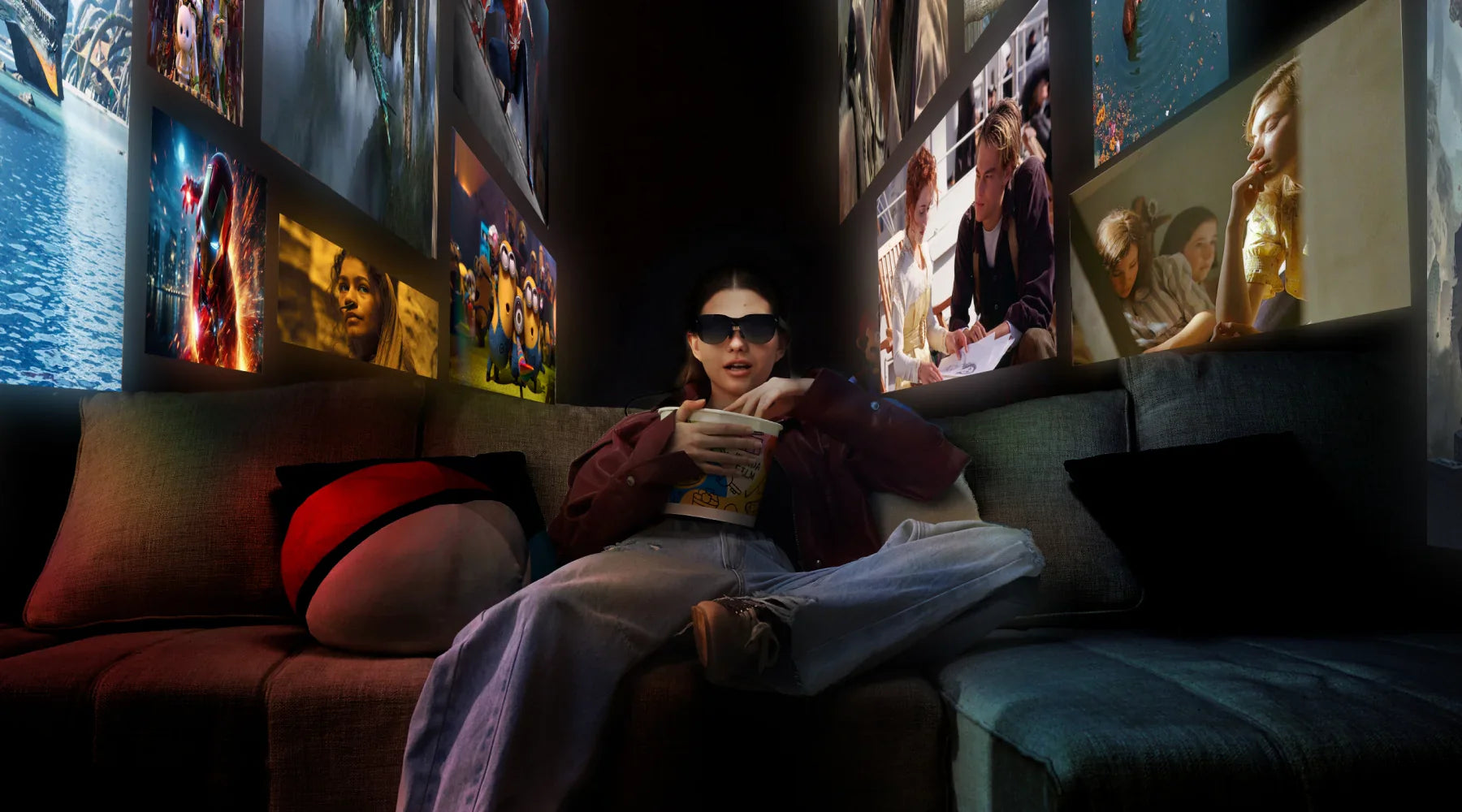

The question "I'm new to AR—what AR glasses should I get?" represents the starting point for millions curious about augmented reality but uncertain how to navigate unfamiliar terminology, price points, and capability claims. For AR beginners, the challenge extends beyond product selection to understanding what AR glasses actually do, setting realistic expectations, and identifying which features matter versus marketing specifications providing limited practical value.
This guide addresses fundamental questions: What can AR glasses realistically do? How do models serve different purposes? What mistakes do beginners make? How can newcomers make informed decisions leading to satisfaction rather than disappointment?
AR glasses fundamentally serve as wearable displays that present digital information in your field of view while allowing you to see the real world around you. Unlike virtual reality headsets that completely replace your vision with digital environments, AR glasses overlay digital content on your normal vision—text, images, videos, or interactive elements that appear to float in space.
The "augmented reality" label sometimes creates inflated expectations. Current consumer AR glasses excel at specific applications: displaying content for personal viewing, providing hands-free access to information, extending smartphone or computer screens into larger virtual displays, and enabling audio playback while maintaining environmental awareness. They work best when viewed as specialized display and audio devices rather than futuristic devices that fundamentally transform how you perceive reality.
For beginners, think of AR glasses along a spectrum from simple display glasses to interactive AR systems. Display-focused AR glasses primarily show content—movies, documents, presentations—functioning as wearable monitors. Interaction-focused AR glasses add sensors and cameras enabling responding to your environment—translating text you look at or overlaying navigation directions. Understanding where models fall on this spectrum helps match devices to realistic use cases.
Beginners often encounter AR glasses expecting experiences from concept videos or science fiction—holographic interfaces manipulated with gestures, seamless integration of digital objects into physical spaces. Current consumer AR glasses deliver more modest but genuinely useful capabilities that improve specific activities.
Display quality differs from phone screens. The virtual screen appears to float at a distance, typically equivalent to viewing a large TV from several feet away. This suits watching videos or reading documents but differs from the pixel-perfect sharpness of phones held close to your face. Field of view represents another calibration area—digital content occupies a portion of your vision, not your entire visual field, like a floating screen rather than content surrounding you.
Battery life requires realistic planning. AR glasses run displays, processors, and wireless connections continuously. Typical battery life ranges 2-4 hours of active use—adequate for commutes or work sessions but requiring charging between extended periods. Think of AR glasses like wireless earbuds needing regular charging rather than expecting all-day operation.
Beginners often focus on technical specs—resolution numbers, processor speeds—without understanding how these translate to actual experiences. A device with impressive specs but poor ergonomics becomes uncomfortable after an hour. High resolution matters less if optics create distortion.
Instead of specification comparison, identify primary intended uses. Want to watch movies during travel? Prioritize display size, battery life, comfort. Need hands-free information during work? Focus on connectivity, text display clarity, all-day wearability. Use case clarity leads to better decisions than chasing specification numbers.
New users sometimes anticipate immediate dramatic improvements, then feel disappointed when initial experiences involve learning new interaction patterns. Like any technology, AR glasses require an adoption period discovering which applications genuinely benefit and which work better with familiar tools. Realistic adoption involves experimenting across scenarios rather than forcing use everywhere.
Display quality attracts initial attention, but comfort determines whether AR glasses become regular-use devices. Glasses causing pressure points after 30 minutes won't get used regardless of capabilities. Beginners should prioritize: weight under 80 grams, adjustable fit, balanced weight distribution, and prescription lens support if needed.
AR glasses connect to phones, computers, and services. Beginners sometimes purchase without verifying compatibility. Check compatibility with your devices before purchasing—verify the glasses support your phone's operating system, connect to your computer's ports, and work with streaming services you use.
Two primary metrics matter: apparent screen size and resolution. Screen size expresses as equivalent TV size—"135-inch equivalent" means it appears like viewing a 135-inch TV from appropriate distance. Larger sizes suit entertainment; smaller work for reference. Resolution affects text clarity—higher resolution enables comfortable reading of documents, while lower suffices for video content.
Many AR glasses include integrated audio, eliminating separate headphones. Audio quality matters for entertainment, but basic implementations suffice for notifications. Open-ear designs allow hearing your environment—valuable for safety but less immersive than sealed headphones. Understand this trade-off when deciding if integrated audio meets your needs.
USB-C provides straightforward connection for beginners, working with modern devices through standard cables. Wireless offers flexibility but may require pairing processes. Beginners comfortable with Bluetooth will adapt quickly to wireless AR glasses; those preferring simplicity might choose wired connections.
Glasses under 80 grams enable comfortable multi-hour wear. Heavier devices cause fatigue or headaches. Adjustability matters—nose pads with multiple positions, adjustable temples, and flexible frames accommodate facial structure variations. Those with prescription glasses should verify prescription lens compatibility.
RayNeo products demonstrate how thoughtful design addresses newcomer concerns while providing genuine capability. Both the Air 4 Pro and X3 Pro offer beginner-friendly approaches optimized for different priorities.
The Air 4 Pro provides accessible entry for beginners prioritizing content consumption—watching movies, viewing photos, reading articles, or playing games. The straightforward value makes it easy to understand: a wearable display providing a 135-inch equivalent viewing experience you can use anywhere.
Plug-and-play USB-C connection eliminates complex setup intimidating technology beginners. Connect glasses to your phone, tablet, or computer, and they immediately function as external display without driver downloads or configuration wizards. This simplicity removes beginner frustration, enabling immediate use rather than troubleshooting.
Display technology delivers beginner-friendly quality. Micro-OLED provides 1920x1080 resolution in 2D mode, offering clear text and detailed images. The 120Hz refresh rate ensures smooth motion during video playback. HDR10 support enhances visual quality for compatible content without requiring users to understand technical implementation.
Bang & Olufsen co-engineered audio provides quality sound without separate headphones. Beginners appreciate integrated convenience—put on glasses and immediately receive both visual and audio content without juggling multiple devices. Whisper mode suits quiet environments; surround mode enhances entertainment immersion, giving beginners simple controls for different contexts.
The 76-gram weight enables comfortable extended wear during typical beginner usage—watching movies during flights, viewing content during commutes, or entertainment at home. Beginners often underestimate how quickly heavier devices cause discomfort.
The straightforward entertainment focus helps beginners avoid feature complexity. Rather than numerous advanced capabilities requiring learning, the Air 4 Pro does a few things well—displays content clearly, provides good audio, remains comfortable, connects easily. This focused simplicity supports positive first experiences.

Air 4 Pro Beginner-Friendly Features:
| Aspect | Beginner Benefit |
|---|---|
| Connection | USB-C plug-and-play, no setup complexity |
| Primary Use | Clear purpose: content viewing and entertainment |
| Display | 135-inch equivalent, 1920x1080 clear viewing |
| Audio | Integrated B&O speakers, no separate headphones |
| Weight | 76g comfortable for extended wear |
| Complexity | Simple entertainment focus, not overwhelming |
| Price | $299 accessible entry point |
| Learning Curve | Minimal—works like external display |
The X3 Pro offers beginners interested in exploring AR capabilities beyond simple viewing. The translation functionality demonstrates practical AR—looking at foreign text and seeing translations overlaid, or hearing foreign language with translated subtitles. These tangible capabilities help beginners understand AR's potential beyond passive viewing.
Connectivity flexibility—both wired USB-C and wireless WiFi 6—lets beginners choose their preferred approach. Those wanting simplicity use wired connections avoiding pairing complexity. Those valuing mobility learn wireless setup, with the option to fall back to wired if encountering difficulties. This accommodates different beginner comfort levels.
The 43-inch display size suits productivity and reference applications. Beginners using AR glasses for navigation, translation, or information reference benefit from size being large enough for clear viewing but compact enough to not dominate their entire field of view, maintaining environmental awareness.
Translation across 14 languages provides immediate practical value for beginners traveling internationally or working across language boundaries. Rather than abstract AR concepts, translation offers concrete utility—point glasses at foreign text and see translation. This tangible benefit helps beginners understand value through direct experience.
The 4-hour battery with fast charging accommodates beginner usage patterns. New users typically engage in sessions rather than all-day continuous use, making 4-hour capacity sufficient. The 38-minute fast charging allows quick top-ups between sessions, reducing battery anxiety common for beginners adopting battery-powered devices.
Prescription lens support proves essential for beginners who wear corrective eyewear. Rather than choosing between clear vision and AR functionality, prescription compatibility enables comfortable usage, expanding the potential beginner audience.
X3 Pro Beginner-Friendly Features:
| Aspect | Beginner Benefit |
|---|---|
| Connection | Flexible wired + wireless options |
| Practical Feature | 14-language translation with immediate value |
| Display | 43-inch size balancing clarity and awareness |
| Battery | 4h use + fast charging reduces anxiety |
| Weight | 76g comfortable extended wear |
| Vision Support | Prescription lens compatibility |
| Use Cases | Multiple clear applications to explore |
| Price | $1,299 for advanced features |
Beginners should select based on primary intended usage. If your main interest involves entertainment—watching movies, viewing photos, or consuming media during travel—the Air 4 Pro's large display, quality audio, and simple entertainment focus provide an excellent introduction. The lower price point reduces financial risk for first-time buyers.
If you're interested in AR's utility beyond entertainment—translation during travel, hands-free information access, or productivity applications—the X3 Pro demonstrates more of AR's potential capabilities. The translation feature alone justifies the device for frequent international travelers, while the balanced feature set lets beginners explore multiple AR applications.
Both models avoid overwhelming beginners with excessive complexity while providing genuine capability in their focus areas. Neither requires extensive technical knowledge, both connect simply to existing devices, and each delivers on clear value propositions beginners can evaluate before purchase.
RayNeo, initially incubated within TCL, develops AR glasses designed for everyday integration. With full in-house R&D and manufacturing capabilities for optical systems, the company leverages 25+ years of optical expertise from its TCL heritage. Products are available in over 70 countries. Visit www.rayneo.com for more information.
Q: What should I realistically expect from my first AR glasses?
Current AR glasses excel at displaying content (movies, documents) and overlaying information on your vision while you see the real world—not holographic interfaces from sci-fi movies. Expect a virtual screen appearing to float at a distance (like viewing a large TV), battery life of 2-4 hours active use requiring regular charging like wireless earbuds, and displays occupying part of your vision rather than surrounding you completely. They work best as wearable displays for entertainment, navigation, or hands-free information access—genuine utility that improves specific activities rather than transforming all of reality.
Q: What's the most important factor for comfortable first-time AR glasses use?
Weight under 80 grams with balanced distribution (45-55% front-to-rear) is critical. Traditional eyeglasses weigh 20-30 grams; quality AR glasses like RayNeo's 76-gram models stay within the comfortable threshold. Above 80 grams, most users experience discomfort during extended wear regardless of features. Also prioritize adjustable nose pads and temple arms for personalized fit. Comfort determines whether AR glasses become regular-use devices or remain in a drawer—impressive specs don't matter if you can't wear them comfortably for 30+ minutes.
Q: Should beginners choose AR glasses based on entertainment or productivity features?
Choose based on your primary intended use, not hypothetical scenarios. If you mainly want to watch movies during travel or at home, prioritize entertainment-focused models like RayNeo Air 4 Pro ($299) with large displays (135-inch equivalent), quality audio, and simple plug-and-play operation. If you need translation during international travel or hands-free work information, consider feature-rich models like X3 Pro ($1,299) with 14-language translation and productivity tools. Starting with clear, focused use cases leads to satisfaction; trying to use AR glasses for everything often leads to disappointment. Beginners benefit most from devices doing a few things excellently rather than many things adequately.
AR glasses for beginners have evolved where newcomers can enter with confidence. Success requires setting realistic expectations, choosing devices matching intended uses rather than chasing specifications, and prioritizing comfort and compatibility alongside features.
For beginners: focus on straightforward value propositions you can evaluate, prioritize plug-and-play simplicity, verify compatibility with existing devices, and choose based on actual planned uses. The technology has matured sufficiently that beginners can invest with reasonable confidence in working as expected and providing genuine value for specific applications.







Share:
AI-Powered Smart Glasses: What Artificial Intelligence Actually Does for You
Are AR Glasses Worth It in 2026? A Practical Cost-Benefit Analysis