

$429.00

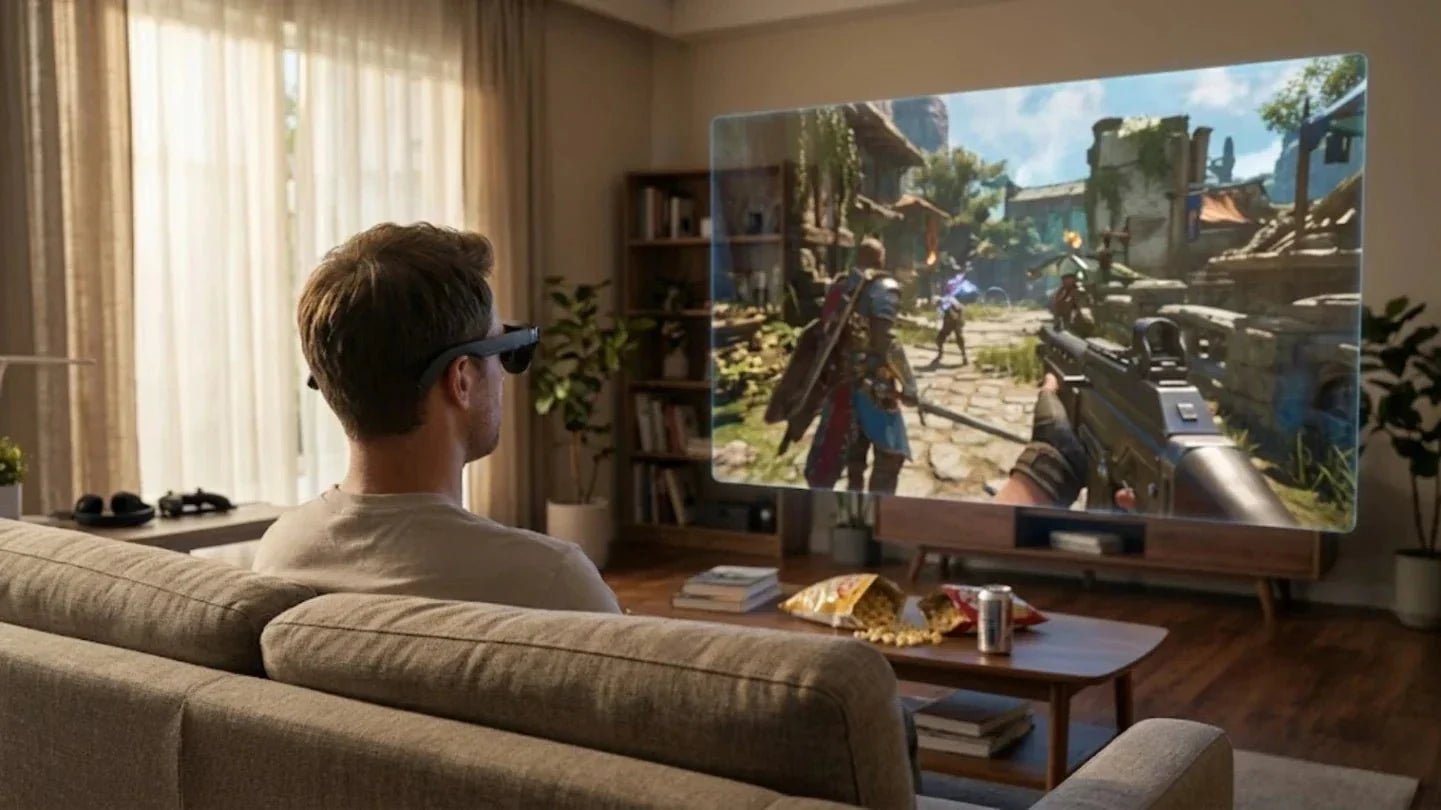
Over the past two years, the combination of lightweight AR glasses and handheld consoles has matured for long-term use. More players are exploring the solution of pairing a handheld console with AR glasses. The current generation of lightweight AR glasses, when paired with handhelds or portable consoles, can provide a virtual screen effect of 100 to 200 inches. Refresh rates and latency are now good enough to meet the demands of most action and racing games.
In this article, we will focus on the core scenario of handheld consoles meeting AR glasses. We will break down the technical principles, experience advantages, key performance points, and actual setup plans. Our goal is to help you build the ultimate portable gaming setup for your travels and daily life.
As wearable displays and handheld performance evolve together, the portable gaming setup has shifted. It is no longer just about the performance of a single device. Instead, the focus has moved toward a system experience where multiple devices work in sync.
In the era of traditional handhelds, screen sizes usually range from 5 to 8 inches. Resolution and brightness are limited by power consumption and the weight of the device. In bright environments, like outdoors or by a plane window, many players crank the brightness to the max and still find the image washed out or the text blurry. Based on our community observations over the last two years, many people have tried to solve this by connecting a Switch or Steam Deck to hotel TVs or monitors. However, this immediately sacrifices portability and privacy.
The addition of AR glasses changes everything. The core shift is moving the handheld output from a small built-in screen to a head-worn display. Using waveguide or Micro OLED technology, these glasses simulate a massive 100 to 200 inch screen at a 6-meter viewing distance. This allows the handheld device to focus solely on computing and input, no longer constrained by physical display size.
Hybrid gaming is essentially about letting handheld performance, cloud resources, and personal terminals collaborate. On the same AR big screen, players can play local games or seamlessly switch to cloud gaming and PC streaming. By researching feedback from Reddit and YouTube users, we found that common hybrid scenarios include playing indie games locally on a handheld while on a train, then mirroring a laptop through AR glasses at a hotel to continue a cloud-based AAA title.
In this hybrid workflow, AR glasses become the universal display terminal. The handheld only needs to output via USB-C or wireless casting. The player perceives a persistent, personal virtual screen rather than the switching of multiple devices. During our tests, we intentionally switched between a Steam Deck, ROG Ally, and mobile cloud gaming while keeping the visual focus on the AR screen. Users reported that the sense of disconnection was significantly lower, making it easier to stay immersed in the game content itself.
From a technical architecture standpoint, the convergence of handhelds and AR glasses is moving in two directions. Handhelds are continuously enhancing video output capabilities, including support for 1080p 60Hz or higher specifications via DisplayPort Alt Mode. Meanwhile, AR glasses are constantly optimizing input latency and refresh rates while providing AI assistance and image enhancement through built-in processors.

An ideal portable gaming setup should have three traits: easy to store, easy to start, and easy to stick with. Once you understand the principles and specs, the real key is how to build a setup for long-term use based on your current gear and budget. Below is the complete path covering handheld selection, AR glasses pairing, accessory optimization, and scenario-based use.
When picking a handheld, prioritize output capability and system openness. Balance other performance specs based on your game preferences. Handhelds with USB-C DP Alt Mode offer the most seamless experience with AR glasses. A single cable can provide 1080p output at 60Hz or higher. For users focused on indie titles and exclusives, the Switch or its successor remains a proven path. For those who prefer AAA titles and PC games, the Steam Deck or Windows handhelds are better signal sources for a large AR screen.
Community feedback shows that storage capacity and thermal design significantly impact long-term use. High-quality games are massive. A capacity of 512GB or more reduces the need for frequent uninstalls. Better airflow and fan control keep noise levels acceptable in quiet rooms or plane cabins. When we evaluate if a handheld fits an AR setup, we always test noise levels and temperature under heavy loads.
For the specific case of portable gaming, evaluating high-performance gaming-glasses requires focusing on screen specs, audio, weight, and fit. Current generation models feature 0.6-inch Micro OLED panels, 120Hz refresh rates, and 1200 nits of brightness with HDR10 support. These specs ensure clarity and dynamic range in both dark and bright environments. Additionally, high-frequency PWM dimming and multiple brightness levels help during long gaming sessions.
We found that users who switch between PC streaming at home, direct handheld connections on the go, and watching movies during travel benefit from dedicated image processing chips. Products with Vision 4000-level processing offer SDR-to-HDR upgrades and 2D-to-3D conversion. This provides consistent image quality and compatibility. In these scenarios, glasses like the 2026 best AR glasses RayNeo Air 4 Pro, which features 120Hz, HDR10, 1200 nits, and quad speakers, can cover both gaming and cinema needs in one device.
Small details often determine the quality of the experience. We usually prepare a few key items for a portable gaming setup:
USB-C to USB-C Cable: Use a high-quality cable under 1 meter to reduce drag. It must support video output and power delivery.
GaN Charger: A compact charger for fast power.
High-Capacity Power Bank: This ensures the handheld and AR glasses have enough power during long trips.
On the software side, use these steps to optimize your setup:
Resolution: Fix the output to 1080p on the handheld or PC. Turn off dynamic resolution scaling to reduce blur and flickering.
Screen Adjustment: Use the control app for the glasses to adjust virtual screen size and distance. Find a balance that feels immersive without straining your eyes.
Connection: Prioritize wired connections. For cloud gaming, use a stable network. Avoid streaming competitive games on public Wi-Fi.
To make a handheld console and AR glasses combo truly seamless, you must balance resolution, refresh rate, system latency, battery life, and heat. We have summarized the most sensitive technical points for players below.
The match between handheld output and AR glasses display directly determines image stability. Most mainstream AR glasses support 1080p or higher. Some models use pixel resampling on 0.6-inch Micro OLED panels to output at 120Hz.
For FPS and racing fans, a 120Hz AR display offers smoother visuals and less ghosting. However, the handheld must be able to output high frame rates consistently. If the game only runs at 40 to 60 FPS, chasing a 120Hz output has limited value. A better strategy is to lock the handheld frame rate and use the high refresh rate and image enhancement of the glasses for a smooth experience.
|
Metric |
Impact on Experience |
Recommended Strategy |
|
Resolution |
Image clarity and detail |
Match native 1080p output |
|
Refresh Rate |
Motion smoothness and ghosting |
Match handheld performance to avoid stutter |
|
Panel Type |
Contrast and color depth |
Prioritize Micro OLED for deep blacks |
Latency is often more critical than image quality for action and competitive games. Wired connections via USB-C or HDMI keep display link latency extremely low. Most players will not notice any lag between their actions and the screen at 60Hz. Conversely, wireless casting or streaming is prone to lag from network fluctuations, especially in subways or on public Wi-Fi.
Input latency consists of local rendering, video encoding, cable transmission, and glasses decoding. When running a Steam Deck at 60 FPS via a short USB-C cable, the subjective delay is nearly the same as looking at the built-in screen. Users with high standards should prioritize glasses with hardware-level video processing chips.
Battery life determines if players actually take this setup out of the house. Handhelds usually have 40 to 60Wh batteries, providing 2 to 3 hours of play under high loads. AR glasses typically rely on efficient SoCs and low-power display engines. With internal capacities around 200 to 300mAh, they can cover a full movie or several gaming sessions on a single charge.
Heat is unavoidable during long sessions. Handheld consoles usually heat up much more than AR glasses. After 90 minutes of continuous play, the back of a handheld can reach 40 degrees Celsius or higher. Since AR glasses have lower power consumption, the temperature rise near the temples is mild. This means players should focus more on handheld cooling and grip comfort during long sessions.
Handheld consoles and AR glasses are not just for travelers.
Commuting: Players get a screen comparable to a living room TV in a limited seat space while remaining aware of their surroundings. This is perfect for RPGs or strategy games.
Travel: Long flights and train rides are the most common times for AR screens. At a hotel, the same glasses can act as a monitor extension for a laptop.
Home Use: If the TV is occupied, this combo creates a private gaming space in a corner of the sofa or bed without disturbing others.
In these settings, AR glasses with HDR10, 120Hz, 1200 nits of brightness, and quad speakers offer the smoothest transitions. They can handle the glare of a cabin or a bright living room while still showing fine details in a dark room at night. For users who want one device for gaming, movies, work, and commuting, choosing a product with these specs makes long-term use much more likely.

A handheld console paired with AR glasses represents a fundamental shift in the portable gaming experience. This is more than a simple combination of two devices. With the right AR glasses, the Steam Deck or ROG Ally in your pocket moves instantly from casual play to a private, giant-screen immersive session. Many players have already proven the value of this setup. Their only regret is not getting it sooner. Your ultimate portable gaming setup is just one step away.







Share:
What Is an Optical Waveguide? A Comprehensive Guide to AR Optics
7 Reasons Why Every Outdoor Enthusiast Needs AI Recording Sports Glasses This Year