What Are the Best Smart Glasses? The Comprehensive 2026 Guide
- by AtlasVane

If you type "best smart glasses" into a search engine, you will get a confusing mix of results: some are just cameras, some are portable monitors, and some are full-blown computers. There is no single "best" because "Smart Glasses" is now an umbrella term for three completely different technologies.
Here is the 2026 definitive verdict based on your primary goal:
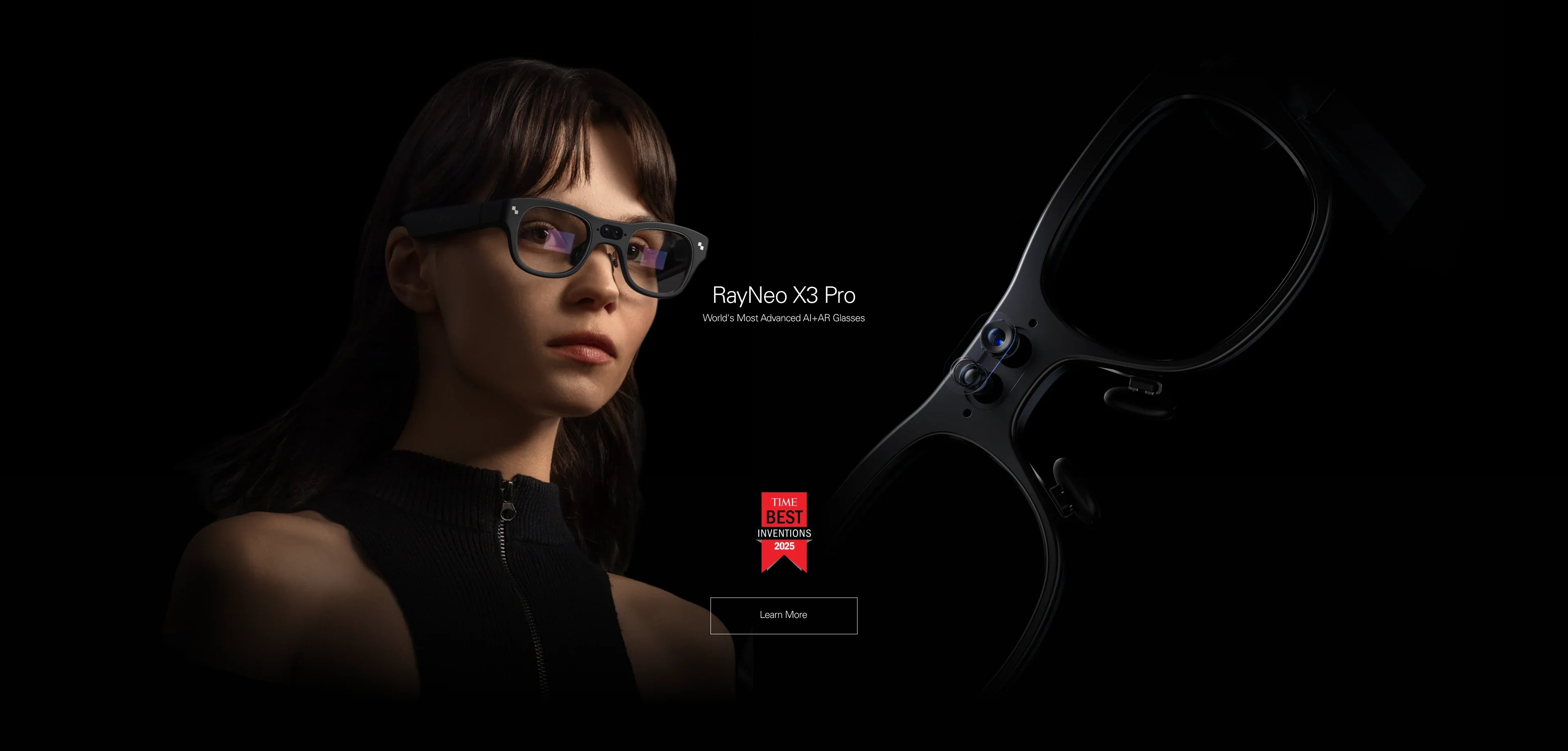
Best for AI & Daily Life (The "Super-Assistant"): RayNeo X3 Pro.
The only wireless, standalone choice that combines a visual display with Gemini AI. Perfect for translation, navigation, and tech enthusiasts.
Best for Gaming & Movies (The "Super-Monitor"): RayNeo Air Series.
The best wired choice for immersion. It turns your Steam Deck or iPhone 15 into a private 201-inch OLED theater.
Best for Social Media (The "Camera-Audio"): Audio Smart Glasses.
The best choice if you don't want a display and just want to capture POV videos for Instagram.
This 20-minute guide will help you understand the landscape, check your device compatibility, and choose the right wearable for your specific needs.

Before you buy, you must understand what you are actually getting. The hardware differences are massive.
What they are: Standalone computers with transparent displays (Waveguide). They overlay digital info onto the real world.
Key Feature: "Augmented Reality." You see arrows on the street, translation subtitles in the air, and notifications floating in your peripheral vision.
Best For: Travelers, Executives, Early Adopters.
What they are: Wearable monitors. They block or dim the real world to show you a giant virtual screen. They have no internal brain; they mirror your phone/console.
Key Feature: "Immersion." 1080p OLED visuals, infinite contrast, zero latency.
Best For: Gamers (Steam Deck/Switch), Movie Buffs, Commuters.
What they are: Bluetooth headphones with cameras. They have NO display. You cannot see anything.
Key Feature: "Style." They look like normal sunglasses and focus on audio assistants and capturing photos.
Best For: Social Media Creators, Drivers, Minimalists.
The "Best" glasses are useless if they don't fit your digital life. Let's run a quick compatibility diagnostic.
iPhone 15 / 16: You are in the golden era.
For RayNeo Air Series: Plug-and-play via USB-C. Instant huge screen.
For RayNeo X3 Pro: Wireless pairing via the RayNeo App. Seamless data connection.
iPhone 14 & Older:
For Air Series: ✖ Difficult. Requires the Pocket TV adapter because Lightning ports can't do video.
For X3 Pro: ✔ Works Great. Since it connects via Bluetooth/Wi-Fi, your old charging port doesn't matter.
Android (Samsung/Pixel):
Samsung (S21+): Perfect for both. Supports "DeX" for Air glasses (desktop mode).
Pixel (6/7): Incompatible with wired Air glasses (hardware locked). Perfect for wireless X3 Pro.
Steam Deck / ROG Ally: The RayNeo Air Series is the undisputed king here. It acts as a direct cable replacement for your TV. The X3 Pro is not designed for gaming; its screen is optimized for information, not immersion.
Nintendo Switch: Requires the JoyDock accessory for the Air Series to handle the Switch's unique power requirements.
Depending on which path you choose, the setup process is drastically different.
Charge: Use the proprietary magnetic cable. The LED indicator will turn green when full.
App Installation: Download the "RayNeo App" from the App Store or Google Play. Create a RayNeo account.
Pairing: Hold the temple button to enter pairing mode. The app will detect the glasses via Bluetooth.
Wi-Fi Handoff: This is critical. You must enter your Wi-Fi password in the app to send it to the glasses. Without Wi-Fi, the advanced AI translation features won't work.
Identify Cable: The "L-shaped" USB-C end goes into the glasses (Right Temple). The straight end goes into your device.
Plug In: Connect to your phone. The phone screen should blink and then appear inside the glasses.
Audio Switch: If sound still comes from the phone, go to Control Center -> Audio Output -> Select "RayNeo Air".
Nose Pad Calibration: If the top of the screen is cut off, switch to the Small nose pad. If the bottom is blurry, switch to Large.
Let's look at the three top contenders in 2026 across key performance metrics.
The Traveler: RayNeo X3 Pro wins. Seeing a translated menu overlay or a navigation arrow is infinitely more useful in a foreign country than just audio cues.
The Gamer: RayNeo Air Series wins. Neither of the AI glasses can play Cyberpunk 2077 at 120Hz on a giant screen.

Why do we call the X3 Pro the "True Smart" choice? Because it pushes the boundaries of physics.
Unlike early AR style monocles that sat in one corner, the X3 Pro is binocular (both eyes). This allows for 3D depth. The waveguide technology means the lens is 85% transparent. You can look people in the eye while reading a text message floating next to their head.
The integration with Google's Gemini model allows for "Multimodal" interaction.
Example: You are cooking. You look at a pile of ingredients. You ask, "What can I make with this?" The camera identifies the tomato, basil, and pasta, and the AI displays a recipe for Marinara sauce right in front of you. Hands-free.
Despite being a computer, it is designed to be discreet. The speakers are directional (audio leakage is minimal), and the display automatically dims when you are talking to someone to help you focus on the conversation.
We believe in "Responsible Innovation." Here is the truth about living with this tech.
The Reality: The X3 Pro weighs around 80g. This is heavier than normal prescription glasses (~20g) or the Air Series (~76g).
The Advice: You will feel it on your nose bridge after 2 hours. It is designed for "burst usage" (navigation, meetings, short interactions), not for wearing 8 hours straight like regular spectacles.
The Reality: AI processing generates heat. When recording 4K video or doing continuous translation, the temples will get warm.
The Safety: It stays within safe skin-contact limits, but if you are in a very hot climate (35°C+), the device may throttle performance to stay cool.
The Reality: Some users experience disorientation when "AR elements" (like text) move while their head is still, or vice versa.
The Fix: The X3 Pro uses SLAM (Simultaneous Localization and Mapping) to "pin" virtual objects to the real world. This stability significantly reduces motion sickness compared to cheaper non-SLAM headsets.
A: Yes. Do not wear them over your glasses. It is uncomfortable and ruins the optical alignment. Both the X3 Pro and Air Series support Magnetic Prescription Inserts. You attach these customized lenses to the inside of the frame. Get Prescription Inserts Here.
A: Technically, yes, but you shouldn't buy it for that. The screen is optimized for transparency and high brightness (information), not for cinematic contrast (movies). For Netflix, the RayNeo Air Series (OLED) is vastly superior.
A: It is IP-rated for water resistance (sweat and light rain), but it is not waterproof. Do not swim with them.
A: Yes, for basic functions like taking photos or listening to cached music. However, for AI Translation and Navigation, it needs a data connection (tethered to your phone's hotspot or Wi-Fi).
Smart glasses are an investment. Choose the one that solves your biggest daily annoyance.
If you want a superpower that lets you understand any language and never get lost:
→ Shop RayNeo X3 Pro (Best AI Glass)
If you want a superpower that turns your phone into a home theater:
→ Shop RayNeo Air Series (Best Display Glass)
Not sure if your Android phone works with the Air Series? Check our database.
Share:
What Are the Best Translation Glasses? The 2026 Guide to Breaking Language Barriers
What Smart Glasses Are Good for Navigation? The 2026 HUD Guide