
Table of Contents
Cloud gaming anywhere sounds like a slogan. However, in our testing, we found that AR display glasses have matured enough to make it a reality. You can now get a cloud gaming experience close to that of a high-end monitor while on the subway, in a cafe, or in a hotel during a business trip. In this article, we will break down the current pain points and key technical metrics of the Cloud Gaming Anywhere system. We will also compare it to other portable devices and provide buying and optimization advice to help you enjoy high-quality mobile gaming with less bulk.
What Is Cloud Gaming
The global cloud gaming market size was approximately 15.7 billion dollars in 2025. It is expected to reach about 23.79 billion dollars by 2026, with a compound annual growth rate near 27%. We clearly see this trend in feedback from power users. More players are spending less on expensive gaming laptops and consoles. Instead, they are putting their budgets into better network environments and display terminals, hoping to access high-spec cloud games through thinner and lighter devices.
Simply put, cloud gaming moves the game itself and the processing from a local device to a remote data center. A cloud GPU handles the rendering. It then streams compressed audio and video to your terminal, which sends your button, touch, or gesture commands back to the server. This way, the local device only needs to handle decoding and input, significantly lowering performance requirements.
Regarding the actual experience, we need to focus on three core parameters. The first is end-to-end latency. This is the total time from pressing a button to seeing the result on screen. It includes network round-trip time, cloud rendering time, and local decoding time. Generally, action or competitive games need to stay within the 60 millisecond range to avoid noticeable lag. The second is a stable bitrate. If the cloud video stream outputs steadily between 20 and 40 Mbps with efficient codecs, details at 4K or 2K resolutions and HDR lighting can truly shine. The third is jitter and packet loss control. Even if nominal bandwidth is high, excessive latency jitter will immediately ruin the cloud gaming experience. This is especially critical in wireless network environments.

The Rise of AR Display Glasses in Gaming
Cloud gaming has already lowered the hardware entry barrier. Now, the real bottlenecks affecting the experience are shifting from computing power to display quality and ergonomics. Traditional portable solutions, like gaming laptops or tablets, always require a compromise between screen size and portability. Additionally, looking up or down for extended periods causes noticeable fatigue. The rise of AR display glasses offers a new solution to this specific problem.
Overview of AR Display Glasses
AR display glasses generally fall into two categories. The first is the distinction between display focused and spatial computing devices. Display focused models project a large screen and emphasize Micro OLED or MicroLED panels, brightness, and refresh rates. Spatial computing models add features like spatial positioning, gesture tracking, and multi-window operations. For most cloud gaming users, a large virtual screen, clear image quality, and low latency are the core requirements. This is why display focused models currently have higher sales volume.
Regarding hardware specs, we focus on panel type, peak brightness, color standards, refresh rate, and optical solutions. For example, glasses using dual 0.6-inch Micro OLED panels with a 120Hz refresh rate significantly reduce ghosting and motion blur during fast movement. Solutions with average brightness above several hundred nits and peak brightness reaching thousands of nits remain visible in complex lighting, such as subways or near windows. Optical designs like waveguides or freeform prisms determine image clarity and whether there is edge distortion or color fringing. These issues become more noticeable during long play sessions.
To make this easier to understand, here is a simplified comparison of high-end AR display glasses against traditional laptops and handhelds.
|
Device Form |
Core Display Tech |
Typical Refresh Rate |
Field of View (FOV) |
Virtual Screen Experience |
|
High-end AR display glasses |
Micro OLED or MicroLED |
90–120 Hz [mexc] |
Around 30° [notebookcheck] |
Approx. 100–200 inch equivalent [mexc] |
|
Gaming Laptop |
IPS or OLED Panel |
120–240 Hz |
Fixed View |
15–18 inch physical screen |
|
Handheld or Tablet |
LCD or OLED |
60–120 Hz |
Fixed View |
7–10 inch physical screen |
Features That Enhance Gaming Experiences
Three main features matter most for the gaming experience. First is the high refresh rate and low ghosting. In actual gameplay, 120Hz display paired with effective motion compensation makes action and racing games smoother. There is no obvious tearing when turning your head quickly. Second is high dynamic range and high contrast. Micro OLED pixel-level light control provides deep blacks. Combined with HDR10 standards, shadow details and highlight transitions look more natural. In compressed cloud gaming environments, better display quality compensates for bitrate loss.
The third dimension is audio and interaction. Well-tuned integrated open-ear speakers provide a sufficient soundstage without blocking ambient noise. This is critical for commuters who need to stay aware of their surroundings. Additionally, some AR glasses support controllers, touchpads, or even voice control when connected to consoles or handhelds. This turns the device from a passive display into an active gaming interface.
Benefits Over Traditional Portable Gaming Devices
We often hear about three main pain points. The first is portability. Many players own high-end desktops or consoles but cannot carry them while commuting or traveling. Gaming laptops are often too heavy, noisy, and have poor battery life. The second is visibility. Handheld and phone screens are between 7 and 8 inches. Fonts and UI elements are tiny, which causes eye strain over time. The third is posture. Players must stay in a fixed position at a desk, which puts significant strain on the spine and neck.
Virtual screens equivalent to over 100 inches make UI elements easier to read. With proper diopter compensation, subjective fatigue after two hours of play is lower than with traditional handhelds. Most importantly, players can adjust their posture freely on a sofa, bed, or airplane seat. This significantly reduces physical stress caused by fixed sitting positions.
How AR Glasses Improve Cloud Gaming
Cloud gaming and AR display glasses complement each other perfectly. Cloud gaming handles computing and content distribution. AR glasses address display and ergonomics. This combination determines if Cloud Gaming Anywhere is actually viable.
Immersive Visual Experience
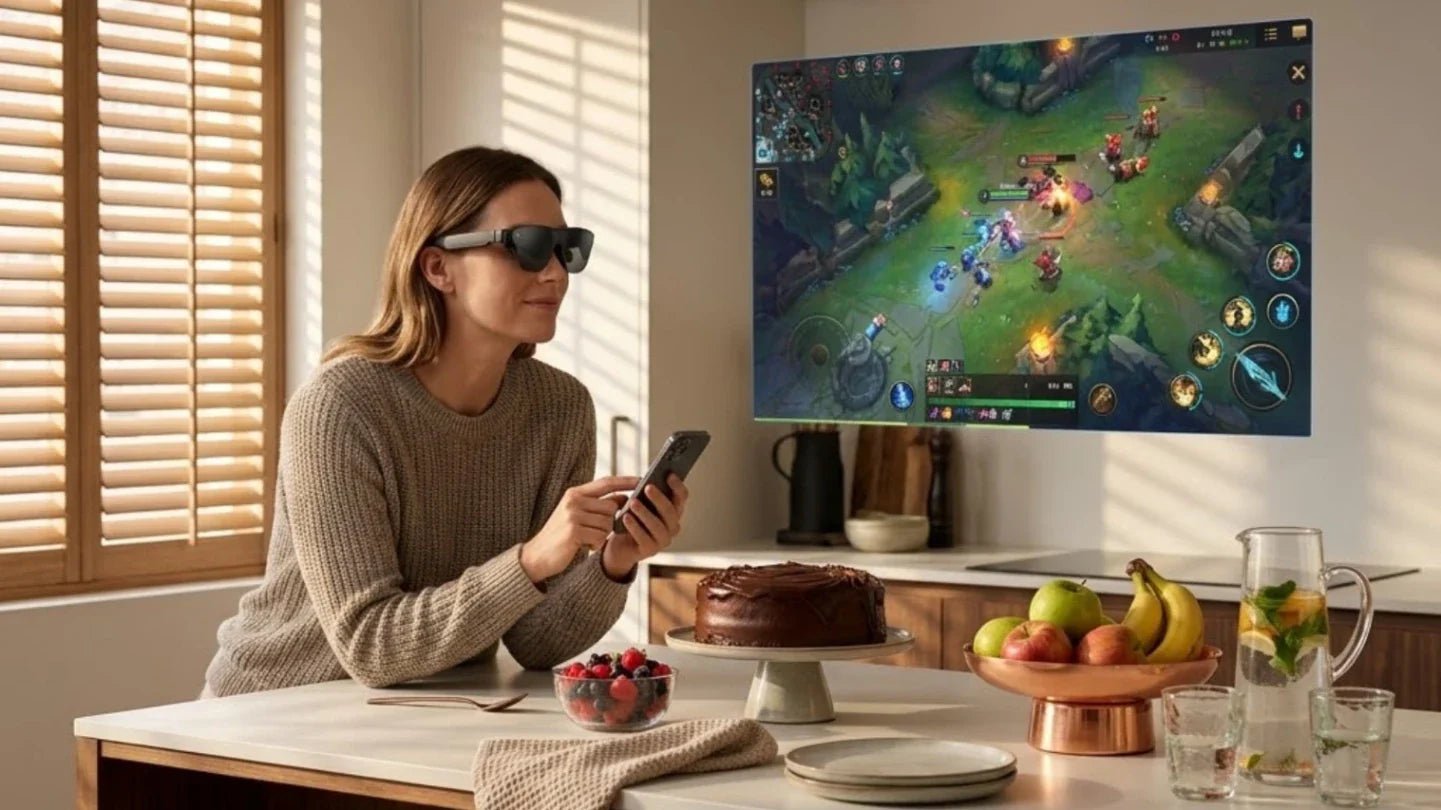
Cloud gaming setups focus first on immersion. AR display glasses simulate a virtual screen covering most of the visual field. While the actual FOV is around 30 degrees, the right virtual distance and layout create a 100 to 200 inch experience. This gives players a big screen feeling in tight spaces like subways or bedrooms. High contrast and HDR capabilities preserve lighting effects from the cloud. Even with some bitrate compression, the image does not look gray or washed out.
In Soulslike or shooter games, spotting enemies in shadows or distant light sources is vital. Glasses like the RayNeo Air 4 Pro AR glasses support HDR10 and AI HDR enhancement. They can remap the cloud video stream in real time on the device side. This improves shadow detail and highlight layers while reducing black blocks or overexposure. With 120Hz refresh rates and high-quality motion compensation, players can track targets more accurately. This is crucial for competitive cloud gaming.
On the same cloud gaming platform, players using high-contrast AR glasses are much better at identifying enemies in the dark compared to those using standard laptop screens. The subjective experience is much closer to a console connected to a TV.

Hands-Free and Portable Gameplay
The difference between playable and enjoyable cloud gaming often comes down to weight and posture. Holding a handheld or looking down at a laptop for a long time puts heavy pressure on the neck and shoulders. In cramped spaces like planes or trains, it is hard to find a comfortable position. AR display glasses are naturally a hands-free big screen solution. Pair them with a lightweight console or cloud gaming terminal, and you can relax your body on a sofa, bed, or seat.
Regarding portability, glasses weighing less than 100 grams and a small console weighing a few hundred grams fit easily into a bag. The difference is clear compared to a gaming laptop setup that weighs two or three kilograms. More importantly, you do not need desk space for a monitor. In hotels, shared offices, or cafes, a small table or armrest is enough. Just lift your head to enjoy a private big screen without disturbing others.
Low Latency and Streaming Optimization
Latency in cloud gaming typically comes from three areas:
|
Latency Stage |
Description |
|
Network Round Trip |
Input to display time over the internet |
|
Cloud Rendering |
Server-side rendering and encoding time |
|
Local Terminal |
Device-side decoding and display time |
AR display glasses primarily affect the third part. Poor display links or decoding can make latency feel worse. Glasses that support high refresh rates, low-latency display links, and efficient hardware decoding significantly reduce the feeling that the screen is lagging behind your hands.
Some devices with dedicated vision processing chips can optimize the incoming video stream in real time. This includes frame interpolation, noise reduction, and local contrast enhancement. These features reduce artifacts and avoid an over-sharpened video look, making cloud gaming visuals feel more like local rendering.
Comparing AR Glasses to Other Portable Gaming Options
Many players weigh their options between gaming laptops, handhelds, tablets, and AR display glasses.
Gaming Laptops vs AR Glasses
The main advantage of a gaming laptop is local computing power. It is not sensitive to network jitter, and the integrated keyboard, touchpad, and large screen offer a complete experience at a desk. However, users frequently point to size and weight as major drawbacks. A machine weighing over two kilograms plus its power adapter is not friendly for daily commutes or short trips. Noise and heat also degrade the gaming experience in public. Furthermore, sitting in front of a desk for long periods puts increasing strain on the neck and eyes.
AR display glasses act more as a display enhancement for thin-and-light laptops or handhelds. You can offload the computing to a cloud server or use a moderately powerful ultrabook to project the image to the glasses via USB-C or wireless streaming. In this setup, total weight and heat are significantly reduced. You also gain an immersive big-screen experience similar to a high-end monitor. The only catch is the network. If you rely entirely on cloud gaming, the network becomes the new bottleneck, requiring a stable Wi-Fi or 5G connection. We provide specific optimization tips later in this guide.
Handheld Consoles vs AR Glasses
Handhelds and portable consoles are among the fastest-growing categories in the gaming market. Real users have a strong desire to play in bed or stay entertained while waiting in line. However, handheld screen size and resolution are limited by the device body. In games with complex UI or heavy text, fonts can be too small to read. Screen glare also affects visibility in direct sunlight or strong backlighting. Holding the device for long periods also strains the wrists and forearms.
AR display glasses function as an amplifier here. With a single cable or a light adapter, the handheld screen expands into a virtual display of about 100 inches. The UI is enlarged, making details easier to see. This is especially helpful for information-heavy games where players would otherwise struggle to read small text. However, this combo has its own downsides. You must carry an extra device, and you need to be mindful of your posture and safety in public spaces.
Advantages and Limitations
AR display glasses do not simply replace existing devices. Instead, they redistribute the focus between computing power, display, and ergonomics.
Core Advantages:
-
Enhanced Immersion: Provides a big-screen experience far beyond traditional portables.
-
Reduced Load: Significantly lowers the total weight for the user.
-
Posture Freedom: Allows players to adjust their position freely while playing.
-
Value Multiplier: Increases the utility of consoles, handhelds, and laptops you already own.
Current Limitations:
-
Comfort Needs: Long-term wear requires proper nose pad design, weight distribution, and temple grip.
-
Adjustment Period: Some users, especially those sensitive to head-worn gear or with vestibular issues, may take longer to adapt.
-
Social Awareness: Since AR glasses fade out the surrounding environment, users must stay aware of safety and etiquette in public. We aim for a balance between immersion and safety in our recommendations.
Choosing the Best AR Glasses for Cloud Gaming
When selecting AR glasses for cloud gaming, do not just look for new features. Focus on these key technical metrics to make Cloud Gaming Anywhere practical.
Display Quality and Refresh Rate
Focus on these three display parameters for the best experience:
-
Panel Type and Resolution: High-quality Micro OLED panels offer superior contrast, black levels, and response times. This is vital for the high dynamic quality cloud gaming requires.
-
Brightness and HDR: Look for average brightness above several hundred nits and peak brightness in the thousands. HDR10 certification ensures that lighting effects from the cloud are rendered accurately.
-
Refresh Rate: We recommend models supporting 90 Hz or 120 Hz. For fans of action, racing, or shooters, a higher refresh rate reduces ghosting and stutter. While cloud gaming is limited by server output, a high refresh rate improves input latency and motion clarity.
Battery Life and Comfort
Comfort is often underrated in cloud gaming. Since the glasses do not handle heavy local computing, the battery mainly powers the display and sensors. Battery life usually covers two to three movies or several game sessions. The real limit is weight distribution and fit.
For users who wear glasses, diopter adjustment is essential. Products that support swappable lenses or built-in adjustment reduce pressure and slipping. We suggest choosing designs with balanced weight, replaceable nose pads, and adjustable temple tension. These details determine if you will actually want to wear them every day.
Device Compatibility and Supported Platforms
Compatibility determines what you can play. Check for USB-C video input and DisplayPort Alt Mode support. Look for specific adapters for consoles and handhelds. Good performance across PC, Android, and iOS is also important. For a dedicated gamer, being able to switch between a PC cloud service, a home console, and a handheld is more valuable than extreme performance on just one platform.
As long as AR glasses function as a standard external monitor, they can access most cloud gaming services via a browser or app. This includes PC platforms, console remote play, and carrier-specific cloud services. When choosing a product, check if the manufacturer provides official adapters and cables to avoid the cost and hassle of third-party accessories.
For a mix of daily work and high-quality cloud gaming, look for glasses with high brightness, high contrast, and HDR support. High-end solutions often feature dual 0.6-inch Micro OLED panels, 120 Hz refresh rates, HDR10 support, and dedicated vision processors like the Vision 4000 chip. These devices connect via a single USB-C cable to PCs, handhelds, or phones to provide a private 200-inch gaming environment anywhere.

Tips for Optimizing Cloud Gaming on AR Glasses
Choosing the right device is only the first step. The quality of your cloud gaming experience also depends on your network and settings. We have summarized several efficient practices to help you get the best performance under various conditions.
Stable Internet Connection and Bandwidth
The network is the lifeblood of cloud gaming. For 1080p at 60 fps, your downlink and uplink speeds should stay stable at 20 Mbps or higher. If you want 2K or 4K resolution, HDR, and high frame rates, we recommend at least 40 Mbps. Stability is actually more important than peak bandwidth. You will feel a significant improvement in control for action and shooter games when latency is under 20ms and the packet loss rate is below 1 percent.
Network Optimization Strategies:
-
At Home: Use a wired connection or Wi-Fi 6 and above. Position your router carefully and avoid sharing the same frequency band with too many IoT devices.
-
In Public: Use a personal hotspot or direct 5G connection when possible. This helps you avoid competing for bandwidth on shared public Wi-Fi resources.
Using Cloud Gaming Services Efficiently
Cloud gaming platforms vary in encoding quality, latency control, and device support. Some platforms are better at preserving shadow details at low bitrates. Others manage compression artifacts more effectively in high frame rate modes. We suggest choosing the best combination based on your network and the types of games you play. Fast-paced competitive games should prioritize platforms with the best latency optimization. AAA RPGs or story-driven games can focus more on visual quality.
To fully unlock the display potential of AR glasses, you can increase resolution and enable HDR and high frame rate modes in the cloud gaming platform. This allows the high refresh rate and contrast of the device to perform at its best. We also suggest trying different combinations of quality and frame rates during your first setup. Use latency testing tools or in-game training modes to find the ideal parameters for your network. This avoids sacrificing responsiveness for high image quality.
Adjusting Display and Streaming Settings
Local display settings on AR glasses and streaming settings on cloud platforms work together to determine the final visual quality.
Optimization Tips:
-
Visual Comfort: Lowering brightness and optimizing color temperature reduces eye fatigue during long sessions. It also keeps the display from disturbing others in dark environments.
-
HDR Matching: For devices with HDR and AI enhancement, enable HDR output on your cloud service. Use HDR optimization or AI HDR mapping on the glasses to properly match the dynamic range.
-
Network Presets: Use high bitrates and quality encoding on Wi-Fi. Switch to lower bitrates on mobile networks to keep frame rates stable and latency low. Saving separate presets for home and mobile use makes the transition seamless.
FAQ About Cloud Gaming with AR Glasses
We have compiled answers to the most frequent questions from users regarding the combination of Cloud Gaming Anywhere and AR display glasses.
Can all cloud gaming services be used on AR glasses?
Technically, almost all cloud gaming services work with AR glasses. The glasses simply need to be recognized as a standard external monitor. As long as you have a USB-C video input or wireless casting, and your host device supports the cloud platform, you can project the game. The most common method is using a browser or official app on a PC or phone and mirroring the output to the AR glasses.
For consoles and handhelds, check for remote play or cloud apps. Some consoles offer official remote play to PCs or phones, which can then output to the glasses. Generally, if you can run a cloud game on a screen now, you can likely move that experience to AR display glasses with the right connection.
Do AR glasses require high-speed internet for cloud gaming?
AR glasses do not determine the required internet speed. The cloud platform and the host device do. We recommend a stable downlink bandwidth of at least 20 Mbps for a 1080p 60fps experience. You also need enough uplink for input feedback. If you want higher resolutions and HDR on the virtual screen, aim for 40 Mbps or higher.
If your connection is weak, you can lower the resolution or bitrate. Turning off HDR or capping the frame rate at 60fps can also help with stability. Even with lower resolution, the experience on a large virtual screen is often better than local play on a tiny screen. This is due to improved readability and immersion.
How immersive is cloud gaming compared to traditional devices?
Immersion comes from screen size, field of view, image quality, and audio. AR glasses provide a virtual screen equivalent to over 100 inches in a small physical space. This fills your vision and removes distractions like furniture or room clutter. Compared to a 15-inch laptop or a 7-inch handheld, this big-screen experience helps players stay in the zone.
In terms of quality, high-bitrate cloud streams on high-contrast AR glasses look very close to a high-end console on a premium TV. However, poor networks or low-quality devices will reduce immersion. The experience is a result of both cloud content and local display quality. Any weakness in either side will be noticeable.
Are there any limitations in game selection for AR cloud gaming?
In theory, any game on a cloud platform or remote stream works. However, some genres fit better than others:
-
Best fit: Turn-based games, RPGs, simulations, and single-player action games. These are less sensitive to latency.
-
Requires care: Competitive shooters, fighting games, and rhythm games. These need very low latency and a strong network.
A few games may have UI designs that do not scale well to a massive screen. Elements might look too large or poorly placed. Overall, if a game works well via cloud on your PC or console, it will perform similarly on AR glasses. The main differences will be the increased comfort and immersion.
Share:
Clear Teleprompter or Smart Glasses? Choosing the Right Prompting Tool
How to Choose the Best AI Glasses in 2026